
How meeting notes work
Available onBuilder
A house job has a pre-start with the client, client meetings along the way and site meetings with the trades. What is agreed at them is easy to lose: a colour the client chose at the pre-start, a permit the council still owes, a trade who promised to come back. Meeting notes keeps all of it with the job.
Open Meeting Notes from the menu on the left, under Construction. It works on the job and estimate chosen at the top, the same as the Site diary.

The job’s meetings, newest first. Each shows its date and place, how many items are still open, and where it stands.
Watch: a site meeting from the list to the minutes (45 seconds, no sound)
The words used
Section titled “The words used”| Word | Meaning |
|---|---|
| Meeting | One meeting on the job: a Pre-start, Client meeting, Site meeting, or another kind you name. Numbered 1, 2, 3 on the job |
| Item | One numbered point in the minutes. The third new item of meeting 2 is 2.03 |
| Open, Closed, Note | An open item has someone to action it and comes back at the next meeting. A closed item is done. A note is for the record only |
| Carried | An open item brought into the next meeting with its number, who it is for and its due date. What earlier meetings said shows under it |
| Open actions | Every open item on the job in one list |
| Issue the minutes | Make the minutes PDF, file a copy in the job’s Documents and lock the meeting |
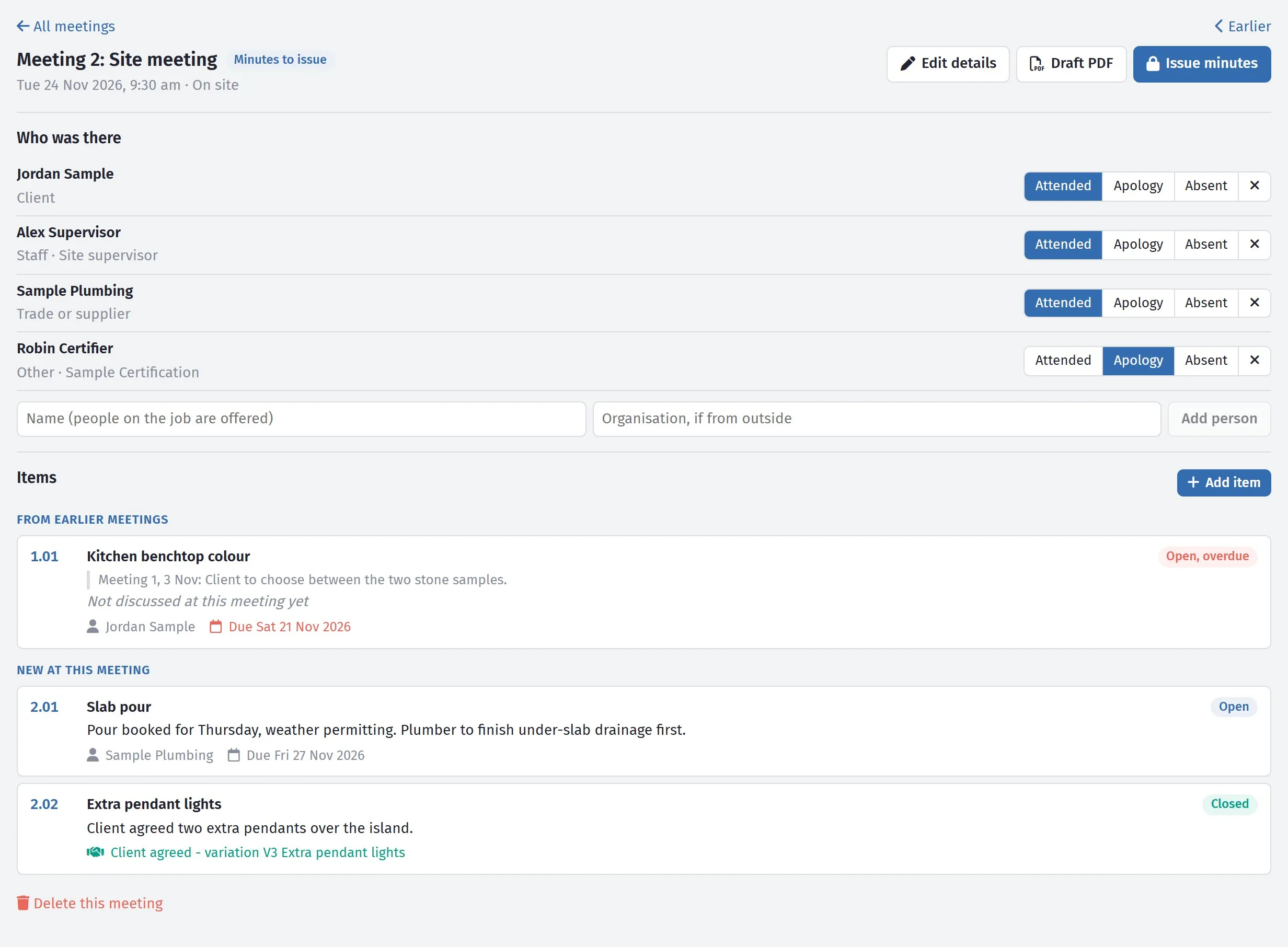
One meeting open. Item 1.01 was raised at meeting 1 and carried here with its number; 2.01 and 2.02 are new at this meeting.
Where a meeting stands
Section titled “Where a meeting stands”| Status | Meaning |
|---|---|
| Planned | Its date is still to come |
| Minutes to issue | The date has come and the minutes are not issued |
| Minutes issued | The minutes are made and the meeting is locked |
| Being corrected | Issued minutes opened again to correct them; they are issued next as a revision |
Who can do what
Section titled “Who can do what”- Anyone with Meeting Notes on the Users page can read the job’s meetings.
- Meeting notes: add, edit and issue lets a person record meetings, issue and send the minutes, and mark actions done. Everyone who had the Site diary was given it when Meeting notes arrived.
- Meeting notes: correct issued minutes is given to nobody by itself: an administrator ticks it for the people who may correct minutes. Administrators always can.