
Auto-attaching to bids and orders
Available onEstimatorBuilder
Two ticks on the Details tab of an open document:
- Attach to new purchase orders automatically
- Attach to new tenders automatically
Tick one and Save, and the document is included with every new purchase order, or every new tender package, on that job. A document marked Obsolete cannot auto-attach - the ticks are switched off with it.
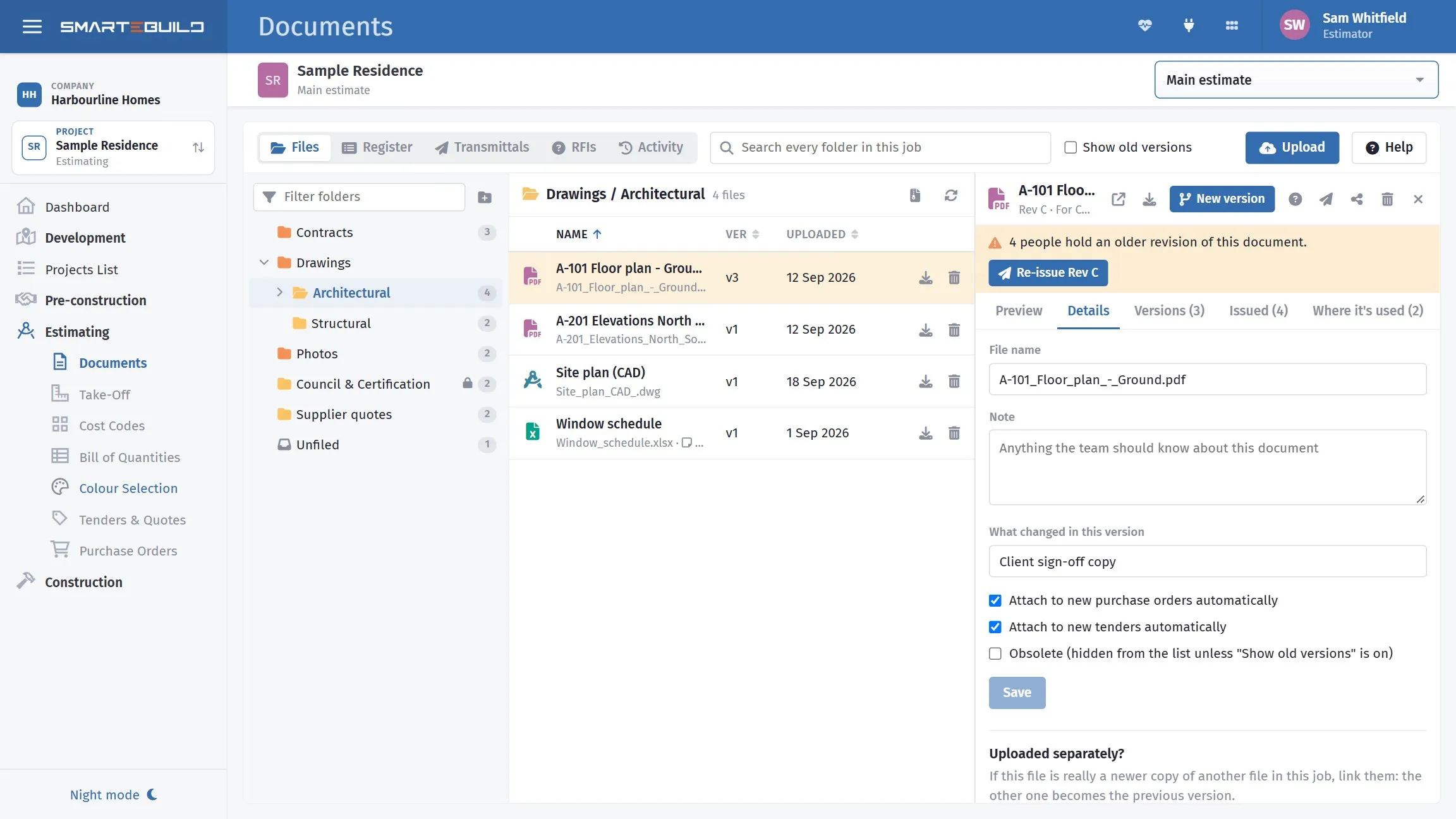
The auto-attach ticks on the Details tab.
What deserves auto-attach
Section titled “What deserves auto-attach”Documents that genuinely go with everything.
| Document | Bids | Orders |
|---|---|---|
| Site plan and access details | ● | ● |
| Site safety requirements | ● | ● |
| Your standard subcontract conditions | ● | — |
| Insurance requirements | ● | — |
| Delivery instructions | — | ● |
| Soil report | ● | — |
A-101 Floor Plan |
— | — |
The floor plan is the interesting row. It feels like it should go to everyone, and it should not — the painter does not need it, and a package with four irrelevant drawings buries the two that matter.
Site access and safety
Section titled “Site access and safety”The best candidates for both settings.
Every subcontractor pricing the job and every supplier delivering to it needs to know how to get in, where to park, whether there is crane access, and what the site requires. Attaching it once means nobody has to remember.
It also means the information is in writing on every document you issue, which matters if there is ever a question about what a contractor was told.
Standard conditions
Section titled “Standard conditions”Your subcontract conditions, insurance requirements and payment terms belong on every bid.
Sending them with the invitation rather than at award means subcontractors price knowing them. A subcontractor who discovers your retention terms after winning has a reason to renegotiate.
Review it per project
Section titled “Review it per project”Auto-attach is set per document on a project, so it carries the settings you gave it on that job.
Worth a look when a job starts: what is set to auto-attach, and is it still right? A document that made sense to attach to every order during construction may not make sense during the defects period.
Attaching by hand
Section titled “Attaching by hand”Everything else. On a tender or an order, Attach Files opens the file picker: tick the drawings that package needs. See Attaching files to orders, tenders and expenses.
When a new version of an auto-attached document is uploaded, the new copy keeps the setting, and orders not yet sent switch to it.
Two or three relevant documents per package, chosen deliberately, beats twelve sent automatically — every time.