
Prices, markups and GST
Available onEstimatorBuilder
An item’s Price is the cost per unit — what the work costs you, before any margin. Markup is applied on top, and is kept separate on purpose.
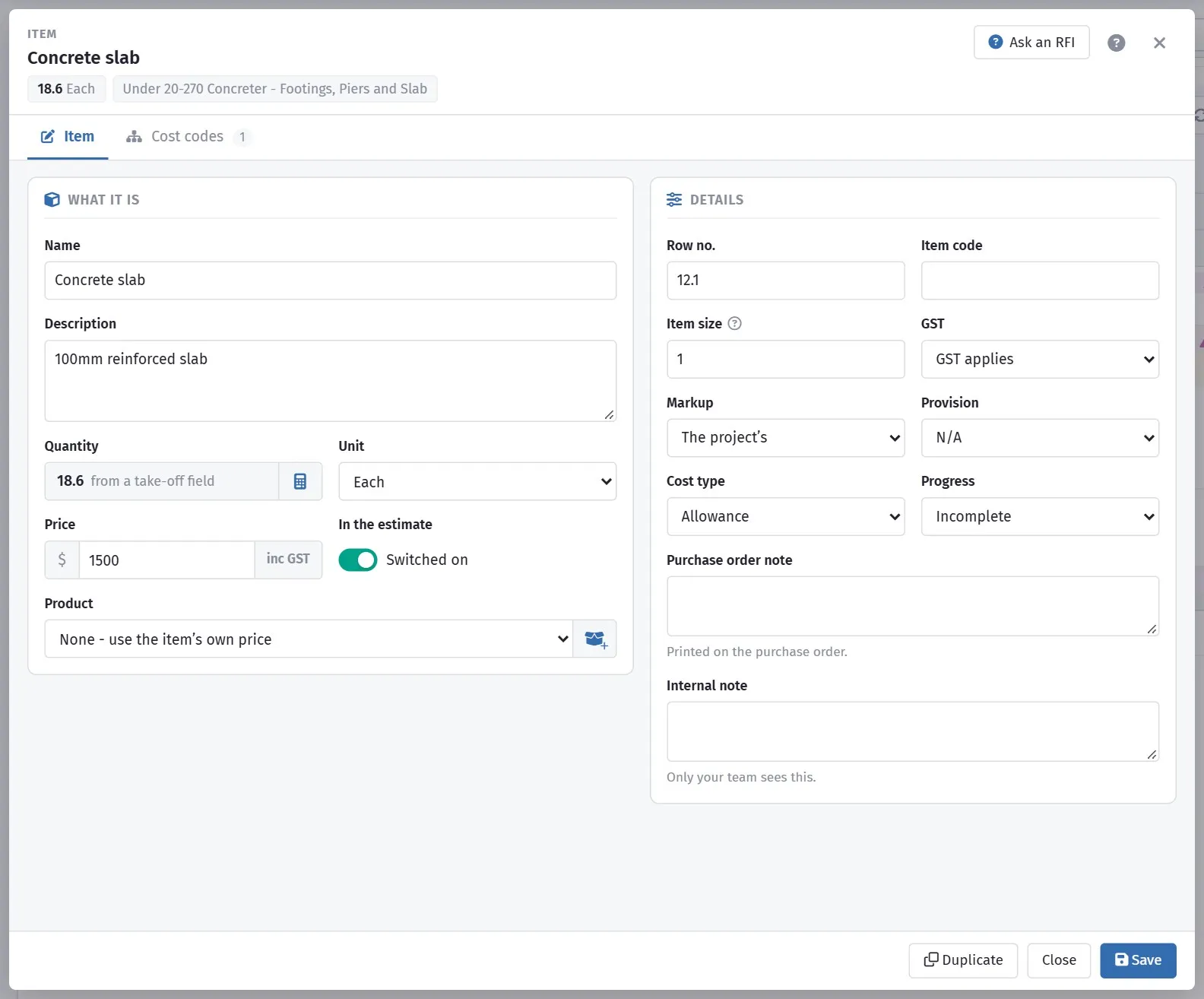
Overheads, margin and GST applied to a line.
Where a rate comes from
Section titled “Where a rate comes from”| Source | How it behaves |
|---|---|
| A price list | Linked, so it can be refreshed later |
| A supplier’s product | Linked to that supplier’s pricing |
| A received quote | Fixed at what the subcontractor quoted |
| Typed by hand | Fixed until you change it |
Items carrying a Link to Pricelist are the ones you can update in bulk. Typed rates are invisible to every refresh, which is fine for genuine one-offs and a liability for anything recurring.
Keeping rates current
Section titled “Keeping rates current”An item whose price list price has moved shows a pink price alert in the grid; click it to take the new price for that one item.
For the whole job, click Renew on the ribbon. The Renew prices window lists every item whose price no longer matches the price list:
| Column | What it shows |
|---|---|
| Current / New | The price on the job now, and the price list’s price |
| Change | How much it moved, as a percentage |
| Total change | The new price minus the old, times the quantity |
- The new price is your own price where you have set one in Price lists (marked Your price), otherwise the SmarteBuild price.
- Items are ticked to start with. Untick any you want to keep at the old price, or use Went up / Went down and the search box to narrow the list. Renew only changes the items shown: filter to Went down and it renews just those.
- Pick a cost code (type part of its name to find it) to renew just that part of the job.
- Click a column heading to sort by it; click again to reverse, a third time to go back to the original order.
- Drag the edge of a column heading to widen or narrow it (double-click the edge to reset). Your widths are remembered on that computer.
- Estimate change at the bottom is what renewing the ticked items does to the job’s total. Switched-off items still get the new price but do not change the total.
- Items already ordered or billed are locked while Lock Ordered or Billed Items is on, and are never changed.
- Tick Also update product names, SKUs and details to refresh the product description as well. Notes you wrote on a product are kept.
- Export CSV saves the list, for example to show the client why the price moved.
- After renewing, Undo puts the old prices back.
Refresh all products… does the old “Renew all the products of this estimate”: every supplier product on the job, used or not, gets the price list’s details and price. It cannot be undone.
Item markup
Section titled “Item markup”Item Markup applies to a single item. Use it for work you price differently from the rest of the job — a supply-only item you carry less margin on, or a trade you mark up harder because it carries more risk.
An item with its own markup gets that markup instead of the estimate’s percentage markups: 10% item markup on a line means that line is priced at exactly 10% over cost. Fixed-amount markups are still added once to the estimate as a whole. The Bill of Quantities totals bar and the Projects page work it out the same way.
If you want most items marked up the same way, do it at estimate level and leave item markup alone. See Markups.
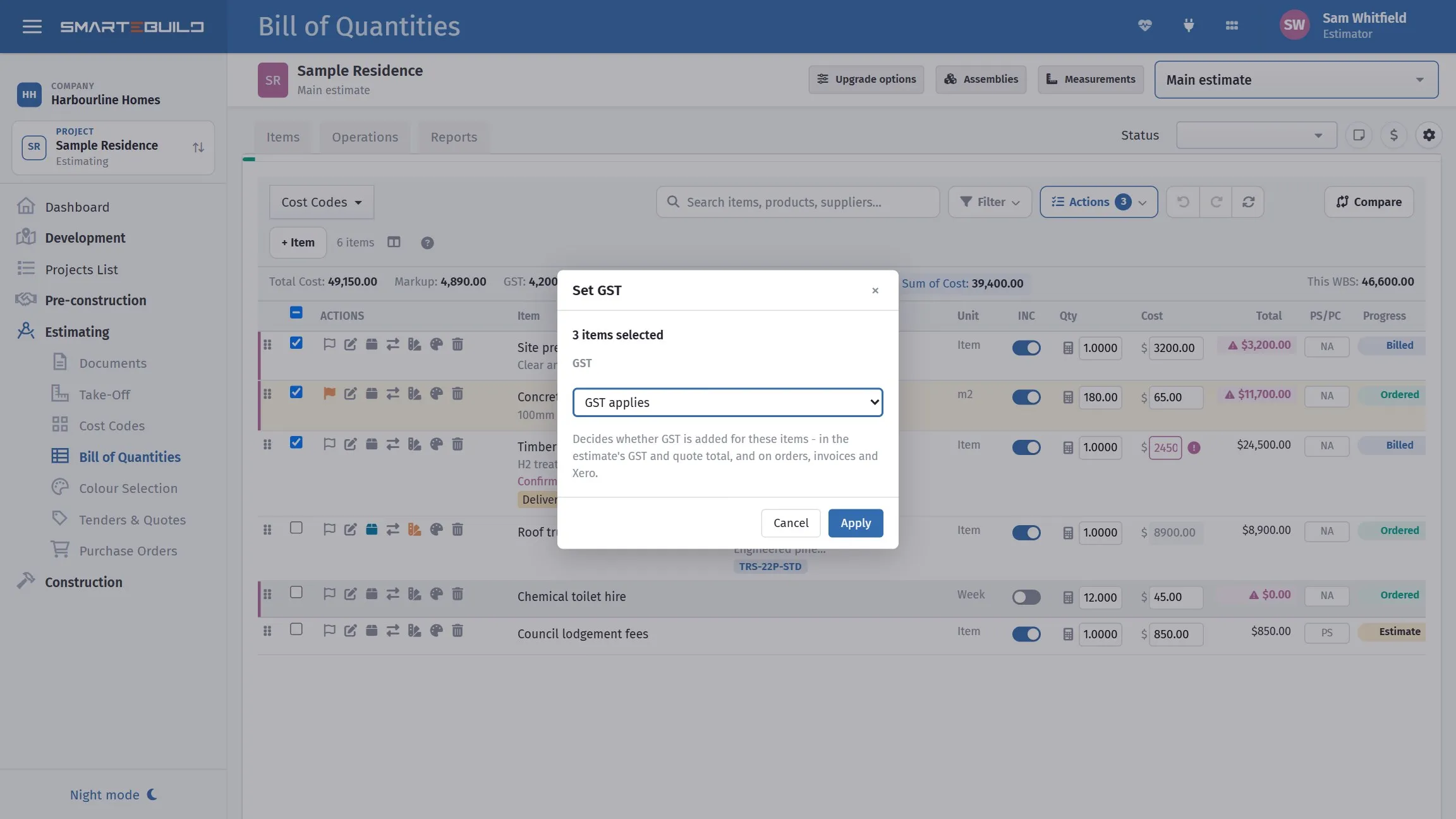
To change several at once, tick them and use Actions > Set GST. Council fees and certifier charges are the usual candidates.
The GST field controls whether GST applies to an item, at the rate set on the project.
Most items carry it. The ones that typically do not are statutory fees and charges — council permits, certifier fees, some authority connections. Getting these wrong overstates your price by 10% on those lines, which is usually enough to notice but not always enough to spot.
A GST-free item gets no GST in the estimate’s GST and quote total (on the Bill of Quantities totals bar and the Projects page alike), or on its purchase orders, supplier invoices and Xero.
To check them, open Filter on the Bill of Quantities toolbar and tick GST-free. It lists every GST-free item in the cost codes you are looking at. To change many at once, tick them and use Actions → Set GST.
Showing cost against actuals
Section titled “Showing cost against actuals”Show Actual Costs Columns adds committed and actual cost alongside your estimate, once orders and invoices exist.
This is how you see the estimate holding up as the job runs — allowed, committed, spent, side by side per item. It is worth turning on the moment the job is won, and leaving off while you are still estimating, when the columns are all empty.
A worked check
Section titled “A worked check”The Hendricks slab, from cost to sell:
| Concrete 18.64 m³ @ $228/m³ | $4,250 |
| Mesh 195.72 m² @ $9.40/m² | $1,840 |
| Vapour barrier 205.04 m² @ $3.10/m² | $636 |
| Bedding sand 9.32 m³ @ $62/m³ | $578 |
| Pump 1 item @ $850 | $850 |
| Slab cost | $8,154 |
| Overheads 8% | $652 |
| Margin 12% | $978 |
| Slab sell, ex GST | $9,784 |
| GST 10% | $978 |
| Slab sell, inc GST | $10,762 |
The cost line is what you would defend to a subcontractor. The sell line is what the client sees. Keeping them separate is what lets you change one without disturbing the other.