
Approvals
Available onDeveloper
A development is held up by paperwork more often than by trades. Approvals is the list of every consent the job needs — what has been lodged, what is overdue, and what is about to lapse.
It sits between the sales register and the bank report, because it is the other thing a lender asks about: not only whether the numbers work, but whether you are allowed to build it.
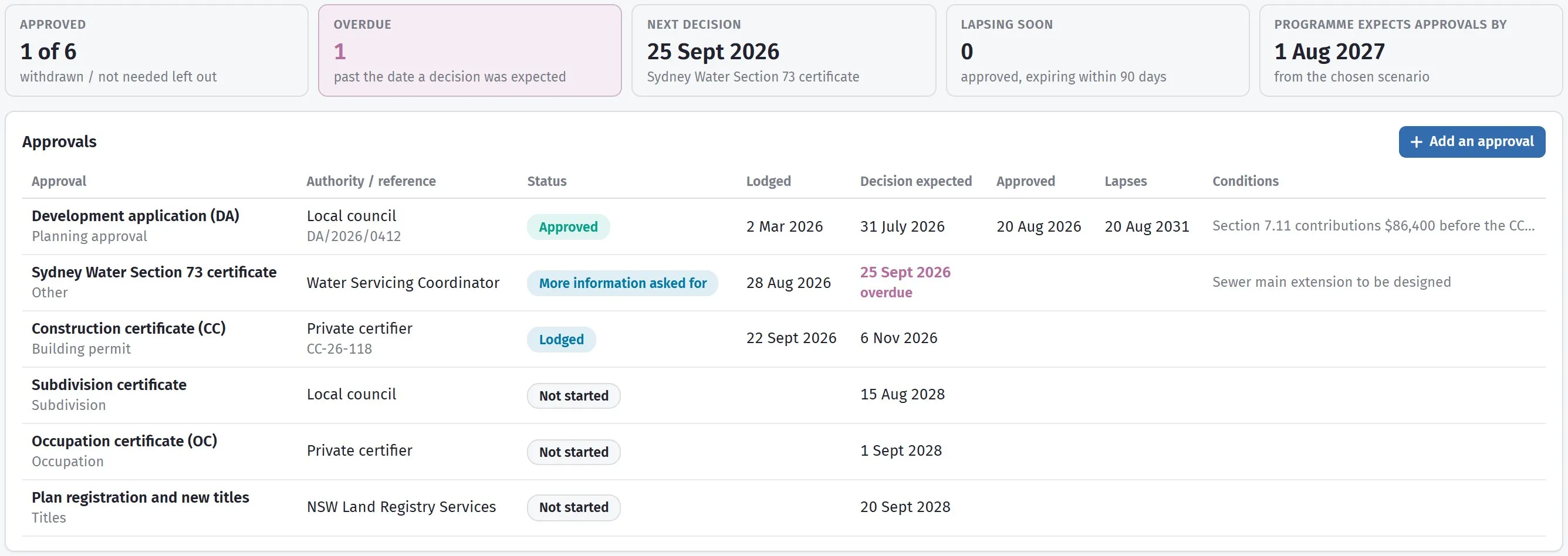
Five tiles, then every approval with where it has got to and what it is waiting on.
What needs you
Section titled “What needs you”Five tiles across the top:
| Tile | What it counts |
|---|---|
| Approved | How many are through, of the ones that count — anything Withdrawn / not needed is left out |
| Overdue | Past the date a decision was expected, with nothing back |
| Next decision | The soonest one still waiting |
| Lapsing soon | Approved, but running out within 90 days |
| Programme expects approvals by | The date the chosen scenario assumes they are all done |
That last tile is the one to watch. The feasibility’s design and approvals months are an assumption; this is the reality. When the planning approval is running behind what the programme expects, a warning says so — and every month of slippage is a month of interest on land you cannot build on yet.
Adding them
Section titled “Adding them”Add the usual approvals puts in the ones your state normally requires — the planning approval or DA, the building permit, subdivision, the occupation certificate and titles — named the way that state names them. Start there and delete what does not apply; it is quicker than remembering the list, and the names are the ones the authority will use.
Add an approval adds a single one for anything unusual: a tree removal consent, a heritage referral, a water authority sign-off.
What each one holds
Section titled “What each one holds”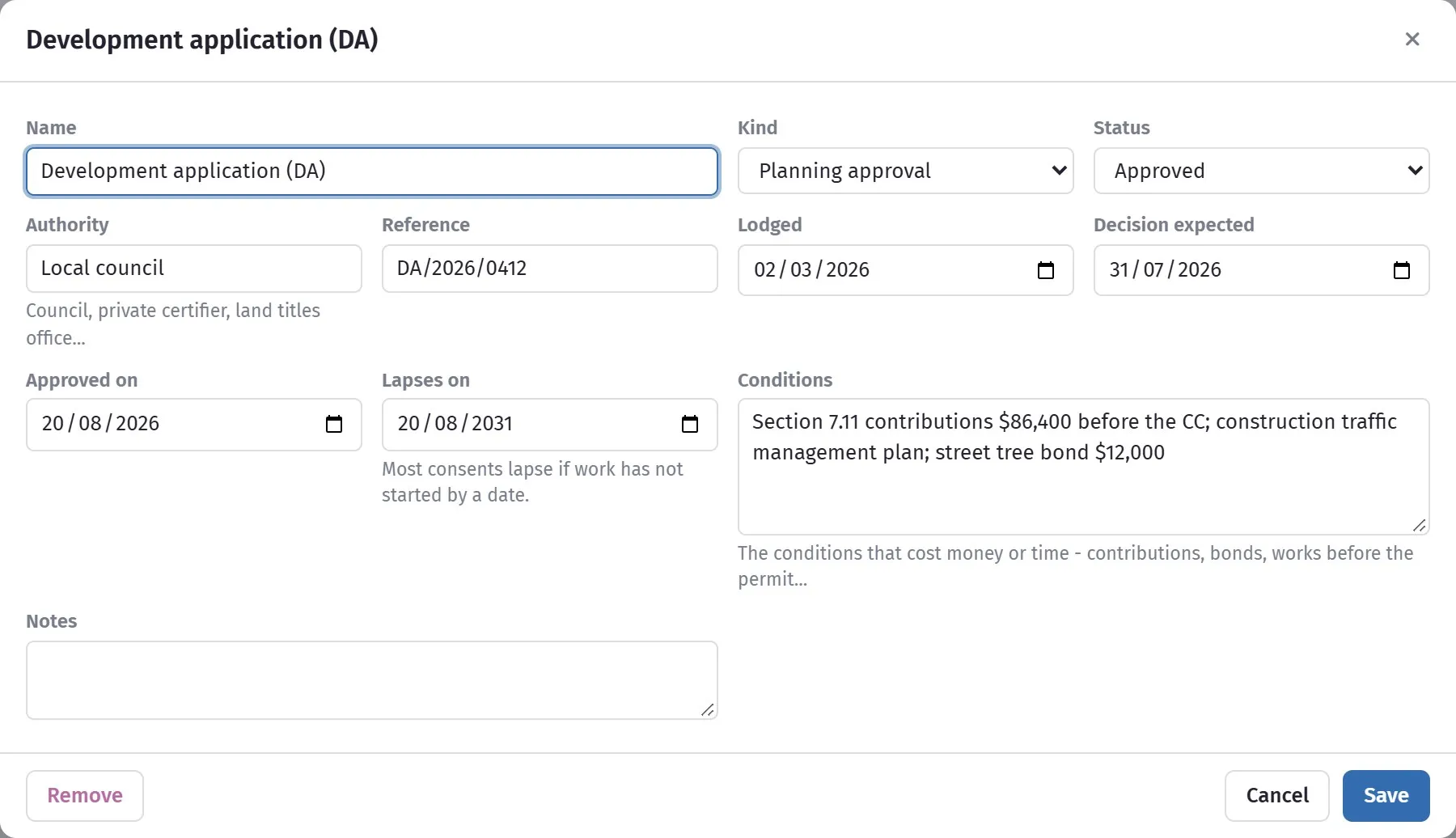
Everything about one consent on a single window.
| Field | What it is for |
|---|---|
| Name | What you call it |
| Kind | Which sort of approval it is |
| Status | Where it has got to — see below |
| Authority | Who decides. The council, the certifier, the water authority |
| Reference | Their file number, which is what you quote when you chase |
| Lodged | The date it went in |
| Decision expected | When you were told to expect an answer. This drives Overdue |
| Approved on | The date it came through |
| Lapses on | The date it expires if you have not started |
| Conditions | What you have to do to satisfy it |
| Notes | Anything else |
The statuses
Section titled “The statuses”Not started, Preparing, Lodged, More information asked for, Approved, Refused, and Withdrawn / not needed.
More information asked for is worth using honestly rather than leaving something at Lodged. A request for further information usually stops the statutory clock, and the weeks it adds are the single most common reason a development runs late.
Withdrawn / not needed keeps the record without counting against you — useful for an approval you listed and then found did not apply.
Lapse dates are not a formality
Section titled “Lapse dates are not a formality”A planning approval that lapses is not a form to re-file. It is a fresh application, at today’s fees, against today’s rules, with today’s neighbours. Lapsing soon gives you 90 days’ notice, which is usually enough to start something that counts as commencement.
If a site is sitting while you wait on finance or the market, the lapse date is the thing to diarise.
Who can see and change it
Section titled “Who can see and change it”Anyone who can open the development sees the Approvals tab. Changing it needs the Edit feasibilities permission — the same one that lets someone alter the numbers. See Module permissions.