
The variations list
Available onBuilder
The List View shows every variation across your jobs — number, date, estimate, description, value and whether the client has accepted it.
Reach it from the floating List View button on the variations screen.
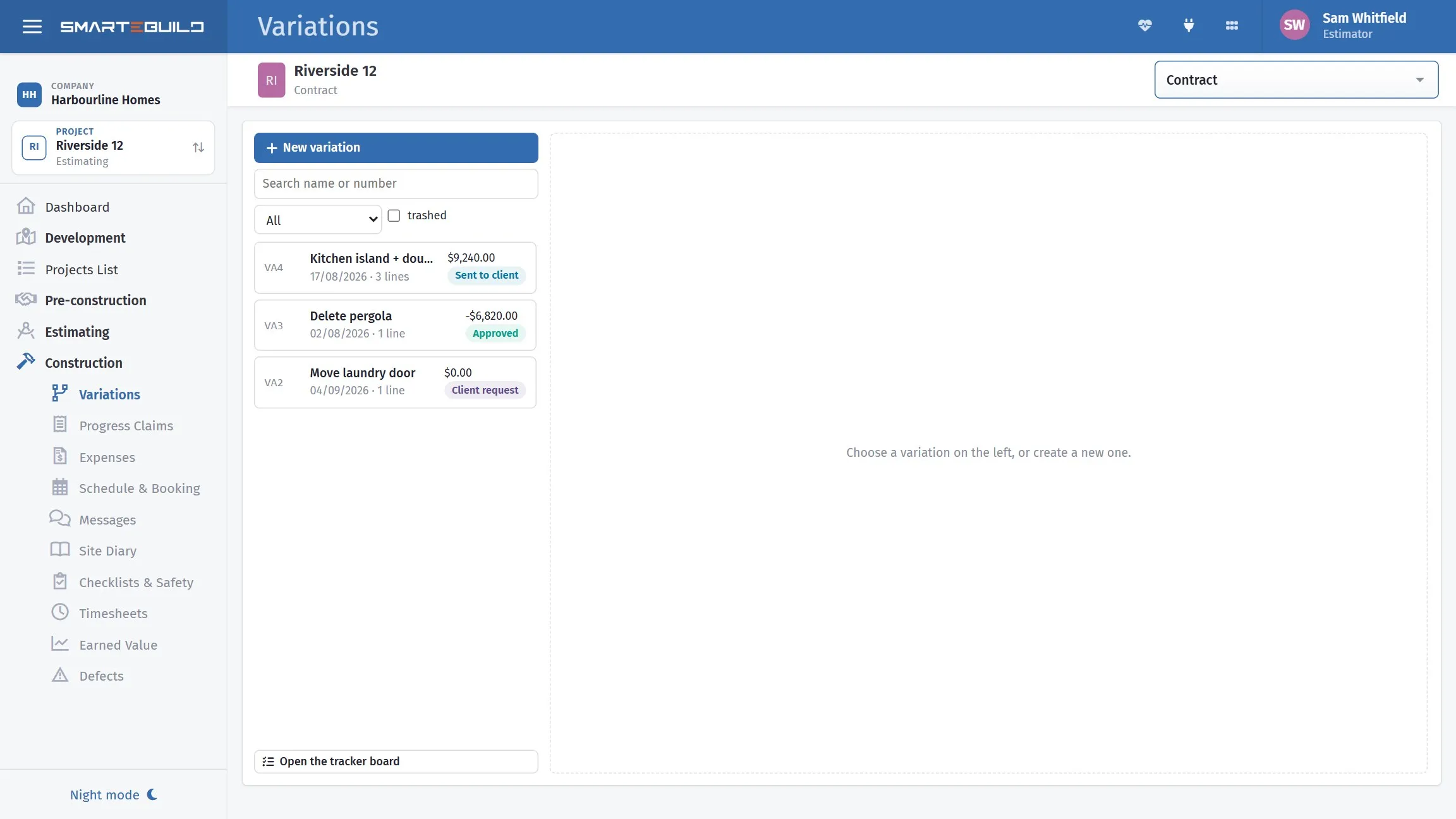
Every variation, with its status and what it does to the contract.
The filter that matters
Section titled “The filter that matters”Unaccepted variations is the one to look at regularly. Each is money you have possibly already spent and cannot yet claim.
Sort them oldest first and work down. Anything more than a fortnight old needs chasing; anything where the work is already built needs chasing today.
What the list answers
Section titled “What the list answers”| Question | How |
|---|---|
| “What is outstanding on this job?” | Filter by estimate, filter unaccepted |
| “What has this client been charged in variations?” | Filter by estimate, total the accepted ones |
| “How much variation work are we carrying?” | Filter unaccepted across all jobs |
| “When did we raise that one?” | Sort by date |
The third question is the one to ask across the whole business rather than one job. A large total of unapproved variations is working capital you have spent and not invoiced, and it is invisible on any single job.
A variations schedule for the client
Section titled “A variations schedule for the client”Clients ask for a summary of variations, usually near the end and usually when they are looking at the final claim.
Produce it from the list, filtered to the estimate:
| No. | Date | Description | Value |
|---|---|---|---|
| VO 01 | 12 Jun | Additional power points to living | $486.00 |
| VO 02 | 28 Jun | Rock excavation to footings | $3,240.00 |
| VO 03 | 14 Jul | Upgrade to stone benchtops | $2,180.00 |
| VO 04 | 22 Sep | Tapware above PC allowance | $862.40 |
| VO 05 | 30 Sep | Delete rear deck | −$7,381.00 |
| Net variations | −$612.60 |
Running total included. A client seeing variations one at a time over eight months has no sense of the aggregate, and the aggregate is what they will react to at the end. Sending this periodically — with each claim, say — removes the surprise.
Numbering
Section titled “Numbering”Number variations sequentially per job, and never reuse a number.
If a variation is withdrawn, leave the number retired rather than reissuing it. A client who has two different documents both called VO 03 will not trust either, and you will spend more time explaining the numbering than the variation.
Exporting
Section titled “Exporting”The list exports for reporting and for sending to a client.
Check the columns before sending. A variations schedule for the client should show the value they are being charged — not your cost, your margin, or which subcontractor did the work.
Filters across jobs
Section titled “Filters across jobs”Filter EPS and the standard project filters apply here. Filtering to live jobs and grouping by estimate gives you every open variation in the business on one screen, which is the report worth looking at weekly if you run more than a handful of jobs.