
Committed vs actual cost
Available onBuilder
Three numbers describe the cost of a job. Reading them together is how you find out a job is going wrong while you can still do something about it.
| Number | Comes from | Answers |
|---|---|---|
| Allowed | The Bill of Quantities | What did I price? |
| Committed | Purchase orders | What have I promised to pay? |
| Actual | Expenses | What have I been charged? |
Turn on Show Actual Costs Columns in the BOQ to see all three per item.
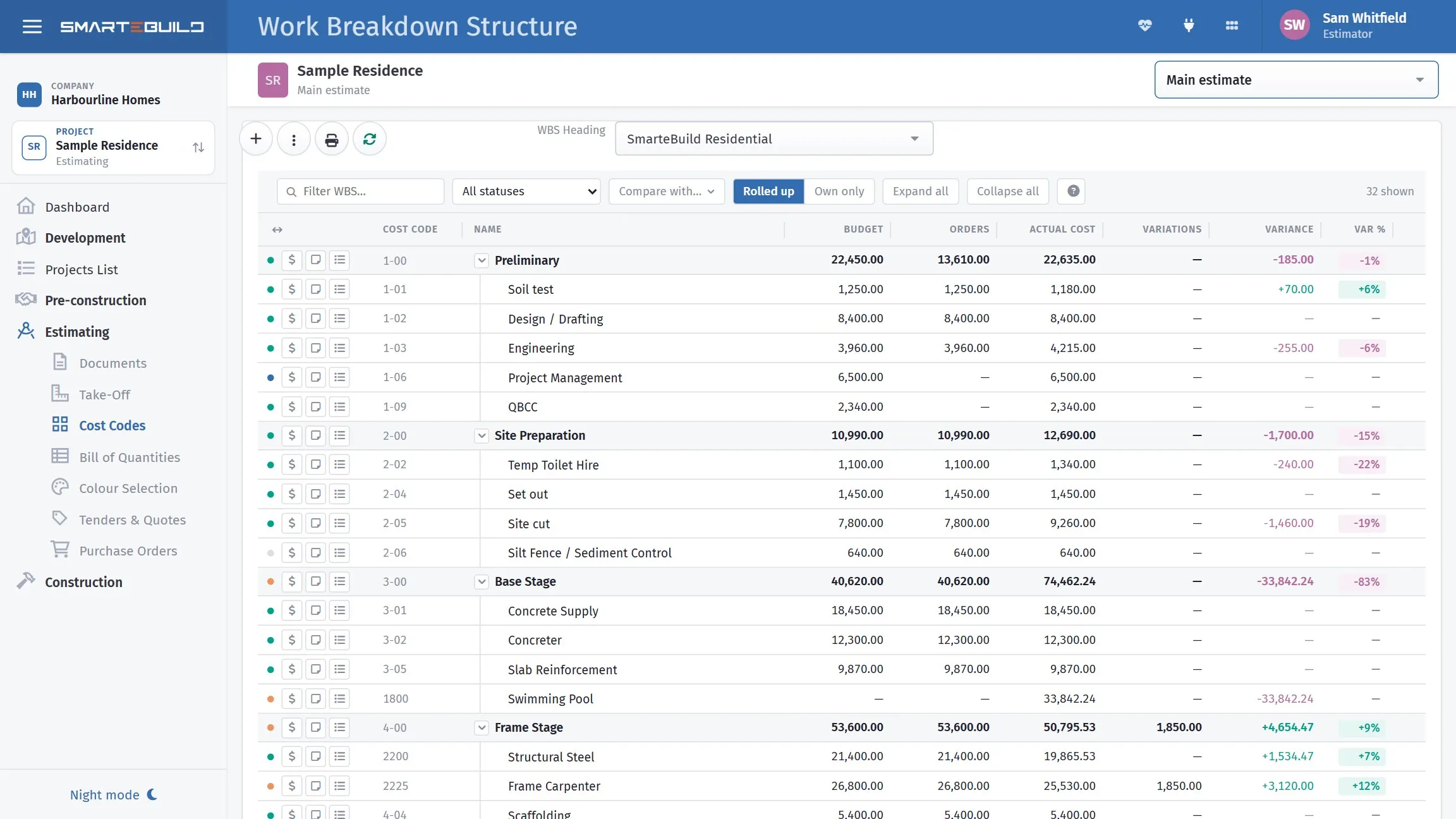
What you have promised, against what has actually been invoiced.
Reading the gaps
Section titled “Reading the gaps”Committed above allowed means you have ordered more than you priced. Either a rate has risen, the scope grew, or the estimate was light. Whichever it is, it is visible now rather than at the end.
Actual above committed means you were charged more than you ordered. This is the one to chase — an invoice that exceeds its order is either a supplier error, an undocumented variation to the order, or work nobody authorised.
Committed well below allowed, late in a trade usually means orders have not been raised, rather than that you are under budget. It is the most common false comfort in job estimate.
Worked example
Section titled “Worked example”The Hendricks slab, mid-job:
| Item | Allowed | Committed | Actual |
|---|---|---|---|
| Concrete N32 | $4,250 | $4,250 | $4,612 |
| Concrete pump | $850 | $850 | $850 |
| SL72 mesh | $1,840 | $1,840 | $1,840 |
| Vapour barrier | $636 | $636 | $636 |
| Bedding sand | $578 | $0 | $0 |
| Slab | $8,154 | $7,576 | $7,938 |
Two things stand out.
The concrete is $362 over. Actual exceeds both the order and the allowance — worth a phone call. Usually this is an extra part-load, a waiting charge, or a pump-out. If it is legitimate, it is a cost overrun to note; if it is not, it is a credit to claim.
The bedding sand is not committed. The slab is poured, so either it was supplied under the concrete order and the item should be closed off, or it was never ordered and an invoice is coming.
The trade total looks fine — $7,938 against $8,154 allowed. Only the item detail shows both problems.
Where to look
Section titled “Where to look”| Where | Shows |
|---|---|
| BOQ with actual cost columns | Item-level, the most detail |
| Estimate metrics on the Projects list | Job-level, cost against budget |
| The orders list | Everything committed, filterable by supplier |
| Expenses list | Everything charged, with Hide billed orders |
A routine that works
Section titled “A routine that works”Once a month, or at each claim:
- Open the BOQ with actual cost columns on.
- Scan for any item where actual exceeds committed — query those.
- Scan for trades that are complete but barely committed — chase the missing orders.
- Check the estimate metrics for the job-level picture.
Fifteen minutes. It catches supplier overcharges while they are still arguable and missing orders before the invoice arrives.
Why this depends on ordering properly
Section titled “Why this depends on ordering properly”None of the above works if orders are skipped. Without a committed figure, the only comparison available is allowed against actual — which tells you about the overrun only once the money is spent.
The committed column is the early-warning one, and it exists only if you raise the orders.