
Inviting subcontractors
Available onEstimatorBuilder
Recipients come from your Suppliers list. Each one invited gets their own bid — their copy of the package to price.
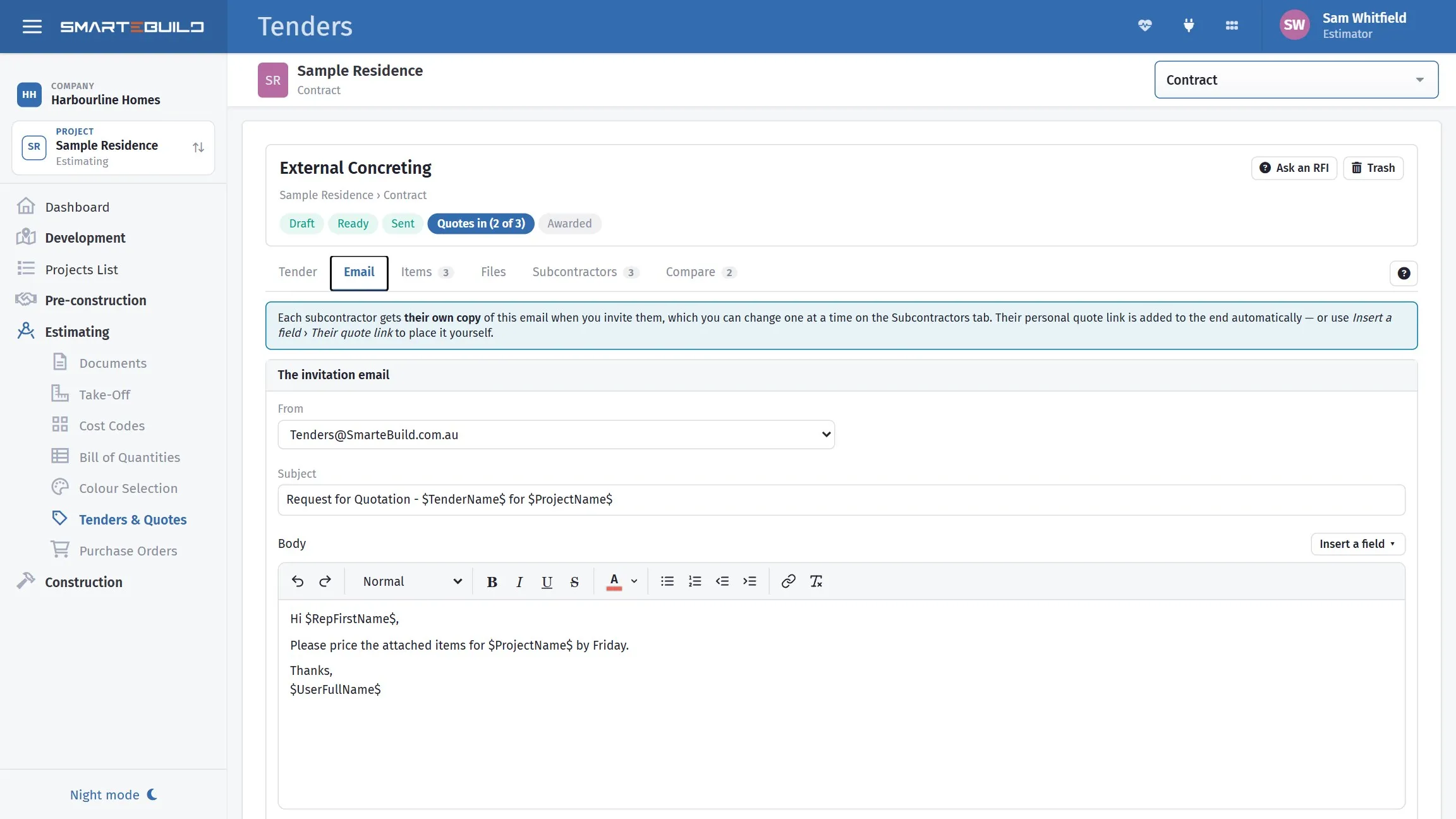
The invitation carries the package, the drawings and a link to quote.
How many to invite
Section titled “How many to invite”Three is the usual answer for anything significant.
| Invited | You get |
|---|---|
| One | A price, not a market price |
| Two | A comparison, until one declines |
| Three | A real range, and cover if one drops out |
| Six or more | Diminishing returns, and a reputation for wasting people’s time |
The last row is worth taking seriously. Subcontractors talk to each other, and one who works out they are the sixth quote on every job you send stops pricing your work. Invite people you would actually use.
Choosing who
Section titled “Choosing who”Press Invite a subcontractor on the tender’s Subcontractors tab. Choose the supplier list, then narrow it with Trade — type to find the trade, the same way cost codes are found. Pick the business, then the contact, and press Invite.
The dialog stays open after each invite, with a line listing who you have invited so far, so you can go straight on to the next plumber. Press Done when you have them all.
Only contacts with an email address are offered — a contact without one could never be sent the tender — and contacts already on the tender are marked already invited. If the supplier’s licence or insurance has expired, or is about to, the warning appears as soon as you pick them.
A trade shows the suppliers filed under exactly that trade. If a list looks empty, try the trade above it, or All trades in this list.
Contact on each recipient is the person the invitation goes to.
Send to a named person. A tender addressed to info@ competes with everything else
in a shared mailbox; one addressed to the estimator who priced your last three jobs
gets looked at.
This is where your supplier records pay off
Section titled “This is where your supplier records pay off”Suppliers carry their trades, so the module can offer the businesses who do the work in this package rather than your whole list.
If choosing recipients means scrolling through 400 suppliers, the trades on those records are not filled in. Fifteen minutes tidying that up is repaid on every tender after it. See Suppliers.
The record’s ratings and dated fields (licence, insurance, Work Cover) pay off later too: the tender list shows a supplier’s average rating under their name, and flags a field that has expired or is about to, right where you compare their price.
Give them enough time
Section titled “Give them enough time”The single biggest influence on the quality of a bid.
| Package | Reasonable notice |
|---|---|
| A small trade on a house | 3–5 days |
| A major trade on a house | 1–2 weeks |
| A commercial package | 2–4 weeks |
A subcontractor given two days either declines, or prices high to cover what they did not have time to check. Neither helps you.
Adding a supplier mid-tender
Section titled “Adding a supplier mid-tender”If the business you want is not in your list, add them — the supplier record is needed for the bid to exist, and you will want it next time anyway.
Fill in the trades while you are there.
Find local businesses
Section titled “Find local businesses”Press Find local businesses in the invite window (Find local on the Suppliers page). Type the trade or a cost code name and the area; on a tender the trade starts as the trade you chose, or the tender’s name, and the area starts from the job’s address. You see your own suppliers in that trade with how often they have quoted for you, then businesses nearby with their distance, Google rating and whether an active ABN was found. They start in best-match order. Use Sort by to list them by Google rating, most reviews, distance, name or confirmed ABN.
A search costs about A$0.35 of your company’s AI credit. The foot of the window shows the credit left.
Press Add to add the business. Choose where it goes in your structure, which is required: a supplier list and trade on a tender, or a heading and category on the Suppliers page. The name, ABN, state and postcode start from the ABN register, so check they are this business. You type the phone and website yourself. To send a tender, copy the email address from the business’s website. Licences aren’t checked for you: use the link on each result where one is shown.
“No matching ABN found” means we couldn’t match the name, not that the business has no ABN.
“Check this is them” means the ABN we matched is registered in a different postcode from the Google Maps listing. That’s often just the owner’s registered address, but with a common name it could be another business, so check before you add it.
ABN details come from the Australian Business Register’s weekly ABN Bulk Extract, so a business’s ABN can be up to a week or so behind the register. The date is shown under the results. “ABN not checked” means our copy is unavailable or over three weeks old.
Changing or removing an invitation
Section titled “Changing or removing an invitation”Edit on their row changes the contact — until the tender has been sent to them. After that, invite the new contact instead: the first one has the email.
Remove takes them off the tender, but not once they have quoted, because their quote belongs to the invitation. Mark them Not interested instead.
Declines
Section titled “Declines”A subcontractor who declines is useful information: press Not interested on their row to record it, so next time you know to invite four. They also drop off the “still waiting on” line under Compare.
A subcontractor who never responds at all is different, and worth chasing rather than assuming. Silence is usually an invitation that went to a mailbox nobody reads — which is a contact detail to fix, not a business to write off.