
Contract stages
Available onEstimatorBuilder
Contract stages are the payment points in your building contract — deposit, base, frame, lock-up, fixing, completion. Setting them up is what lets you raise a progress claim by ticking a stage rather than working out a percentage by hand.
They are edited from Edit Stage on the project.
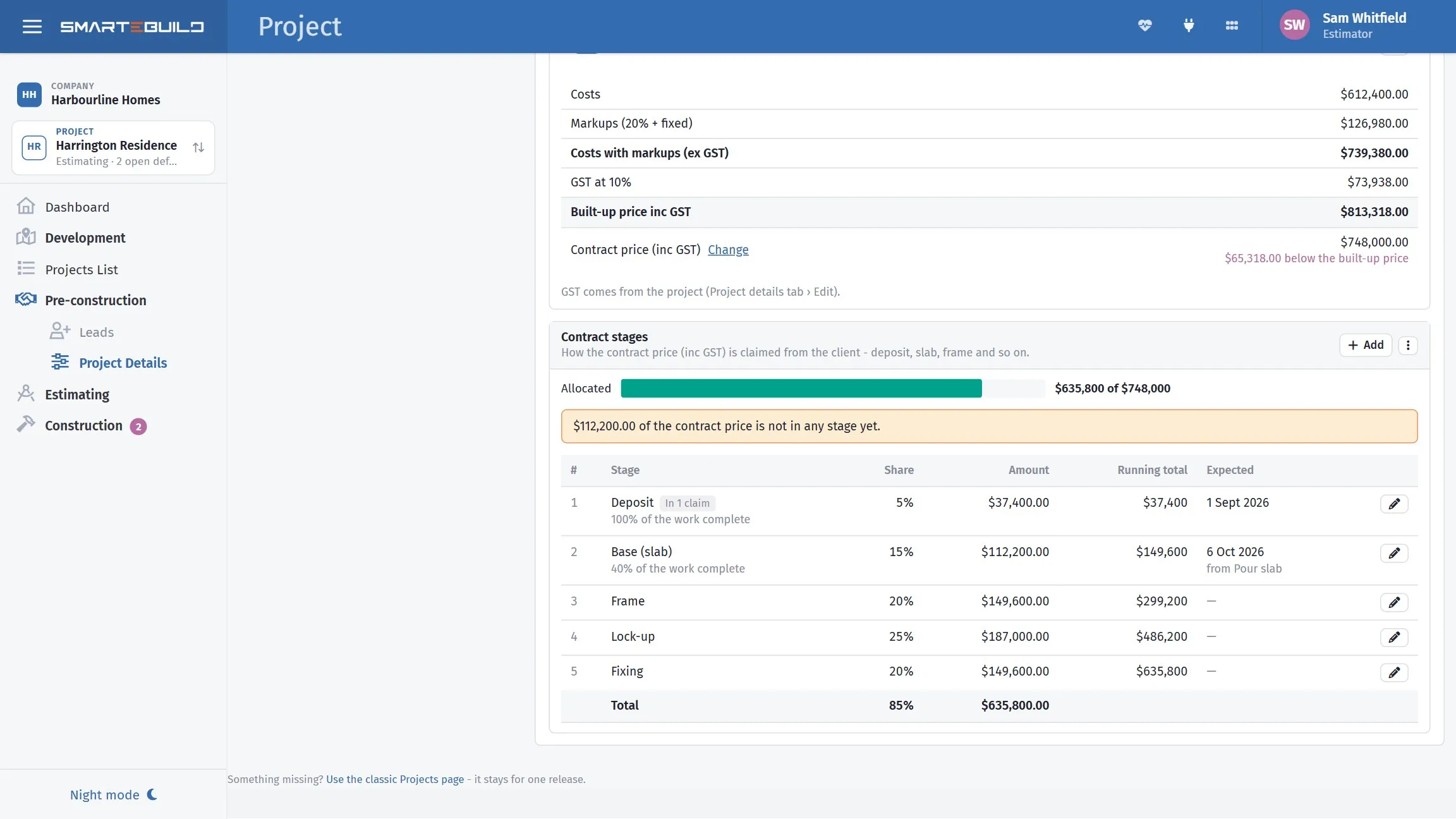
The stages your contract pays on, and what share each one claims.
The fields
Section titled “The fields”| Field | What it does |
|---|---|
| Stage Name | What the stage is called in the contract |
| Percentage | What share of the contract sum this stage represents |
| Expected Date | When you expect to reach it |
| Linked Task | A schedule task that drives the date, and says when the stage is ready |
| Sorting Index | The order the stages run in |
Worked example: a standard residential contract
Section titled “Worked example: a standard residential contract”A typical Victorian domestic building contract:
| Stage | Percentage | Sorting Index |
|---|---|---|
| Deposit | 5% | 1 |
| Base | 10% | 2 |
| Frame | 15% | 3 |
| Lock-up | 35% | 4 |
| Fixing | 25% | 5 |
| Completion | 10% | 6 |
The percentages total 100. On a $221,380 contract, the lock-up claim is $77,483 — and Progress Claims works that out for you rather than you reaching for a calculator each time.
Linked Task
Section titled “Linked Task”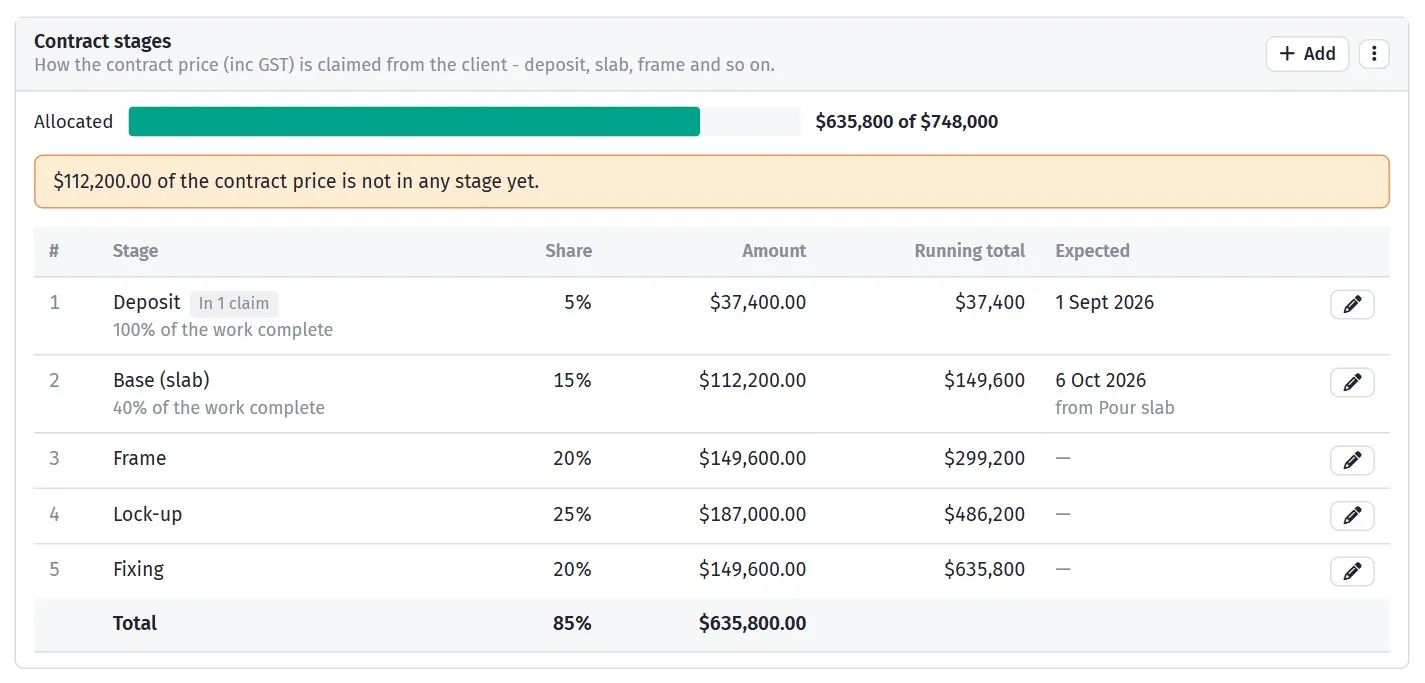
Link a stage to a task and its expected date follows the schedule.
Linked Task ties a stage to a task in the schedule. It does two things:
- The Expected Date comes from the task — specifically the task’s computed finish date, rather than the date stored on the stage.
- The stage is only “ready” once that task is 100% complete.
That second point is what makes the income side of Cash flow meaningful: it can separate money you could claim today from money that is still ahead of the work.
Why it is worth linking
Section titled “Why it is worth linking”An unlinked stage sits on whatever date was typed when the contract was set up. A linked one moves with the programme.
So when the frame slips a fortnight, the frame claim slips with it, and your cash flow updates itself. Without the link, you are looking at a projection built on dates that stopped being true in March.
Linking is optional. Leave it blank if you are not running the schedule in SmarteBuild — an unlinked stage uses its own Expected Date, is always treated as ready, and is claimed exactly as before.
Expected dates
Section titled “Expected dates”Expected Date drives the income projection in the cash-flow view across the life of the job. Rough dates are far better than no dates; the shape of the curve is what matters, not the precise day.
On a stage with a Linked Task, this date is driven by the task instead, so you do not have to keep it current by hand.
Stages and the contract price
Section titled “Stages and the contract price”Stages are percentages of the contract price on the project, so that figure has to be filled in before the claim amounts mean anything. If your stages look right but the claim values come out as zero, check the contract price first.
What uses them
Section titled “What uses them”- Progress Claims raises claims against stages
- Cash Flow uses their expected dates to project income
- Variations add to the contract sum, and so change what each remaining stage is worth