
Logging defects
Available onBuilder
Defects is the punch list — everything to be put right before handover, organised by where it is.
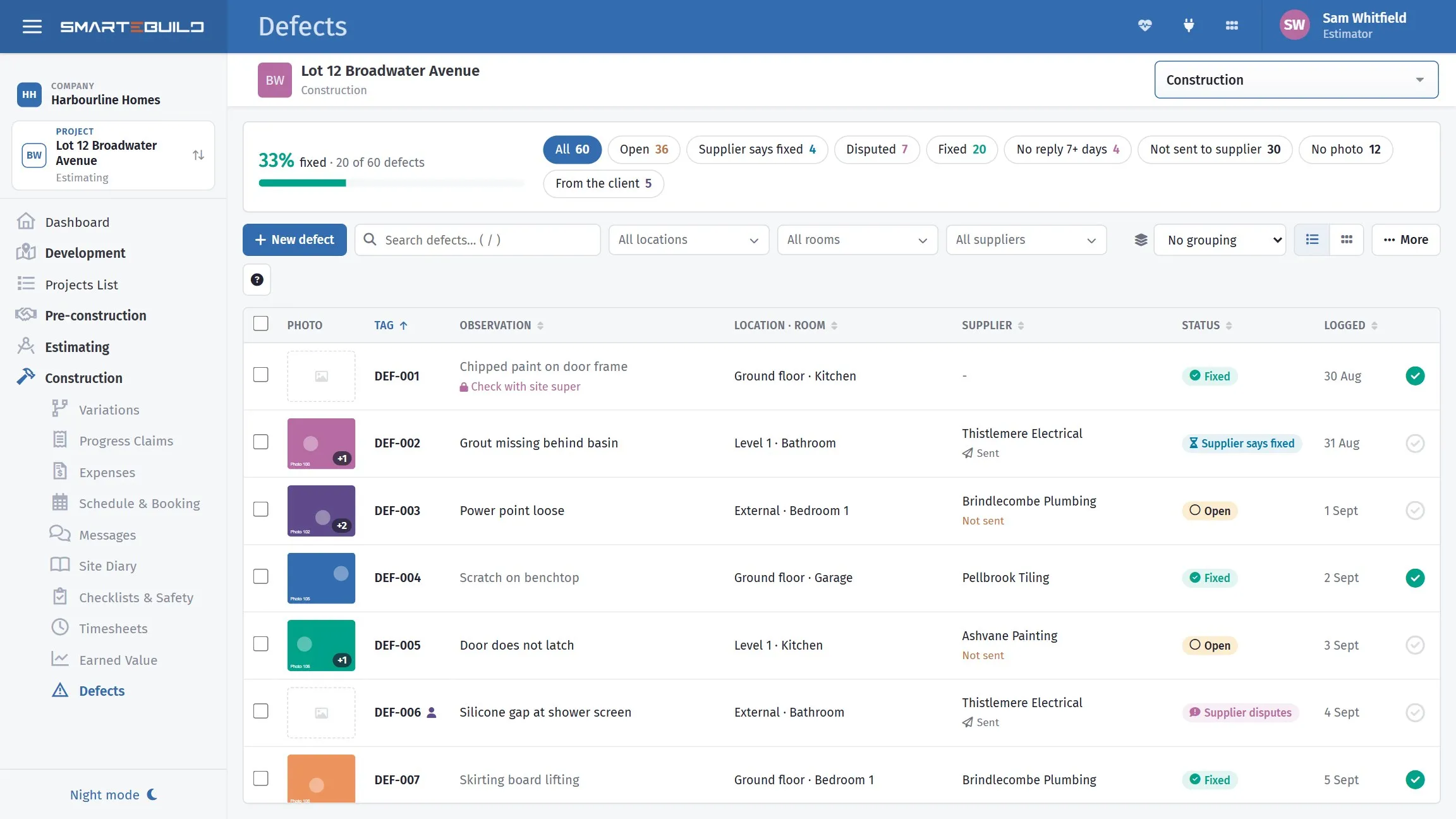
The punch list, from first inspection through to handover.
Locations and rooms
Section titled “Locations and rooms”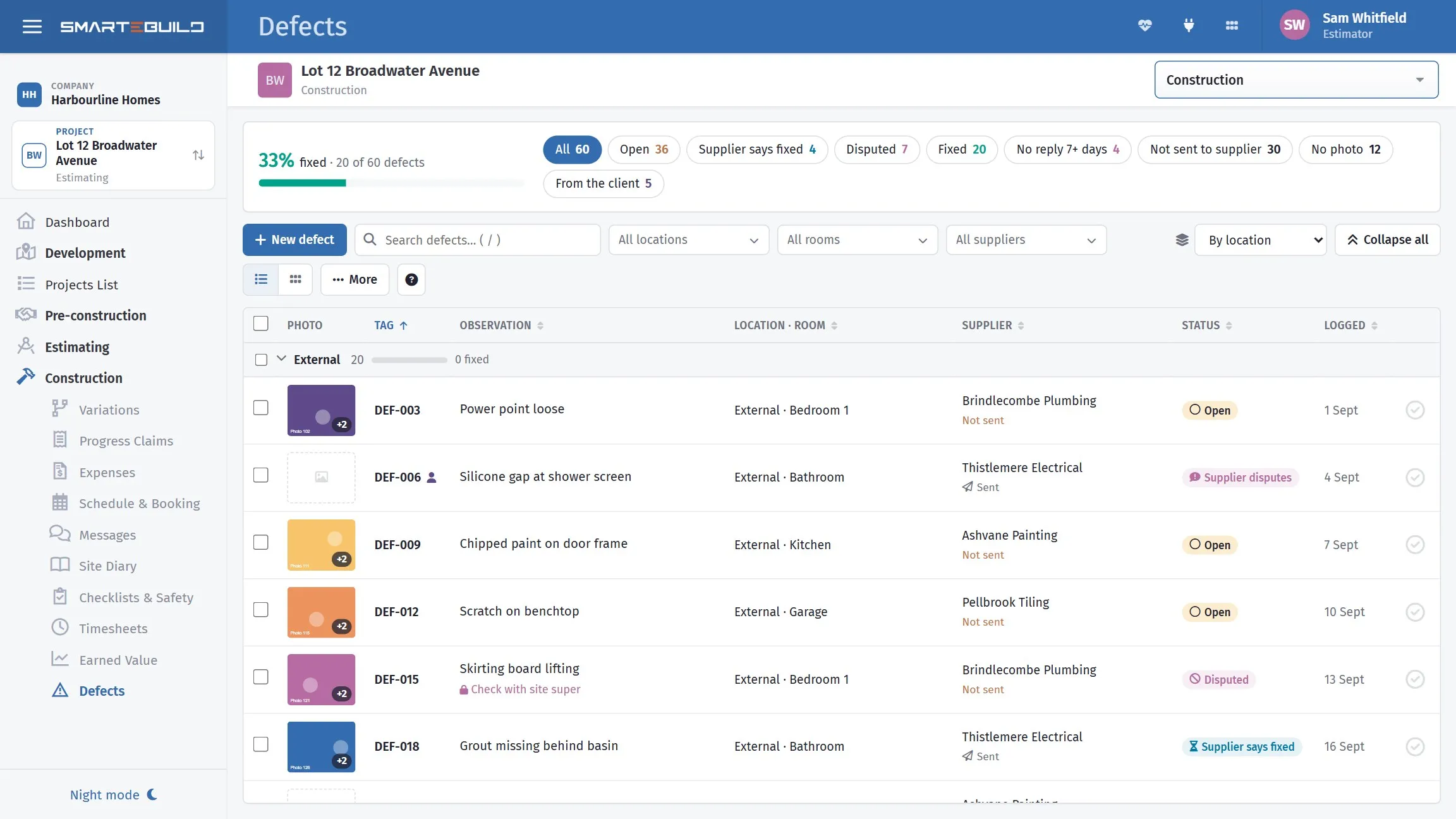
Grouping by location, or by room, is how a trade actually works through the list.
Type a new location or room straight into the defect’s Location or Room box and choose Add “…”; More → Locations and rooms renames or deletes them and shows how many defects use each. Defects sit under a location, which is what makes a list of eighty items walkable.
Rooms are shared with Colour Selection on the same estimate, so renaming one renames it there too. Deleting a location or room leaves its defects in place, just without it.
Use the room names from the drawings. Bed 2 is unambiguous; back bedroom is not,
and the person fixing it was not at the inspection.
Logging one
Section titled “Logging one”| Field | What it is |
|---|---|
| Press New defect (or the N key). The defect opens in a panel on the right. |
| Field | What it is |
|---|---|
| Observation | What is wrong - the only field you must fill in |
| Location / Room | Where it is |
| Supplier to fix it | Who is responsible for fixing it |
| Tag | Leave it blank and it numbers itself: DEF-001, DEF-002… (up to 10 characters if you type your own) |
| Internal note | Your own comments - never shown on the supplier notice |
| Photos | As many as 12 - you can add them before the first save |
Save & add another saves it and starts the next one in the same location, room and supplier, which is how you log a room’s worth quickly. Enter saves; Esc closes. The arrows at the top of the panel step to the previous or next defect in the list.
Writing an observation
Section titled “Writing an observation”The person reading it will not be the person who wrote it. Write for them.
| Weak | Better |
|---|---|
Paint |
Paint runs to architrave, door 3 side, approx 300mm |
Scratch |
Scratch to benchtop, 150mm, left of sink |
Door not right |
Door binds on frame at top hinge, does not latch |
Tile |
Chipped tile, 2nd row from floor, wall behind toilet |
Three things make the difference: what is wrong, where exactly, and how much. Without them the trade arrives, cannot find it, and rings you.
Photographs
Section titled “Photographs”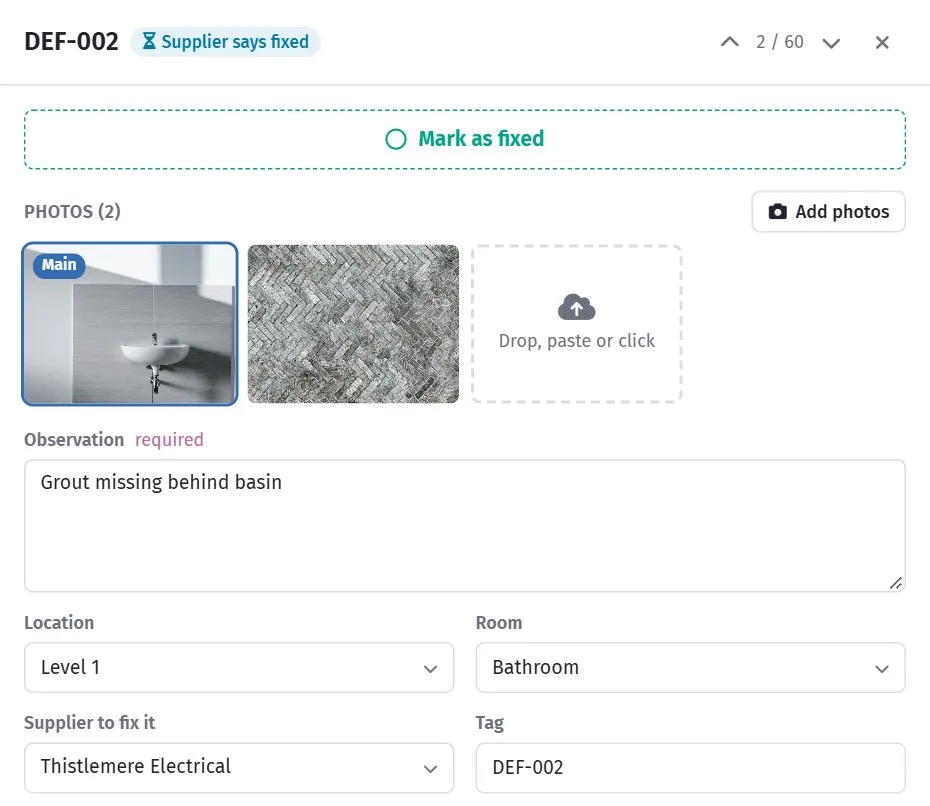
A photograph settles what a written description argues about.
Attach one to anything that is not immediately obvious from the description.
A defect can carry more than one photograph: a client reporting through the client portal can send up to six. The list shows the first, with a small +2 style badge when there are more. Open the defect and every photograph is there; click one to see it full size.
To add photographs from the office, open the defect and drag the pictures onto it, paste a screenshot (Ctrl+V), or click Add photos (several at once is fine). They are attached straight away, without pressing Save, and filed in Documents in the job’s Defect Photos folder. The photograph marked Main is the one the list, the phone app and the supplier notice show; the star on any other photograph makes it the main one. A defect holds up to 12 photographs of up to 15 MB each.
Click a thumbnail - in the list or in the defect - to see it large; the arrow keys step through the defect’s photographs and Original opens the file itself. The grid button beside Group by shows the whole list as photo cards.
To take one off, open the defect and click the bin on the photograph’s corner. It asks first. Removing only unlinks the photograph from the defect: the file stays in Documents, in the Defect Photos folder, so a slip is put right by adding it again. If you remove the first photograph, the next one takes its place in the list. A photograph a client sent through the portal disappears from their page too once you remove it.
A photograph removes the argument about whether something is a defect, and it removes the second site visit where the trade could not find it. It is the highest-value thing you can attach.
Assigning a supplier
Section titled “Assigning a supplier”Set the supplier who is responsible. That is what lets you produce one list per trade rather than one list of everything.
A carpenter given eleven carpentry defects fixes them in one visit. The same carpenter given a 60-item list covering every trade reads it, finds their four, and rings to check.
Importing a list
Section titled “Importing a list”More → Import from Excel brings in a list from a spreadsheet. Download the template, or use any sheet whose first row has the headings Tag, Observation and Room (Location and Internal Note columns are read too). You see every row before anything is saved - which room each matched, and which rows will be skipped (no observation) - and can add rooms that are not on the estimate yet. Rows without a tag get the next DEF number.
This is how an independent inspector’s report gets in. They almost always deliver a spreadsheet or a PDF; tidy it into the template and import rather than re-typing 80 items.
Before importing, make sure the locations match the ones already in the job.
Otherwise you get Bedroom 2 and Bed 2 as separate locations, and the list stops
being walkable.
Duplicate
Section titled “Duplicate”Duplicate (at the foot of an open defect) copies it as a new open defect with the same location, room, words and supplier, and the next DEF number. Photos are not copied - they show the original spot. Useful when the same fault appears in several rooms — the same paint defect in four bedrooms is four defects, each in its own location, and duplicating is faster than typing it four times.
In this section
Section titled “In this section”Defects reported by the client
Section titled “Defects reported by the client”A client can report a defect from their client portal with the room and photos. It arrives here with no supplier, and the internal note says who reported it. Assign it and chase it like any other; the client sees it as fixed when you tick Fixed.