
Workers and inductions
Available onBuilder
A worker does the site induction once for each of your sites, on their phone, the first time they scan that site’s QR code. The Workers tab lists everyone inducted on the site.
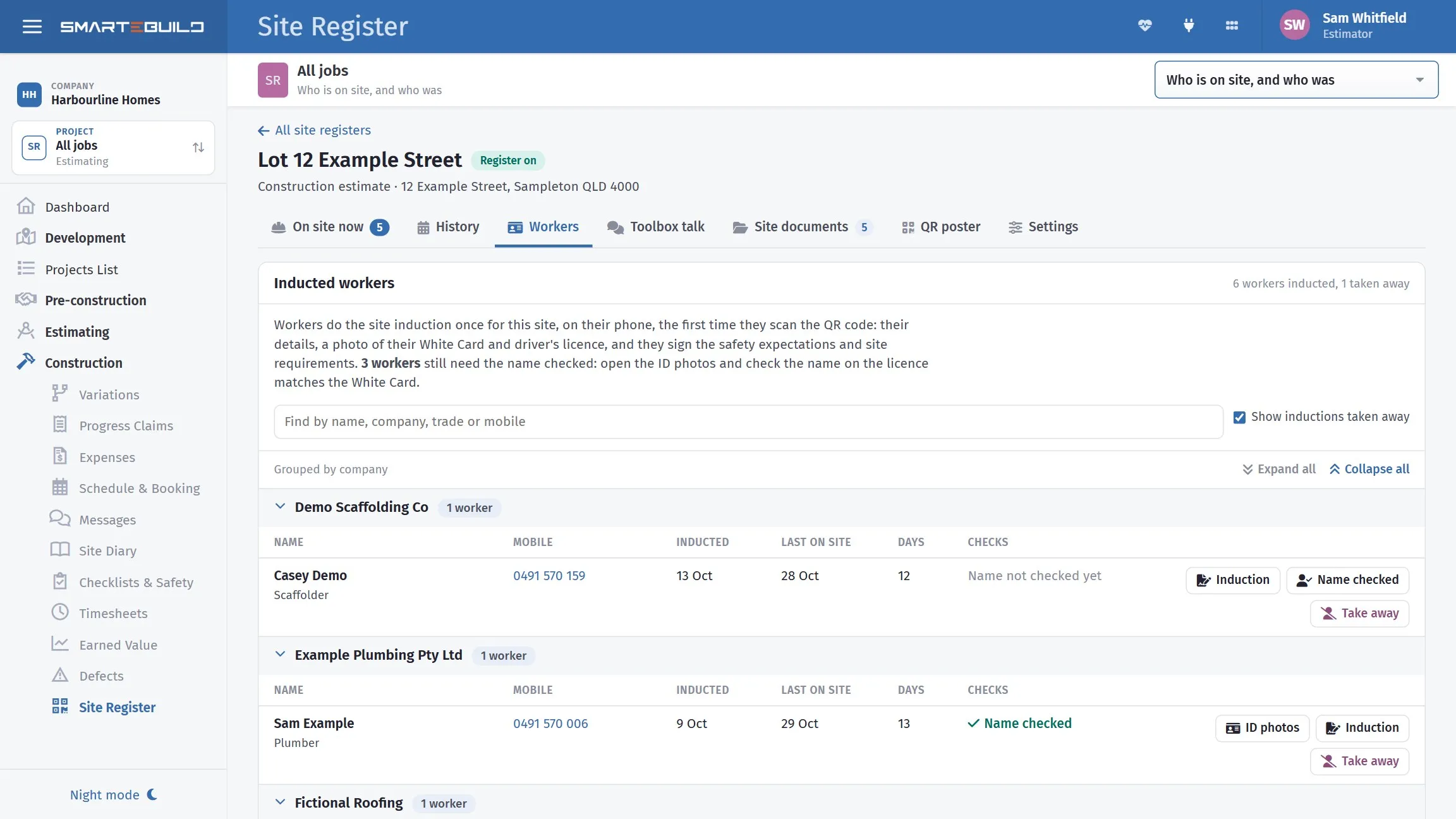
Who is inducted, when they were last on site, and whether their name has been checked.
For each worker: name and trade, Mobile, the day they were Inducted, when they were Last on site, how many Days they have been there, and Checks - Name checked, Name not checked yet, or Taken away with the reason. Search by name, company, trade or mobile.
The ID permission
Section titled “The ID permission”The White Card and licence photos, and the private parts of an induction - home address, White Card number, allergy details, next of kin - are only shown to people with the permission Site register: inductions and ID photos. Nobody has it until an administrator gives it on the permissions page; give it to the people who manage sites. Everyone else with Site Register can still see who is on site and who is inducted.
With the permission you also see a worker’s allergies on the list - Allergies: bee stings - so whoever runs the site knows.
Checking the name on their ID
Section titled “Checking the name on their ID”Each induction includes a photo of the worker’s White Card and driver’s licence. The licence is there to confirm the White Card belongs to the person holding it.
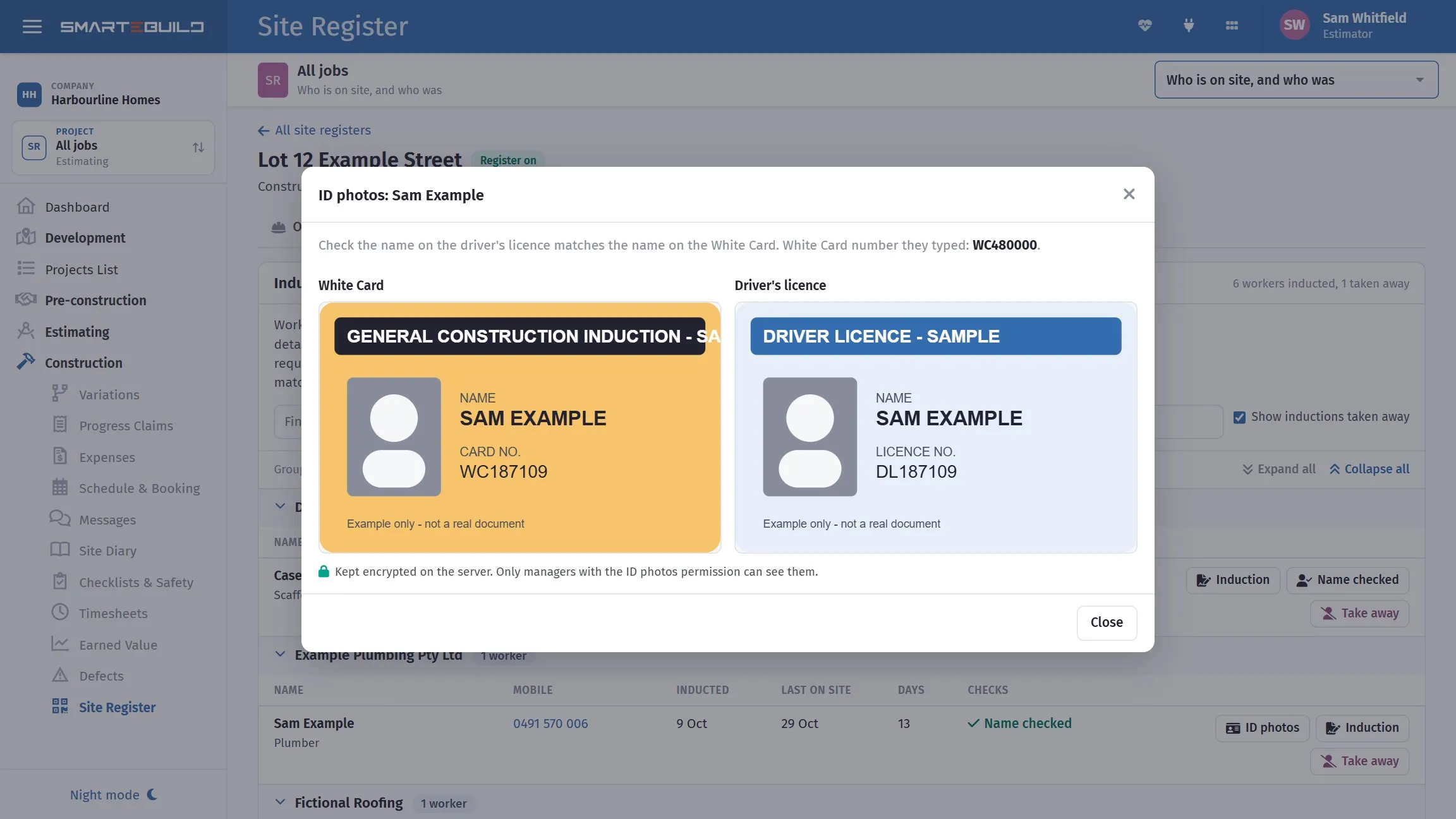
- Press ID photos on the worker’s row.
- Check the name on the driver’s licence matches the name on the White Card. The White Card number they typed is shown too.
- If they match, press The names match.
The list shows how many workers still need the name checked. Name checked is kept on their induction record with your name and the date.
The photos are kept encrypted on the server and can only be opened by people with the permission. They are kept for good.
The induction record
Section titled “The induction record”Induction opens the full record: their details, the exact wording they read and agreed to, how and when they signed (with their drawn signature), and who checked their name. Print it, or Download PDF - a one-document Site induction record with the ID photos and both signature blocks, for the file or for a principal contractor who asks for it.
Taking an induction away
Section titled “Taking an induction away”Take away stops a worker signing in on this site until they do the induction again - for a safety breach, or someone who should no longer be on the job. Type why; the reason is kept on their record. If they are on site now, they are signed out.
Their induction record and site history stay. They can do the induction again later if you want them back.
Moving between your sites
Section titled “Moving between your sites”A worker’s details are kept once for your company, not once per site. On their first scan at another of your sites they still do that site’s induction - your site requirements may differ - but the form starts filled in, and their ID photos are already on file. A phone that has signed in on one of your sites is remembered on all of them.
When a worker is inducted
Section titled “When a worker is inducted”The site’s supervisor, administrators and anyone with the ID permission who can open the job get a bell: Sam Example (Example Plumbing) was inducted on site. Clicking it opens the Workers tab.
A subcontractor’s workers
Section titled “A subcontractor’s workers”In the Suppliers library, a supplier’s Workers tab lists their workers inducted on your sites - matched by the company name the worker typed - with every site they have worked on, their sign-ins, and (with the ID permission) their ID cards and induction records.