
The website enquiry form
Available onEstimatorBuilder
An enquiry typed into your website can land in Leads by itself, as a new lead with the customer’s message as its first note, owned by whoever you choose, with the next action already set to reply. No retyping, nothing lost in an inbox.
Enquiries from your website land on the board rather than in an inbox.
Setting it up
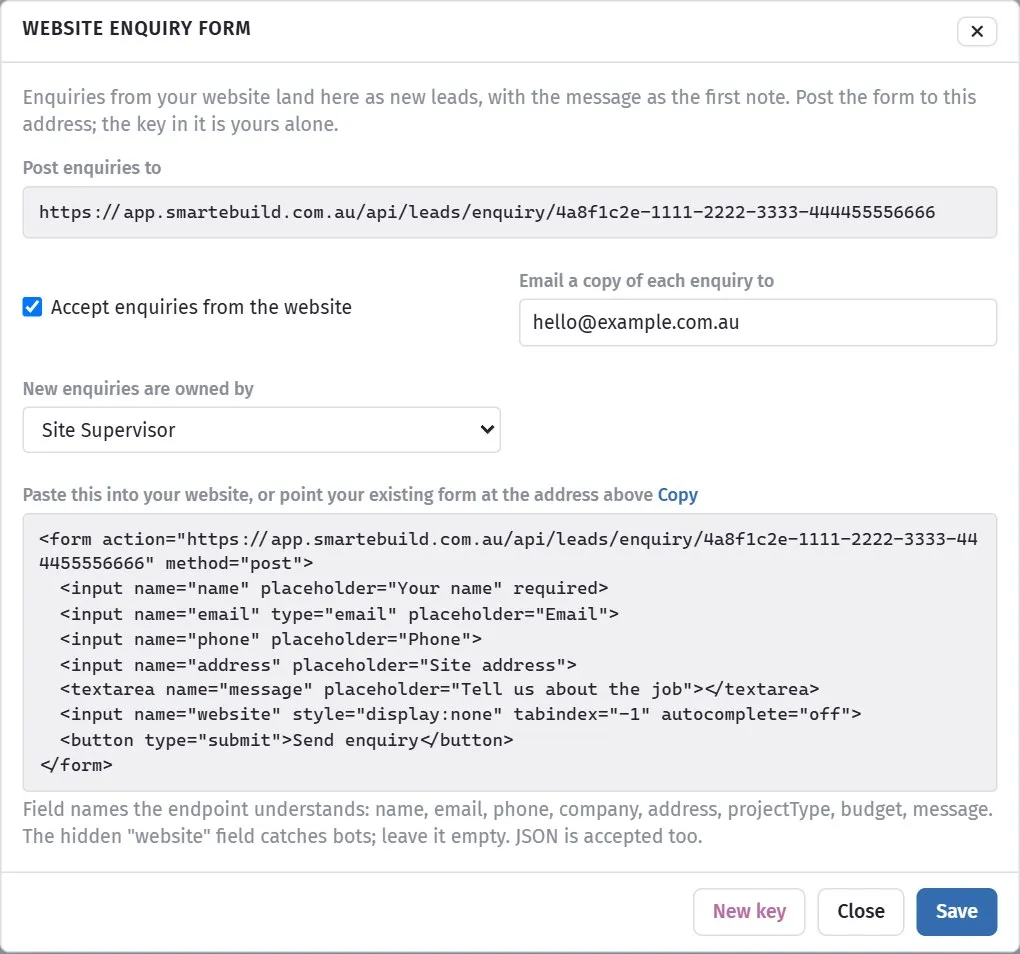
Section titled “Setting it up”On the Leads page click Website form. It shows:
- Post enquiries to - the address your form sends to. The long key at the end is yours alone; anyone with it can create leads in your company, so treat it like a password.
- Accept enquiries from the website - turn the endpoint off without changing the website.
- Email a copy of each enquiry to - an address that gets every enquiry as it arrives, with a link to the lead. Leave blank for none.
- New enquiries are owned by - who the lead is assigned to.
- New key - if the key leaks, generate another. The old one stops working at once.
Putting it on the website
Section titled “Putting it on the website”Paste the snippet from the dialog into your site, or change your existing form’s
action to the address shown and method to post. The field names the endpoint
understands:
| Field | Used for |
|---|---|
name |
Contact name. Required |
email |
Contact email. Email or phone is required |
phone |
Contact phone |
company |
Their company, if any |
address |
The site. street, suburb state postcode splits on the first comma |
projectType |
New home, Renovation, Extension, Commercial, Maintenance, Other |
budget |
A budget band, if you ask for one |
message |
Their message. Becomes the first note on the lead |
website |
A hidden field. Leave it empty and hidden; bots fill it and are dropped |
The endpoint accepts a plain form post or JSON, and answers JSON: {"ok":true} when
the lead was created. A website developer can post it with fetch and show a thank
you without leaving the page; a plain HTML form works too.
What it will not do
Section titled “What it will not do”It never says whether a key is real, so an attacker cannot probe for one. It rejects anything with neither an email nor a phone, since there would be no way to reply. And it does not send an acknowledgement to the customer; that is your website’s job, and your first call.