
AI when running the job
Available onEstimatorBuilder
Once the job is under way, the AI helps with the paperwork that piles up: the programme, the bills, the site photos, and on the phone, the checklists, dockets and toolbox talks.
Draft a programme
Section titled “Draft a programme”Draft with AI… in the Schedule menu (under Build from cost codes) reads the job’s estimate - and one of your templates, if you choose one - and drafts a construction programme: stages, tasks with working days, what comes after what, and a reason for each. The window shows how it is going, and you can close it while it works. You change or untick anything before Replace the schedule with this draft puts it in; Undo brings the old schedule back. Public holidays are worked out by the software and use no AI. Full guide: Draft with AI.
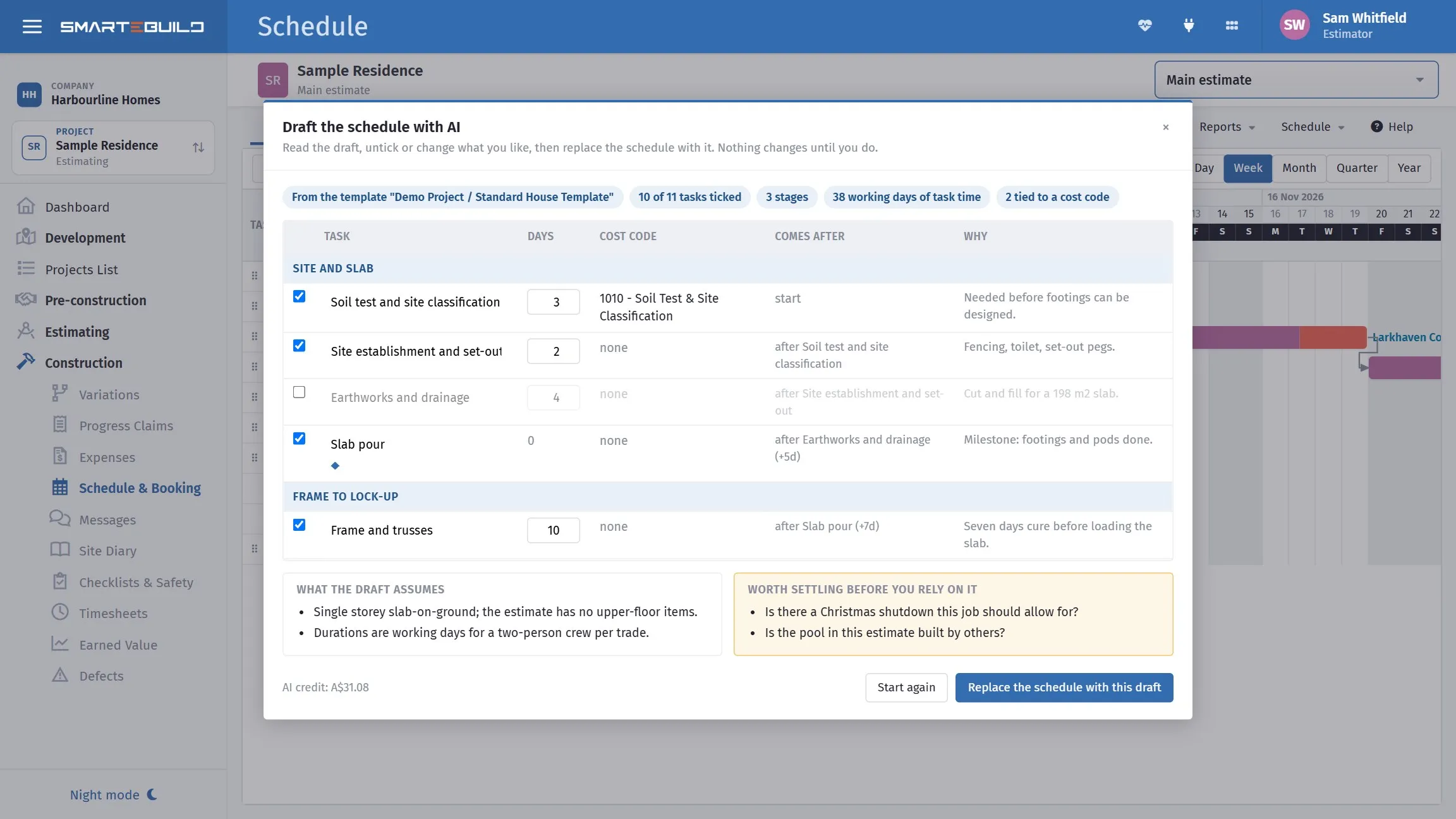
The draft, for checking: untick or change any task before Replace the schedule with this draft puts it in.
Re-plan after a slip
Section titled “Re-plan after a slip”Re-plan with AI…, under Draft with AI in the Schedule menu, is for a schedule you already have when something slips. Say what happened in your own words (“Slab poured 3 days late, rain Thursday”), or pick a task and its new start. It shows every task that moves, old dates against new and why, and every booked trade whose dates change. Untick anything you want left alone. Accept moves the tasks and emails each ticked trade their new dates; the ones to ring are listed. The baseline is kept, and Undo brings the dates back. Full guide: Re-plan with AI.
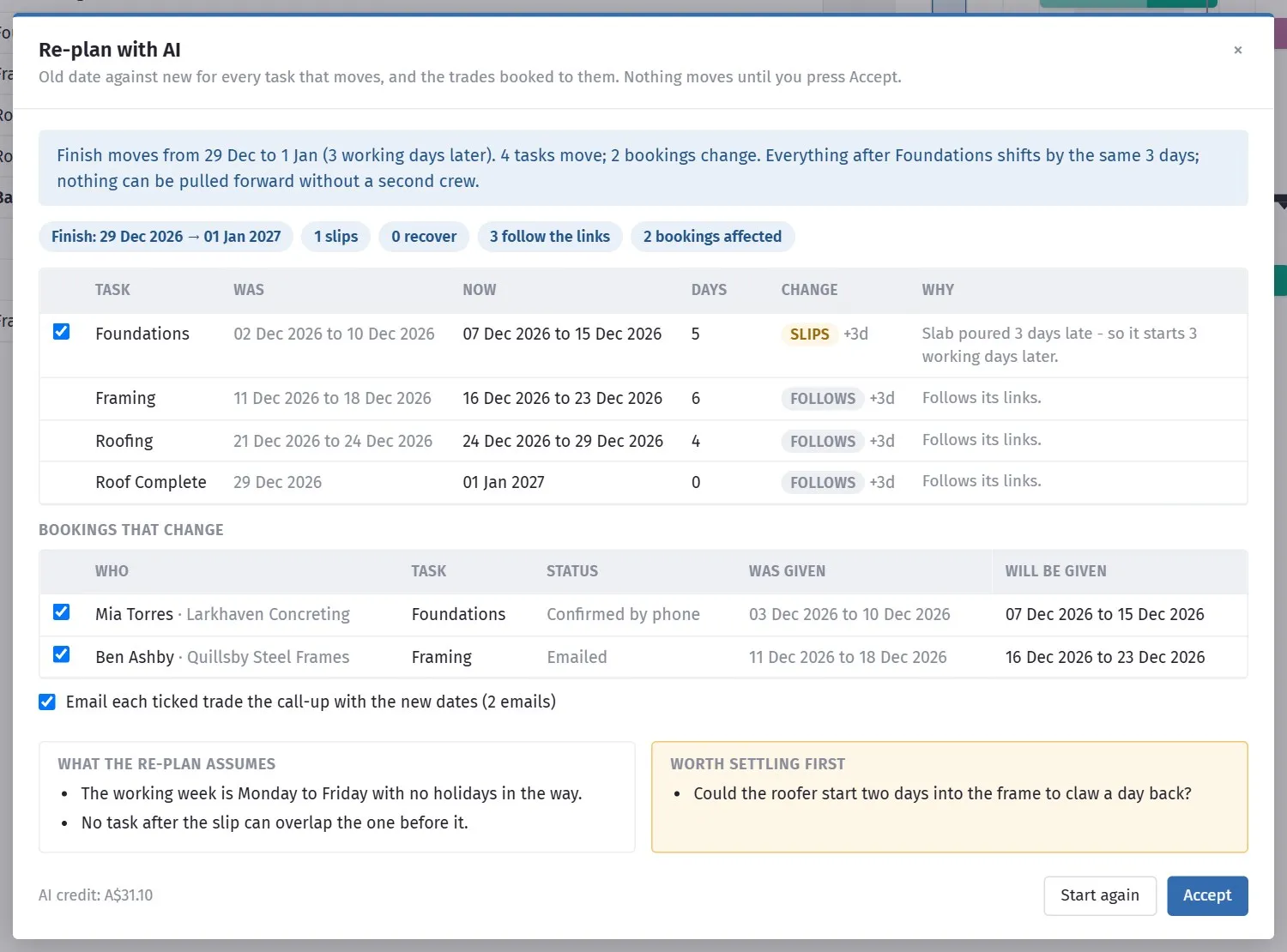
Old dates against new, and the trades whose dates change, before anything moves.
Read a bill
Section titled “Read a bill”A supplier’s bill that arrived as a scan or a phone photo: Read with AI on the expense reads the document and fills in the supplier, the reference, the dates, the total, the purchase order it quotes, and every charged line with a suggested cost code, for you to check before you save. Full guide: Read with AI.
Site photos and defects
Section titled “Site photos and defects”- Write it up (AI) on a site diary photo looks at the photo and suggests a caption and a diary note - and a safety or programme issue when the photo shows one - each with a button to use it: Write it up with AI.
- Describe from photo (AI) on a defect suggests the observation from its main photo: Describe from photo with AI.
On the phone
Section titled “On the phone”The SmarteBuild app has four AI tools, paid from the same AI credit:
| Tool | Where | What it does |
|---|---|---|
| Walk through with voice | A checklist in progress | Reads each item out and takes your spoken answer. Reading aloud is free; each spoken answer the AI turns into a result is paid |
| Read the docket (AI) | Purchase Orders | Reads a delivery docket from a photo, finds its order and marks each line As ordered, Short or Over |
| Write it up (AI) | Site Register, toolbox talk | Turns what you said into a talk the workers read when they sign in |
| Ask the job | Home | Answers a question from the job’s own figures |
Full guide: AI on the phone.