
Open actions
Available onBuilder
The Open actions tab lists every open item on the job: what it is, the latest thing said about it, who it is for, when it is due (overdue in red) and the meeting it was raised at. Click one to open its meeting.
- Mine only - just the actions given to you.
- Overdue only - just the ones past their due date.
- All my jobs - your own open actions on every job you can open.
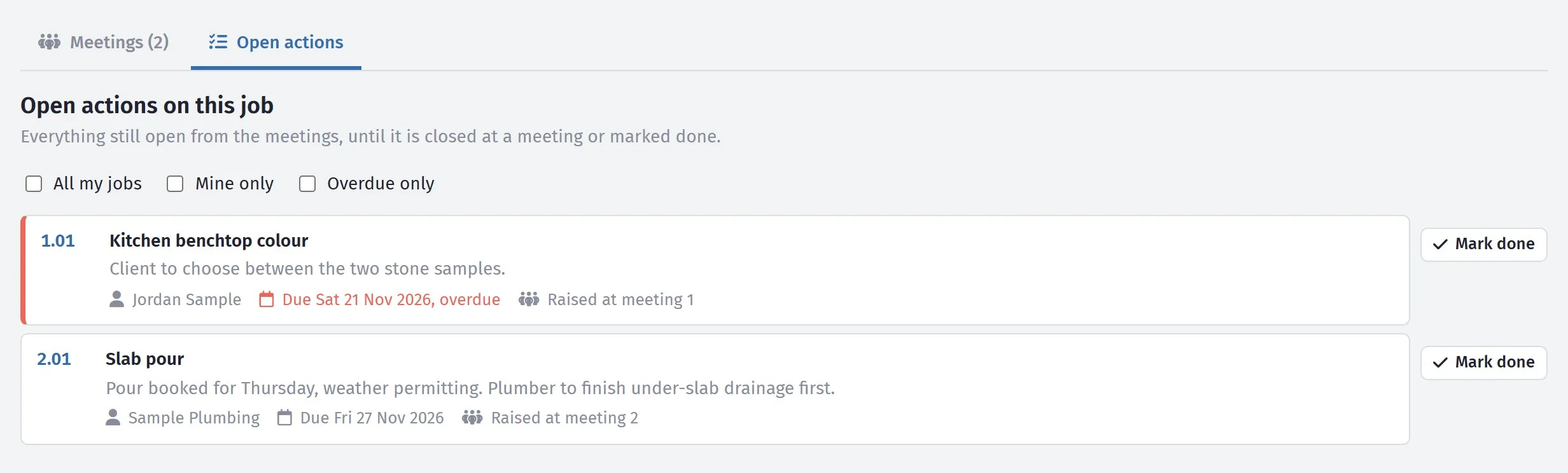
Overdue actions are marked in red. Click an action to open the meeting that carries it.
Mark an action done between meetings
Section titled “Mark an action done between meetings”When the permit arrives or the trade has been back, you do not have to wait for the next meeting.
- Choose Mark done on the action.
- Type a Note if you want, for example “Permit received from council”.
- Choose Mark done.
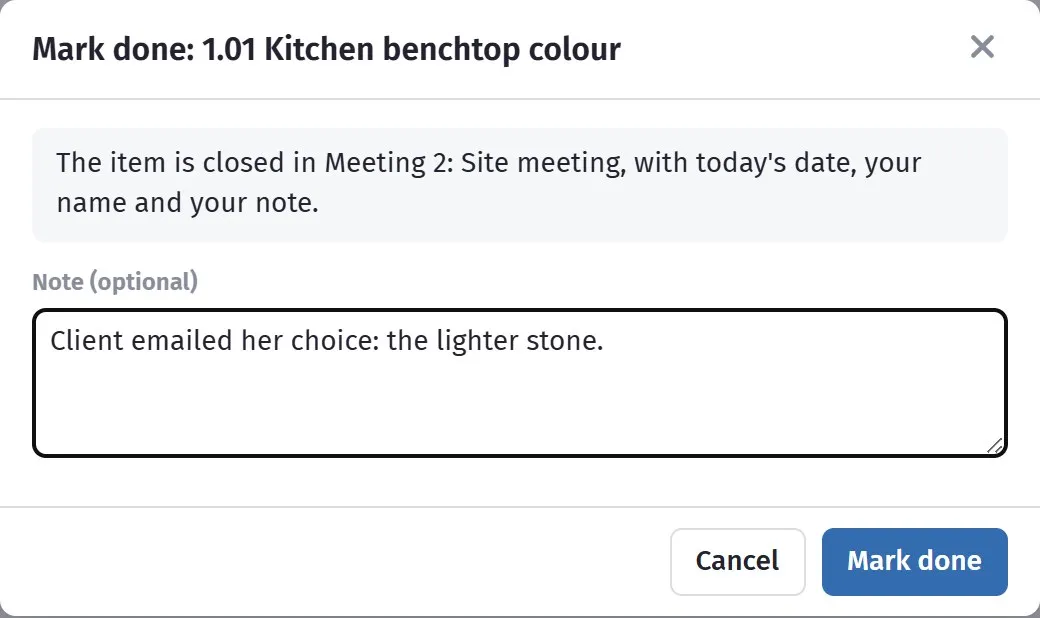
Meeting 2 is not issued yet, so the window says the item is closed there. On an issued meeting it says the action arrives at the next meeting already closed.
If the meeting that carries it is not issued yet, the item is closed there. If it is issued, its minutes stay as they went out and the item arrives at the next meeting already closed: “Done between meetings on (date) by (you): (note)”.
The overdue reminder
Section titled “The overdue reminder”The morning after an open action’s due date, the staff member it is given to gets:
- a notice on the bell, “Meeting action overdue”, for each action; and
- one email listing all their actions that went overdue, opening “Hi” and their first name, with a button to their overdue actions. It comes from the company mailbox.
Each action is reminded about once, not every day. Carrying it to the next meeting does not remind again. If the due date is moved and that date passes too, there is one more reminder. Someone given an action by a typed name, such as “Council”, is not reminded. Closing the action or marking it done clears the notice.