
Safety incidents
Available onBuilder
The Safety incidents tab is the job’s incident register. It is separate from checklists because an incident is a record of something that happened, not a list of questions.
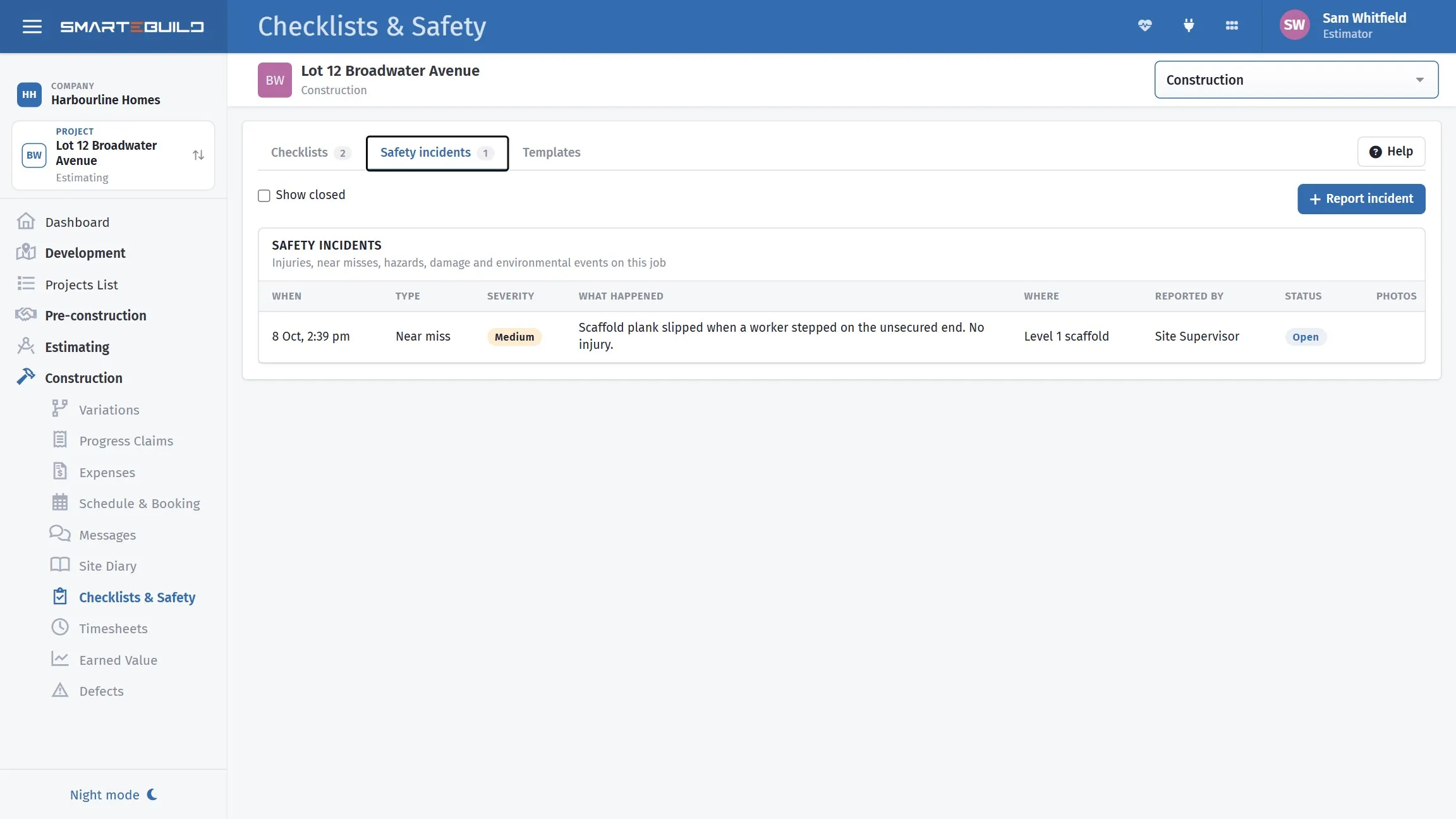
Every incident and near miss, in one register.
Record near misses, not just injuries
Section titled “Record near misses, not just injuries”The instinct is to record only what caused harm. That is the wrong threshold.
A near miss is the same event as an injury with better luck, and it is free to learn from. A register containing nothing but injuries is one being used to report bad outcomes rather than to prevent them — which is also how it reads to anyone who inspects it.
Reporting one
Section titled “Reporting one”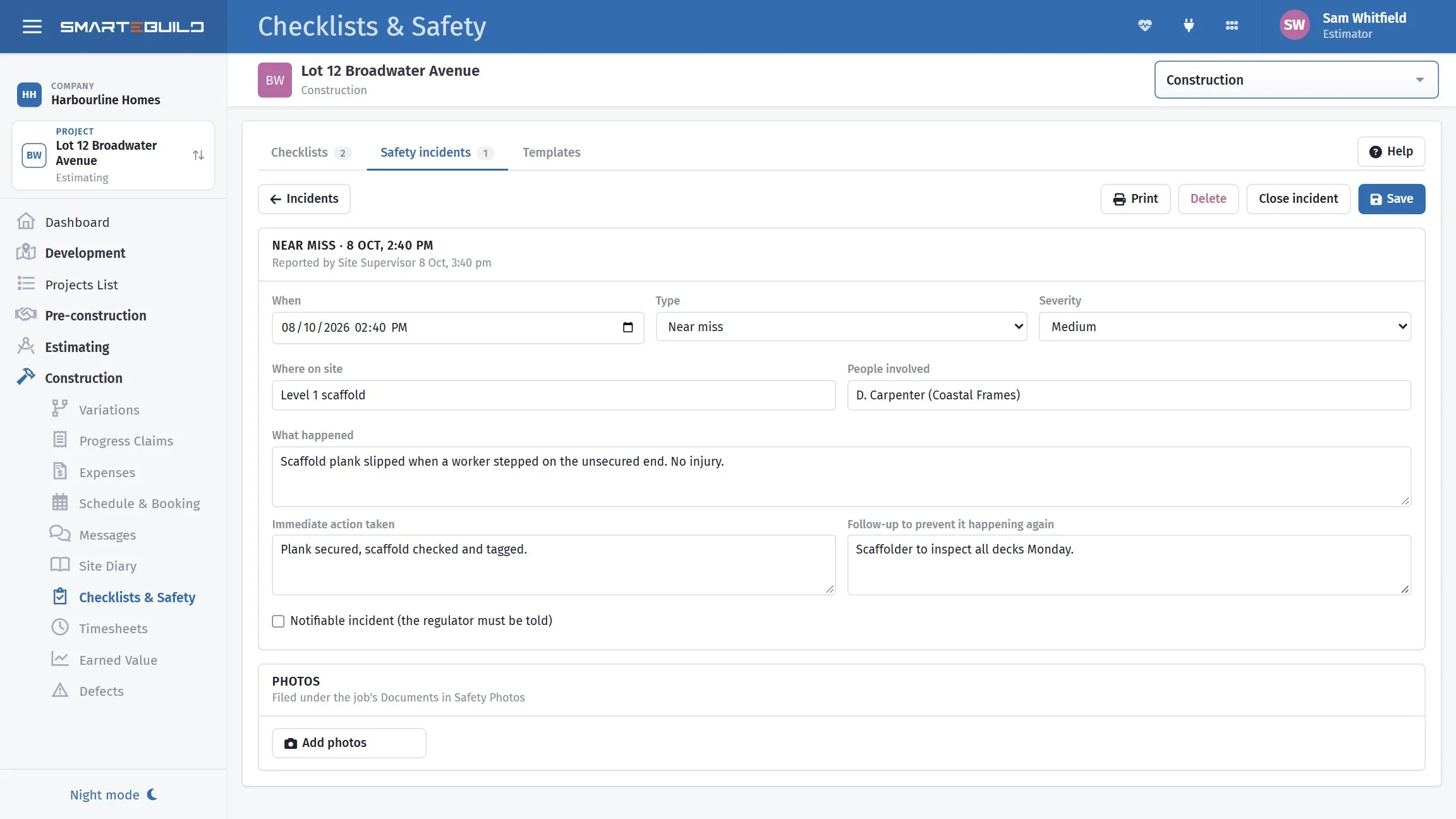
What happened, who was involved, and what was done about it.
Report incident asks for when, the type (injury, near miss, hazard, property damage, environmental, other), a severity from low to critical, where on site, who was involved, what happened, what was done straight away, and what will be done so it does not happen again. Photos are added once the report is saved.
Tick Notifiable when the regulator has to be told. The register flags it in the list so it is not missed, and it starts a process.
Write it on the day. A near miss recorded at the time, with a photo, is what turns a close call into a fixed hazard; one remembered on Friday is a story.
Write facts, not conclusions
Section titled “Write facts, not conclusions”An incident report is read later by people deciding what happened, sometimes people with a professional interest in your process. Write what you saw and can support:
| Avoid | Prefer |
|---|---|
Carpenter was careless |
Carpenter stepped backwards off the second rung, landed on left ankle |
Scaffold was unsafe |
Guard rail missing from the north bay, third lift |
Nobody was hurt luckily |
No injury. Load fell approx 2m into an area nobody was working in. |
The left column is an opinion, and an opinion recorded on the day is very hard to walk back later. The right column is a fact.
Keep speculation about cause and fault out of the report itself. Conclusions belong in the close-out, once it has been looked into — by then you may know something that changes them.
Photograph the scene
Section titled “Photograph the scene”Before anything is moved or made safe, if it is safe to do so. The scene as it was is not recoverable once it has been tidied, and it is what everybody will want to see.
A notifiable incident
Section titled “A notifiable incident”Ticking Notifiable opens a panel headed Notifiable incident: what to do now, and straight away alerts your sign-off people and administrators, by the bell and by email, not just whoever ticked it. If nobody has recorded the call an hour later it goes again, then daily for 14 days. SmarteBuild does not lodge anything with the regulator for you. The law asks for the fastest way, and that is a phone call.
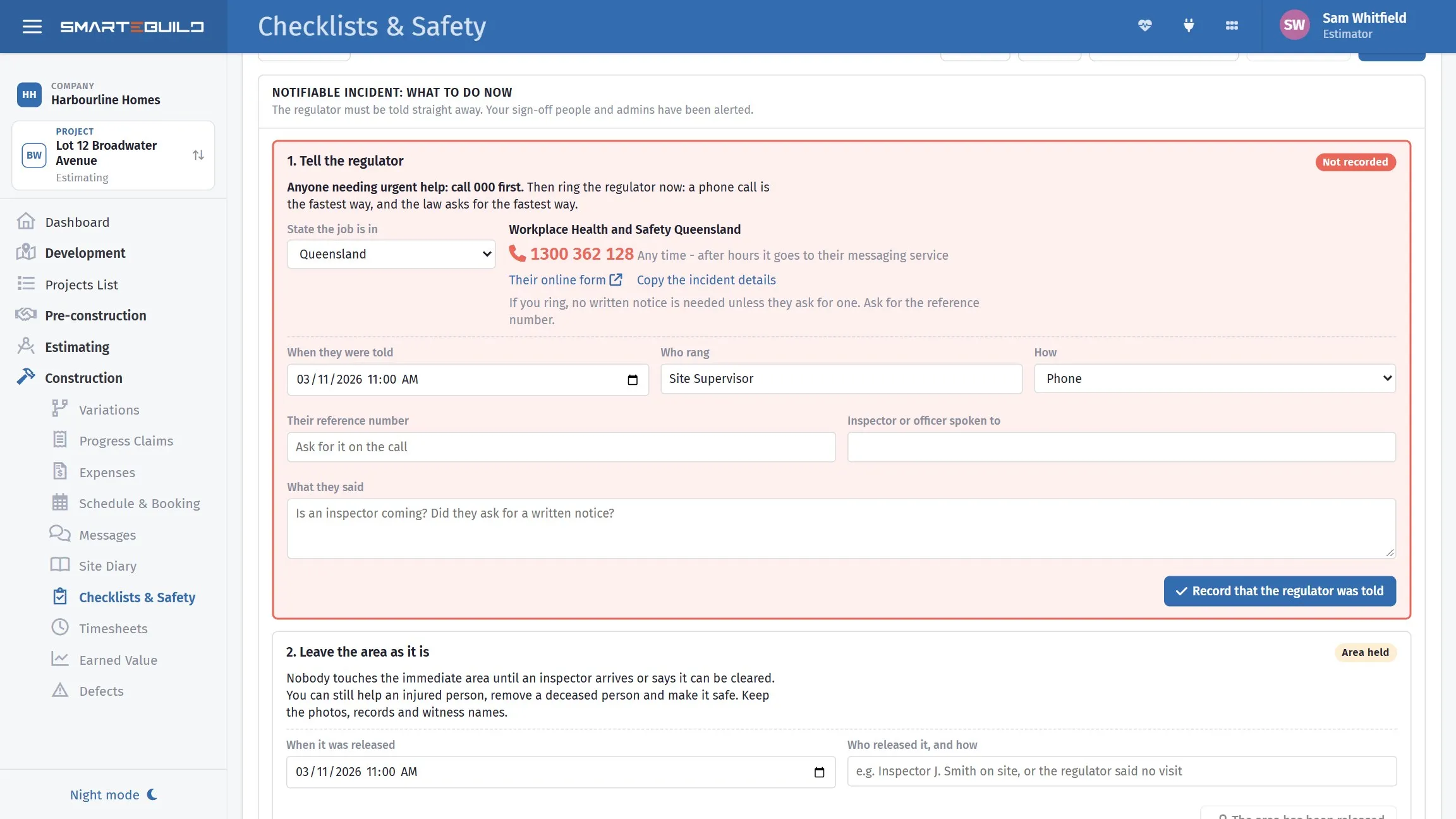
The regulator’s number for the job’s state, and what to record once you have rung.
- Tell the regulator. Anyone needing urgent help: call 000 first. Choose the state the job is in, if the job’s address does not say, and the panel shows the regulator’s number and online form. Copy the incident details gives you the facts for the call. Afterwards, record when they were told, who rang, their reference number, the inspector or officer spoken to, and what they said, then press Record that the regulator was told.
- Leave the area as it is. The panel keeps the area marked as held until you record when it was released, who released it and how. Ask about this on the call.
- Report it to the workers’ comp insurer. This step is for when A worker was hurt is ticked. The panel shows how to report it and the time allowed in that state, once the state is chosen. Record when it was reported and the insurer’s reference or claim number. You get a reminder the day before it is due.
Because of what it records, a notifiable incident cannot be deleted, cannot be closed until the regulator is recorded as told, and cannot be unticked once they have been. The phone app follows the same rules.
Until everything is finished, the job’s sign-off people and administrators see a red Safety incidents still to finish strip on their Dashboard.
Closing
Section titled “Closing”Close incident records who closed it and when, once the follow-up is done. Closed incidents drop out of the list until Show closed is ticked; nothing is deleted.
A good close-out says three things: what was found, what was done, and what stops it recurring. That third one is the one worth writing — “toolbox talk held” is thin; “edge protection added to all three lifts, and added as a photo-required item on the weekly safety checklist” is a change.
A PDF for the file
Section titled “A PDF for the file”PDF makes a Safety incident report of one incident - what happened, where, the people involved and any injuries, the immediate action and the follow-up, the photos, and sign-off lines - or, from the list, a Safety incident register of every incident on the job. Save to Documents files it in the job’s Documents, in the Safety incidents folder. Saving needs Fill in checklists.
Feeding it back into checklists
Section titled “Feeding it back into checklists”The most useful thing you can do with an incident is turn it into a checklist item.
If something went wrong because nobody checked it, add the check. That is how templates stay live documents rather than a set written once and never revisited, and it closes the loop between the two halves of this module.
Your obligations
Section titled “Your obligations”What must be reported to a regulator, how quickly, and what records must be kept varies by state and by the nature of the incident. This register helps you keep the record; it does not tell you what the law requires of you.
Notifiable incidents generally have to be reported immediately, and the scene often has to be preserved. Know your obligations before you need them, and do not let ticking Notifiable here substitute for making that call.
Where the photos go
Section titled “Where the photos go”Under the job’s Documents in a Safety Photos folder, so they are backed up and findable with everything else on the job.
On the phone
Section titled “On the phone”Both checklists and incidents can be done in the mobile app - see The mobile app on site.