
House handover
Available onBuilder
House handover is where a job ends. You book and record the pre-handover inspection, clear the defects, go through the handover checklist with your client on a phone or tablet, and have them sign. SmarteBuild then makes a handover certificate, files it in the job’s Documents, and shows it on your client’s portal.
Open it from the menu: Construction > House Handover. Choose the job and estimate on the left, as on Defects.
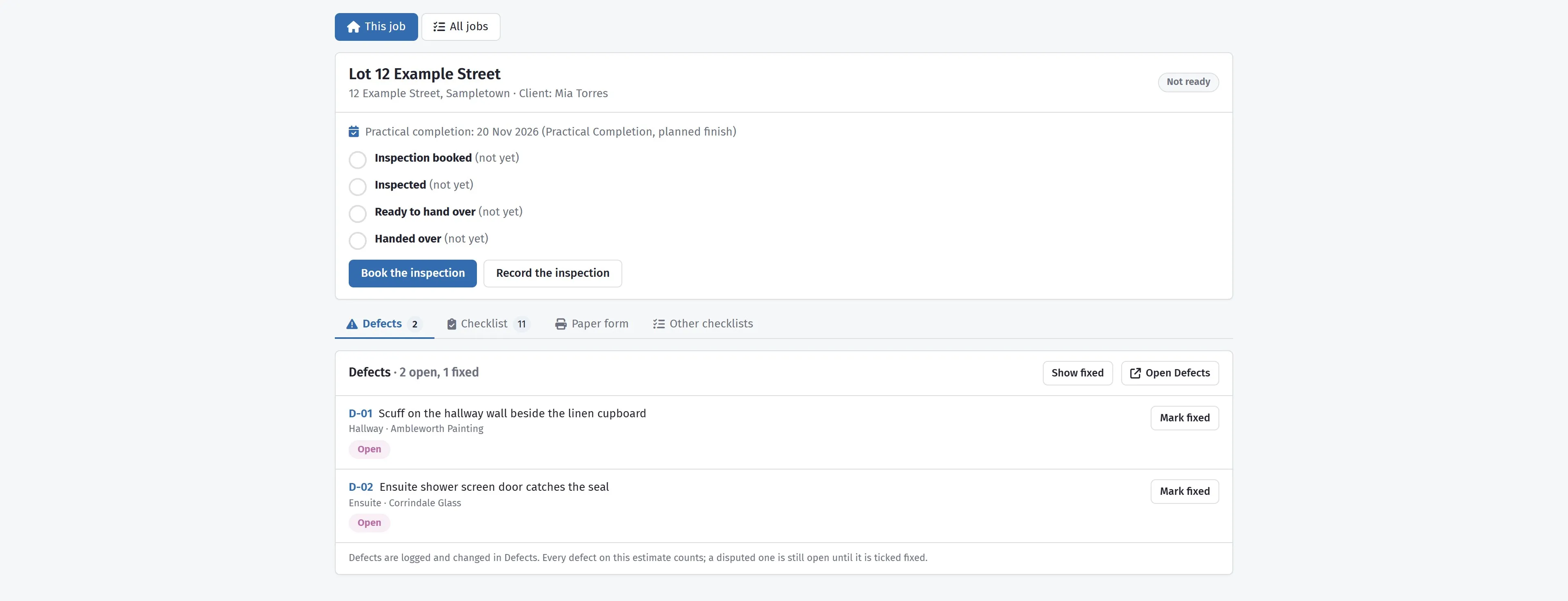
The page for one house: where it stands at the top, the next step’s buttons under it, and the tabs below.
Watch: one house from open defects to handed over (45 seconds, no sound)
The steps
Section titled “The steps”| Step | What it means |
|---|---|
| Not ready | Nothing has happened yet. |
| Inspection booked | The day you will walk the house before handover. |
| Inspected | The day the inspection was done, with a note of who was there. |
| Ready to hand over | The house is ready. Any defects still open are listed as a warning; they do not stop you. |
| Handed over | Your client has signed - on screen, or on the printed form you added back. |
Each step shows the date and who recorded it. Not ready after all takes a house back from Ready to Inspected.
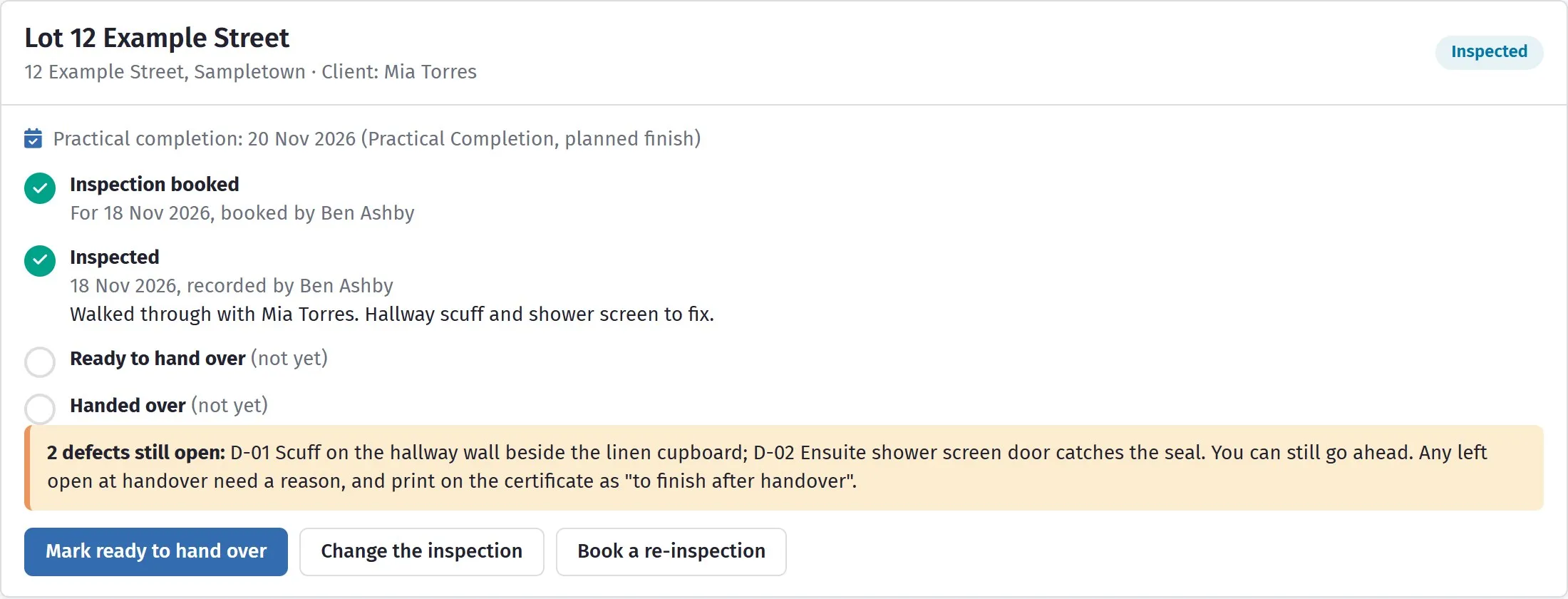
After the inspection: each done step has its date and who recorded it. The yellow box names the defects still open, but you can still go ahead.
Under the steps, the page has tabs: Defects (the job’s defects; a long list scrolls inside its box), Checklist, Paper form and, when the job has any, Other checklists. The numbers on the tabs show open defects and checklist items still to answer.
Defects
Section titled “Defects”Every defect on the estimate is listed here, straight from Defects - nothing is copied. Add and change defects in Defects as usual. When you see one done on the walk-through, press Mark fixed (you need the Defects permission to close defects). A disputed defect still counts as open until it is ticked fixed.
The handover checklist
Section titled “The handover checklist”Your company has one handover checklist (keys, remote controls, the electricity, water and gas meter readings, manuals and warranties, appliances shown, smoke alarms tested, letterbox key, pool safety certificate, garage remote codes). Each job gets its own copy the first time its handover is opened, so you can add or remove items for that house with Change the items without changing anyone else’s.
- Press Done or Not applicable for each item. It saves straight away.
- For a meter reading, type the figures as the meter shows them - leading zeros are kept.
- You can hand over with items unanswered: you are warned first, and they print on the certificate as “Not answered at handover”.
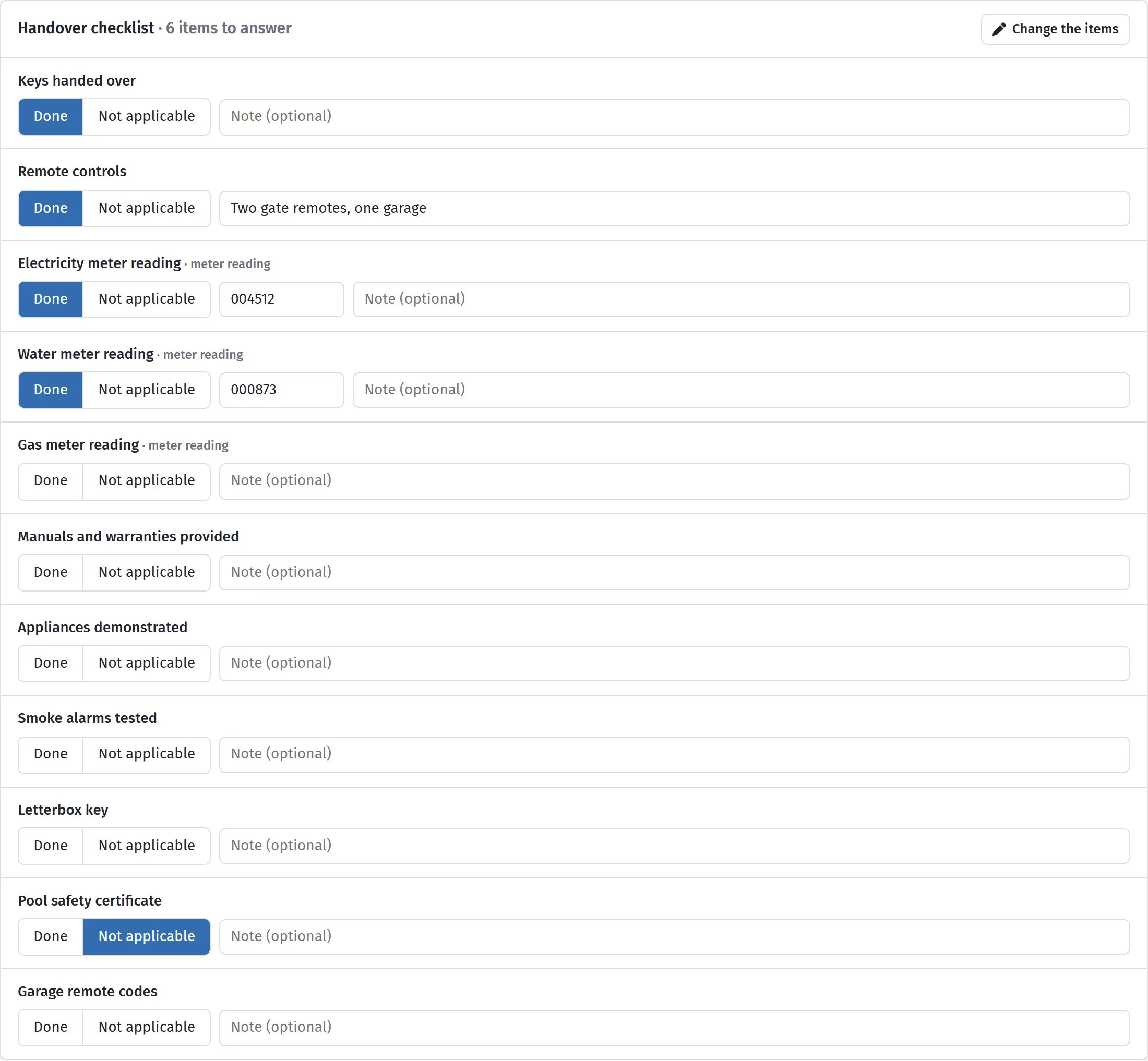
Each item saves as you press it. A meter reading marked Done gets a box for the figures; the heading counts the items still to answer.
To change the list every new job starts with, open All jobs > Company checklist. You can also copy the items of one of your Checklists (for example “Keys, documents and warranties handover”) into it.
The job’s other checklists from Checklists (a pre-handover inspection, practical completion) are listed underneath so none is forgotten. They do not stop the handover.
Handing over
Section titled “Handing over”Press Hand over. The date starts at the contract’s practical completion stage when that day has come (a handover cannot be dated ahead). Received by starts with your client’s name. Have your client sign in the box with a finger, a pen or the mouse, and press Hand over.
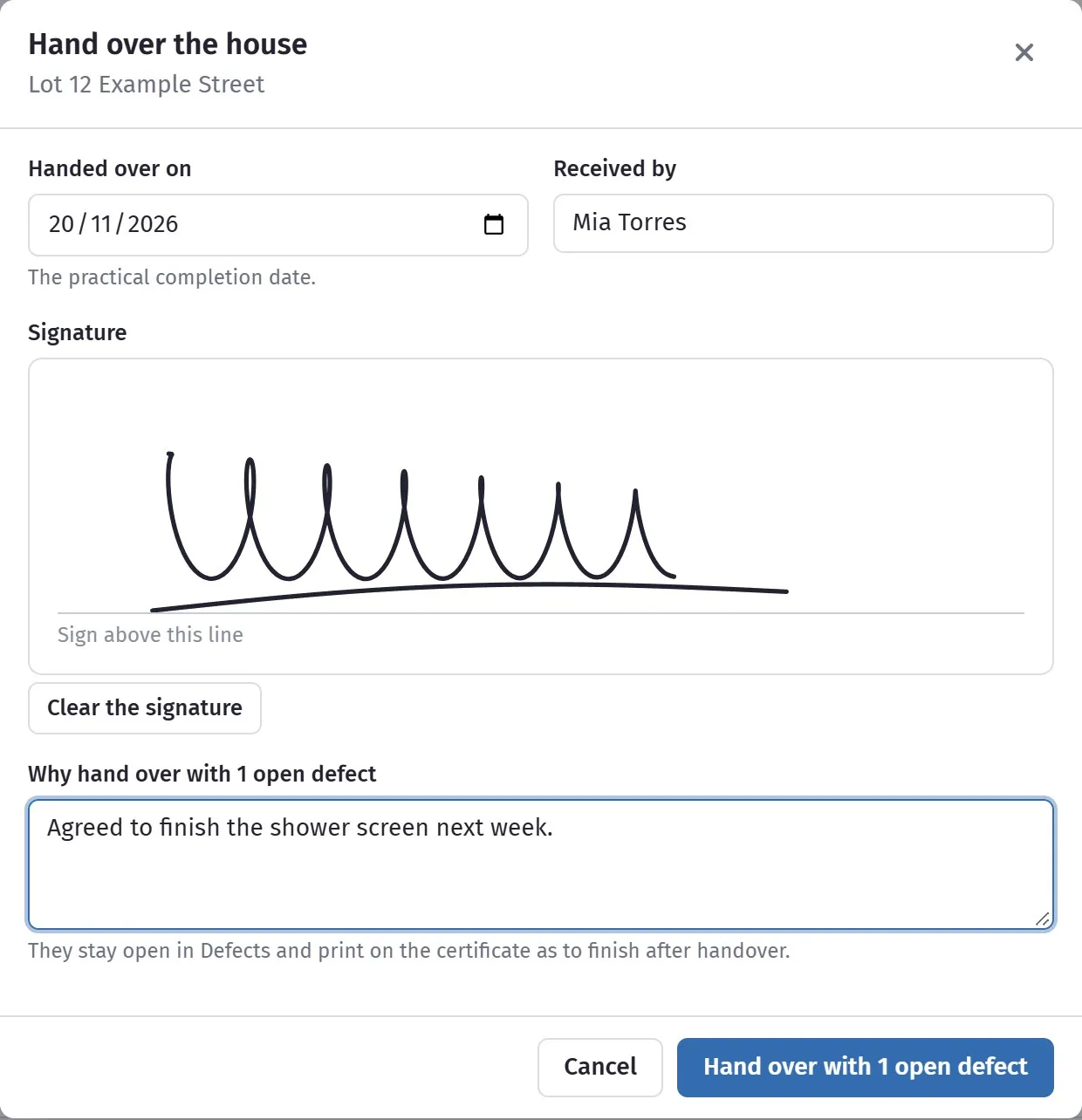
The date starts at practical completion and the name at your client’s. With a defect still open, the window asks why, and the button says so.
No phone or tablet at the handover? Open the Paper form tab, press Print the form, have it signed by hand, then Add the signed form with a photo or scan. It then counts as the signature, and it is kept in the job’s Documents.

Print the form, have it signed, then add a photo or scan of it here.
Open defects at handover. Defects still open when you hand over do not stop you, but you type why (for example “agreed to finish the shower screen next week”). Those defects stay open in Defects and print on the certificate as “to finish after handover”.
The certificate
Section titled “The certificate”Once handed over, Certificate (PDF) gives the certificate: the job and address, the date, who received the house and their signature, who handed it over, the checklist with the readings, and any defects to finish. A copy is filed in the job’s Documents, in the Handover folder.
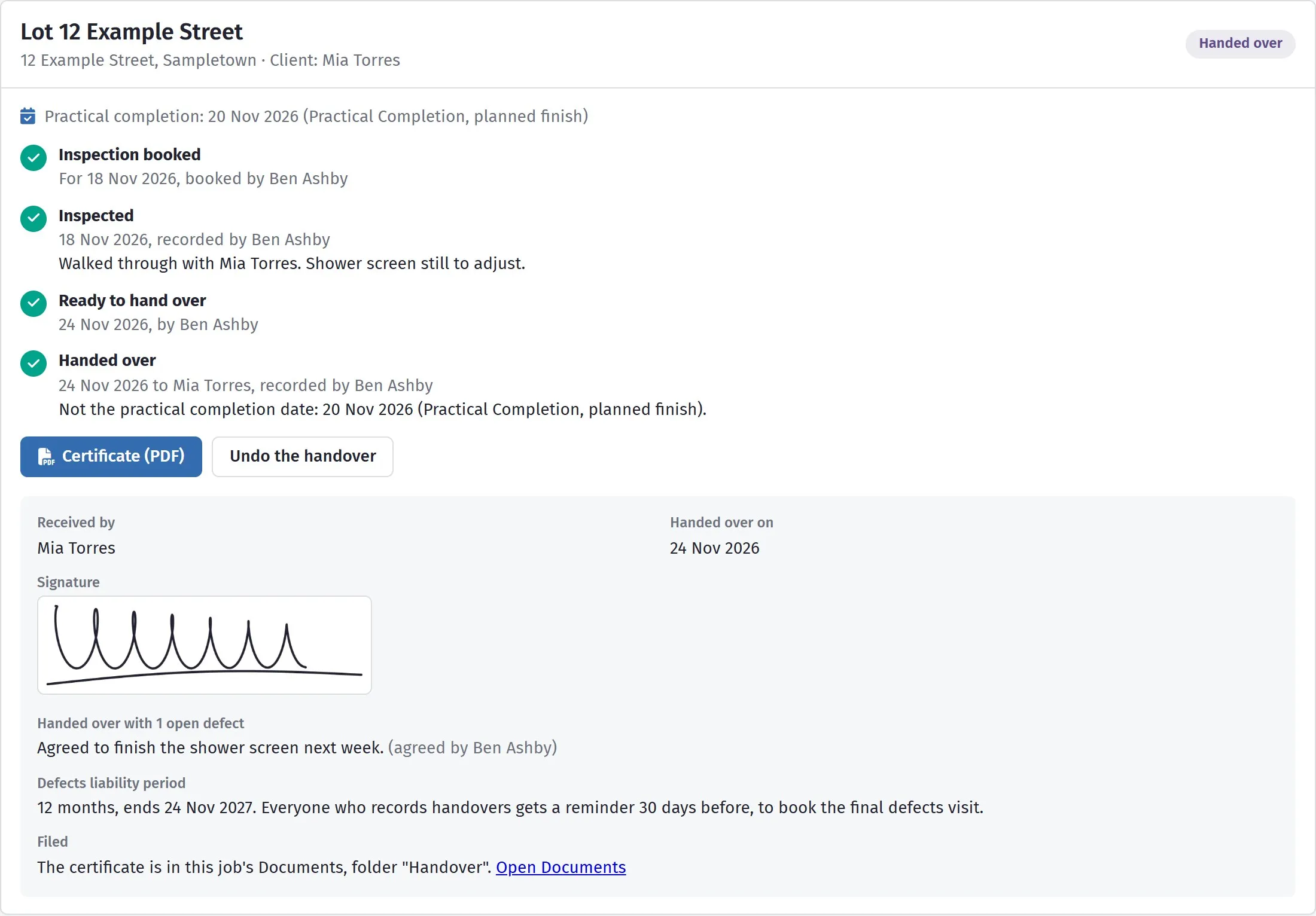
Once handed over: Certificate (PDF) at the top, and below it who received the house, their signature, the 12-month defects period and the filed copy.
Undo the handover needs the permission Undo a house handover (nobody has it until an administrator ticks it on the Users page) and a reason. It takes the house back to Ready to hand over, removes the sign-off and marks the filed certificate as superseded. The reason, who and when stay on the page.
Defects liability period
Section titled “Defects liability period”The handover date starts a 12-month defects liability period. Its end date shows on the sign-off, on the certificate and on your client’s portal. Thirty days before it ends, everyone who records handovers on that job gets a bell, so you can book the final defects visit. The All jobs list has a Defects period ending figure for the houses whose period ends in the next 60 days.
What your client sees
Section titled “What your client sees”Once you have taken any step, your client’s portal shows a Handover tab: where the handover stands, the inspection and handover dates, who received the keys, how many defects are to finish after handover, and the certificate to download. You can hide the tab on the job’s page under Client portal > What the client sees.
All jobs and the Dashboard
Section titled “All jobs and the Dashboard”All jobs (top of the page) lists every job with a handover started or a practical completion stage in the next 30 days, with figures for Due in 30 days, Open defects, Ready to hand over, Handed over and Defects period ending. The Dashboard has a House handovers card with the same figures.
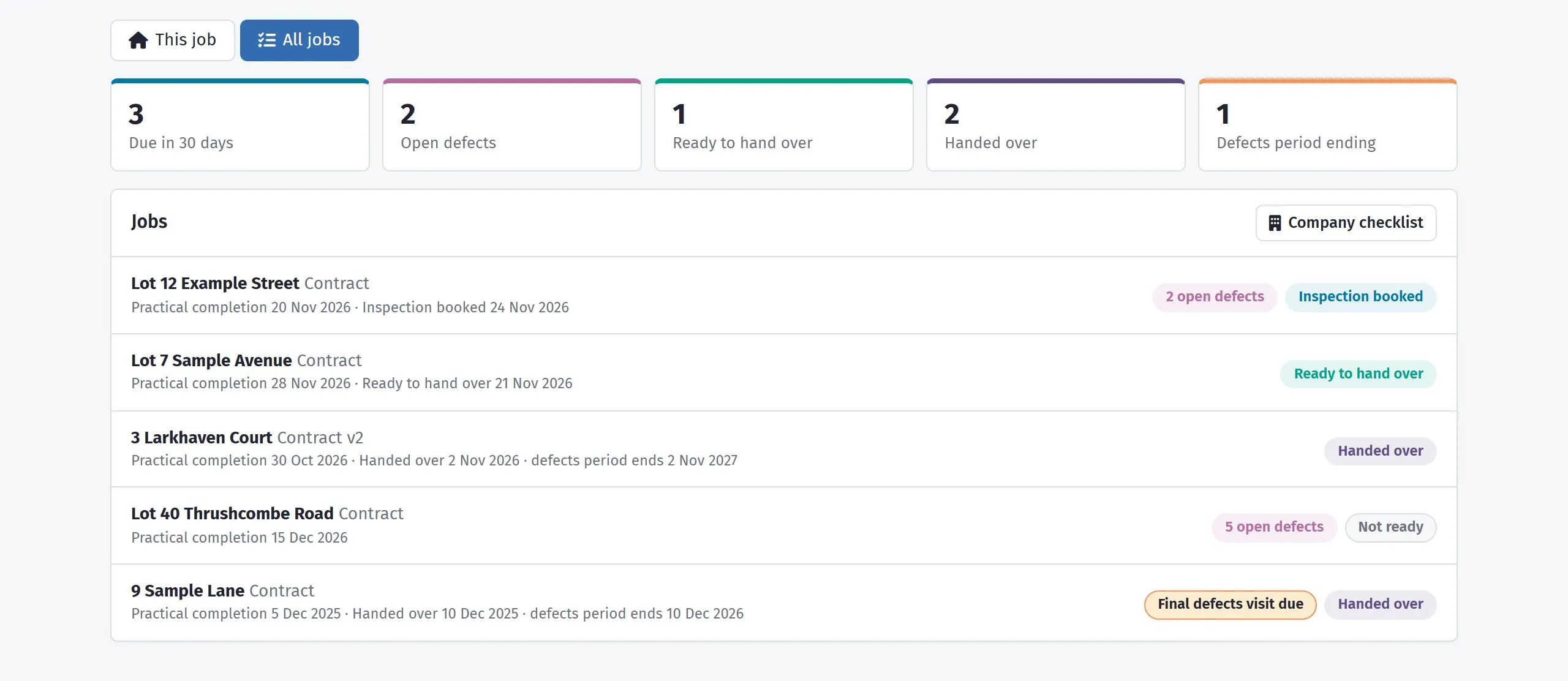
Press a figure to show only those jobs. Company checklist is here too.
Who can do what
Section titled “Who can do what”| Permission | Lets them |
|---|---|
| See house handovers | open the page, read it, download the certificate |
| Record house handovers | book and record the inspection, mark ready, hand over, answer and change the checklist, add the signed form |
| Undo a house handover | undo a handover, with a reason (opt-in) |
People who already had Defects get the first two when House handover is switched on.