
How timesheets work
Available onBuilder
Timesheets record the hours your own people work, approve them, and turn the approved hours into labour cost against the right job.
That last part is the point. Most builders know what their wages bill is; far fewer know what each job’s share of it was.
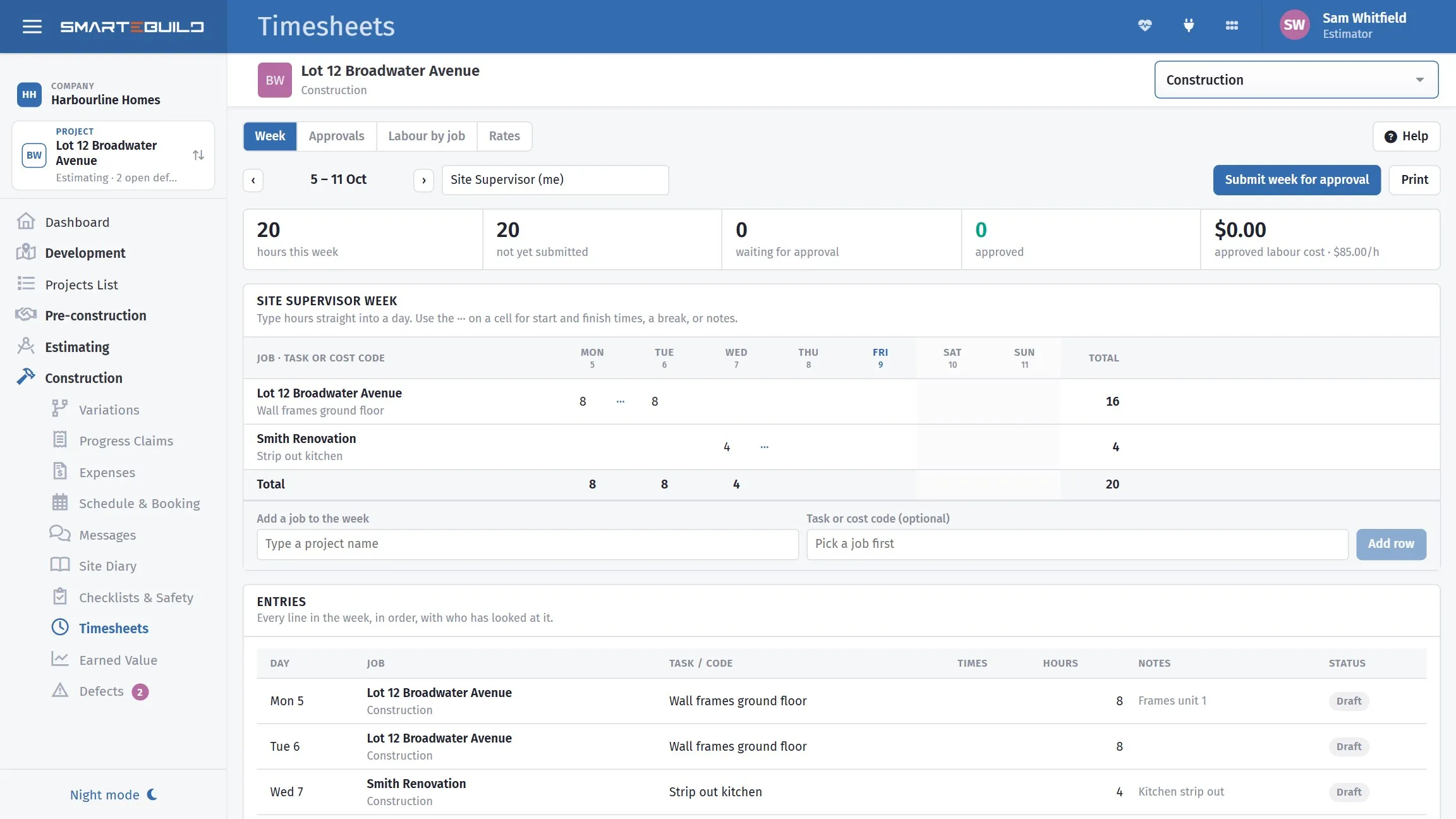
Hours against jobs, so labour lands on the right cost code.
The four tabs
Section titled “The four tabs”| Tab | For |
|---|---|
| Week | The week’s entries, by person |
| Jobs | Labour by job — where the hours actually went |
| Rates | What each person costs per hour |
| Approvals | Reviewing and approving draft entries |
The flow
Section titled “The flow”- Hours are captured — clocked in and out on site, on the phone.
- They sit as draft. Nothing is costed yet.
- They are reviewed and approved at a desk.
- Approved hours × the person’s rate become labour cost on that job.
The draft/approved split is what makes the whole thing workable. Clocking in is low-stakes — nobody commits a cost by tapping a button — and somebody looks at the week before it turns into money.
Why the job matters more than the total
Section titled “Why the job matters more than the total”A supervisor who splits a week across four sites produces four entries, not one.
Without that, labour is a business overhead: you know it cost $8,400 and nothing about which job absorbed it. With it, each job carries its real labour cost, and cost against budget includes the largest cost most builders never allocate.
It also feeds back into estimating. Three jobs where the framing labour ran 20% over the allowance is a rate that needs changing, and you cannot see that unless the hours were costed to jobs.
Capture it on site
Section titled “Capture it on site”Hours reconstructed on Friday are wrong in a predictable direction — round numbers, forgotten short visits, and the half-day nobody can place.
Clocking in on the phone takes one tap and produces a time. See Timesheets and bookings.