
Toolbox talks
Available onBuilder
A toolbox talk is the short safety briefing for the day: today’s hazards, where they are, and what everyone must do about them. In the Site Register, workers read and accept it on their phone as part of signing in - so it reaches the worker who turns up at 10 o’clock as well as the ones at the 7 o’clock huddle.
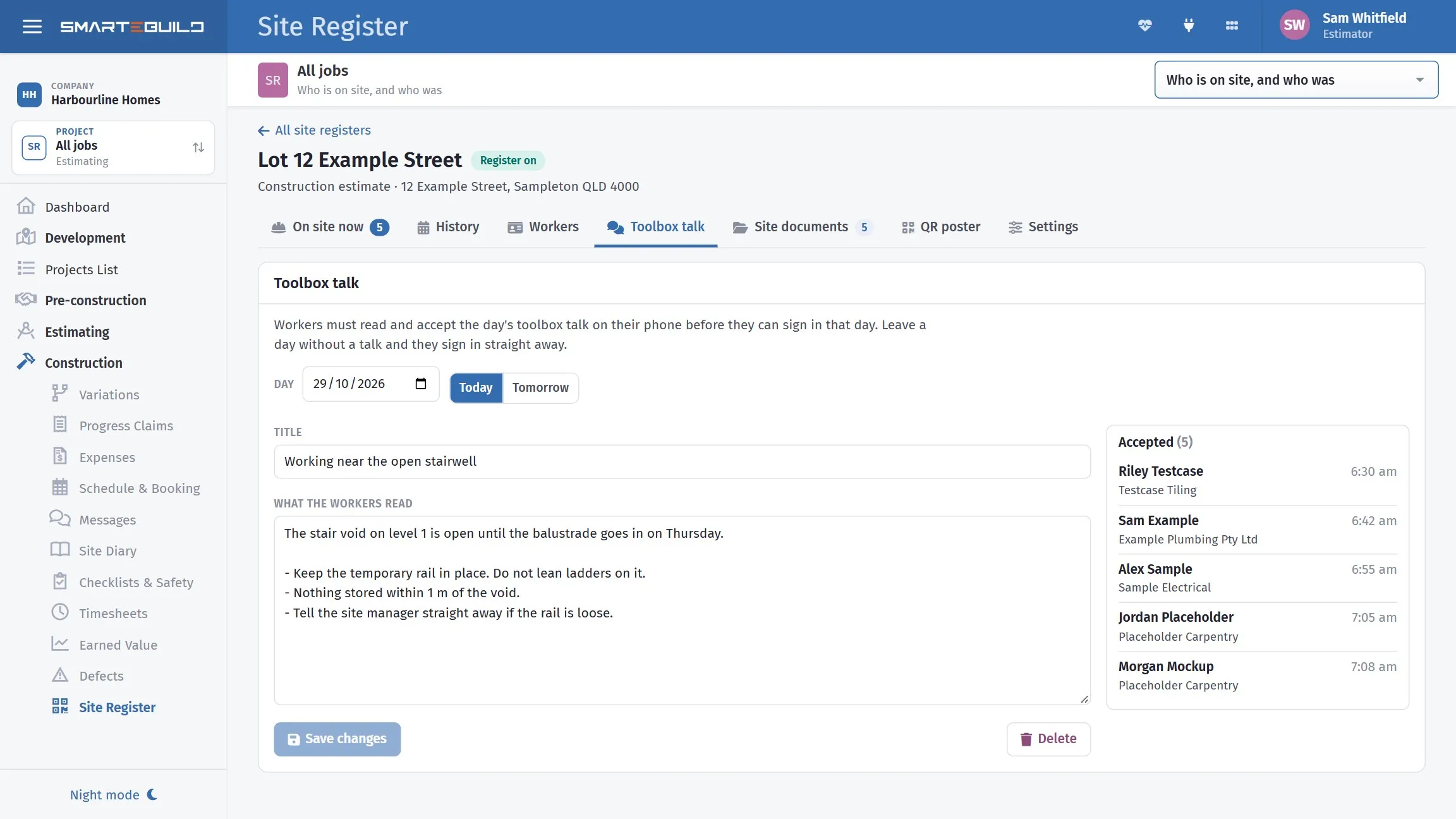
Setting the day’s talk
Section titled “Setting the day’s talk”- Open the job’s register and the Toolbox talk tab.
- Choose the Day - Today, Tomorrow, or any date.
- Give it a Title - for example Working near the open stairwell - and write What the workers read.
- Press Save the talk.
From then on, every worker signing in that day must tick that they have read and accept it, and sign with their finger, before they are signed in. Leave a day without a talk and they sign in straight away. Visitors never get the talk.
Set tomorrow’s talk the afternoon before, and the morning sign-in does the rest.
Who accepted it
Section titled “Who accepted it”Accepted beside the talk lists everyone who accepted it, with their company and the time. The History and On site now tabs show it against each sign-in too.
Changing it
Section titled “Changing it”You can change today’s talk, or yesterday’s. If workers have already accepted it, their record keeps the wording they accepted, and anyone signing in after you save accepts the new wording. Older days can be read but not changed.
Delete removes the talk for that day: workers signing in are no longer asked to accept it, and those who already did keep it on their record.