
Getting a quantity
Available onEstimatorBuilder
Open Calculate Quantity on any item and you choose one of five sources for its quantity. Choosing the right one is most of the skill in building a bill that survives a drawing revision.
| Method | Quantity comes from | Updates itself |
|---|---|---|
| Manual | A number you type | No |
| Take-off field | A take-off measurement | Yes |
| Another item | Another item in this estimate, with or without its wastage | Yes |
| Calc Sheet | Dimensions you enter, shown as a calculation | Recalculates from the rows |
| Formula | Other quantities and variables | Yes |
Manual entry
Section titled “Manual entry”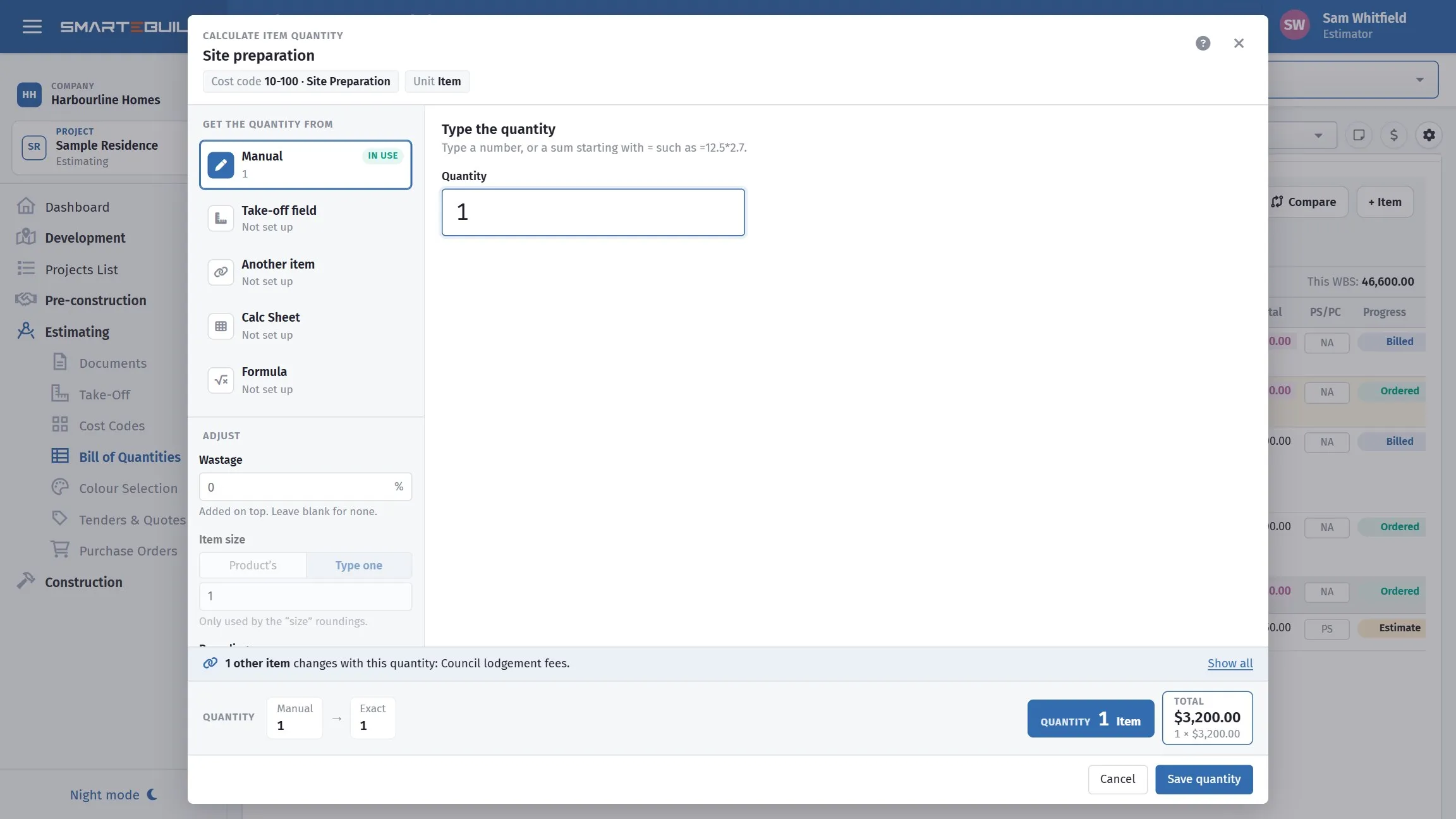
The simplest of the five, and the only one that forgets where the number came from.
Type the number.
Right for genuine one-offs — a single call-out fee, a lump sum, something you were told over the phone. Wrong for anything measured off a drawing, because nothing will ever update it.
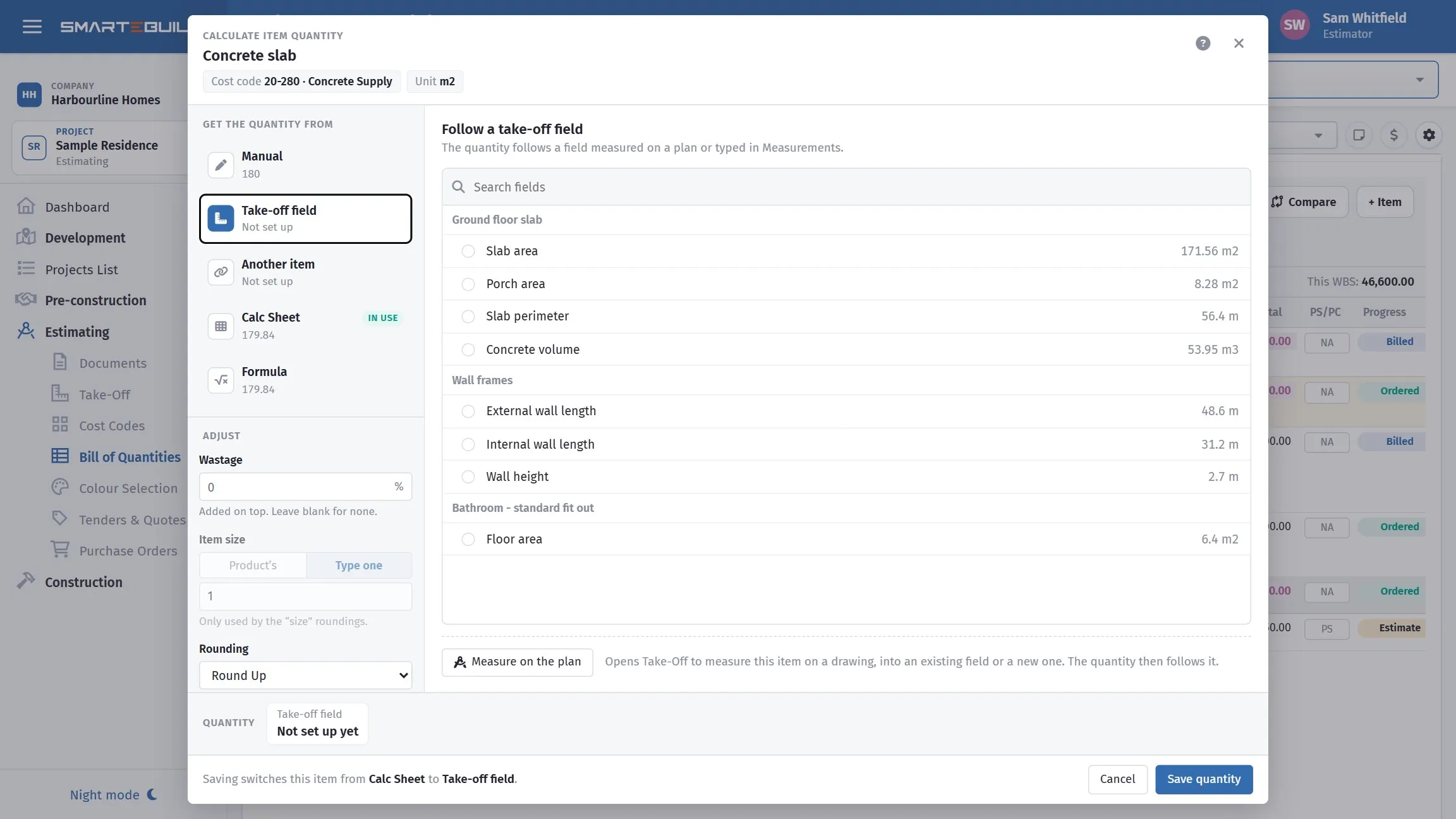
Fields grouped by assembly, each showing what it measures now.
The quantity comes from a take-off field, so it follows every change to the measurement.
Pick the field from the list, or use Measure on the plan to open Take-Off with this item in mind, measure, and come back with the item already pointed at the field.
This is the method to reach for whenever the quantity is measurable off a drawing. See Take-off fields and the BOQ.
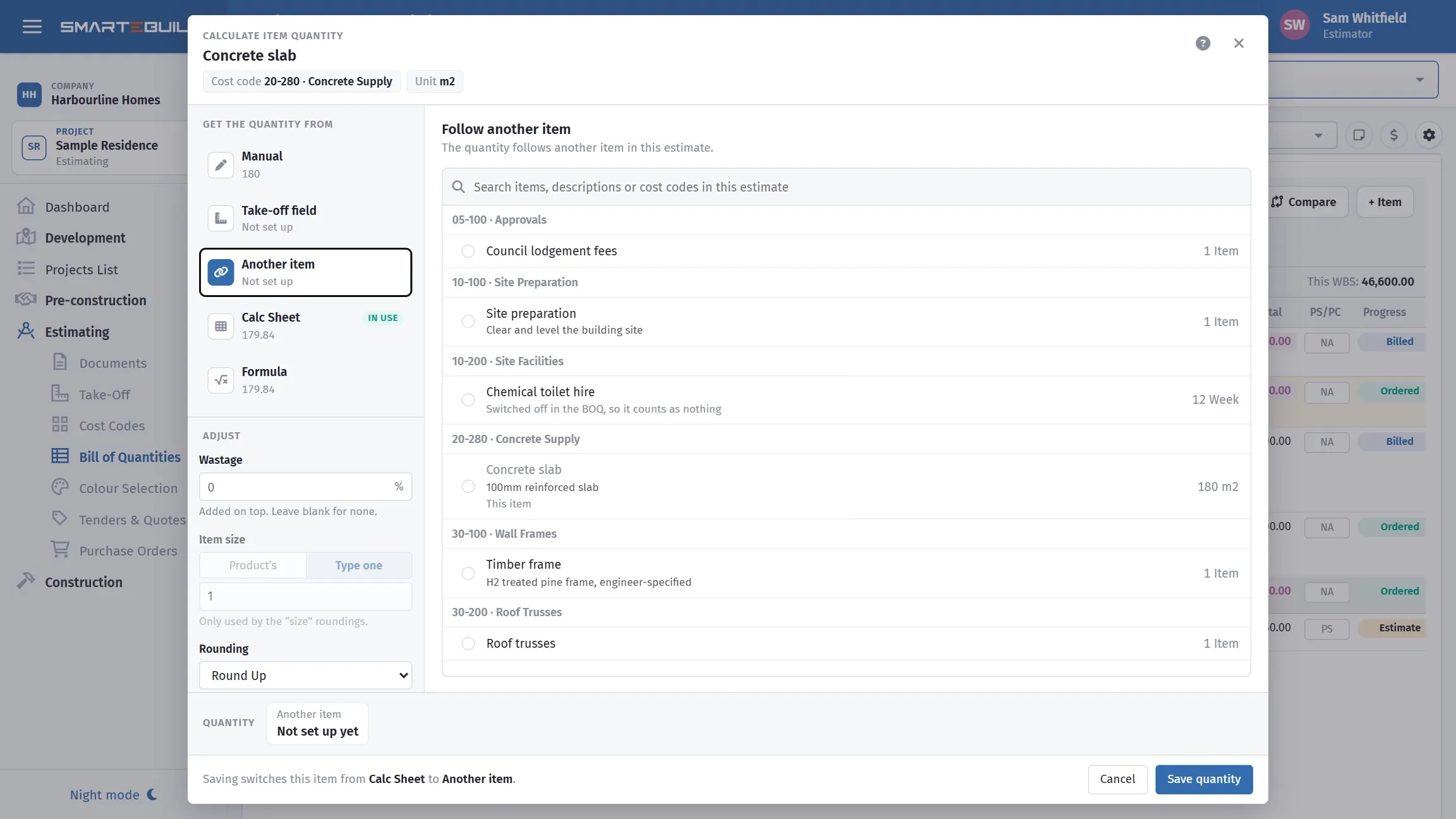
The item being edited is greyed out, so a quantity cannot be made to follow itself.
The quantity comes from another item in this estimate. You choose whether to take it with its wastage (its final quantity, as the BOQ shows it) or without its wastage (its quantity before its own wastage is added) — both numbers are shown so you can see the difference. Take it without when this item carries its own allowance, so waste is not counted twice.
Use it when one item’s quantity genuinely is another’s: mesh chairs from the mesh, bedding sand from the slab area, a second coat from the first. Faster than a formula when the relationship is one-to-one, and it keeps following the source if the source is re-measured.
Calc Sheet
Section titled “Calc Sheet”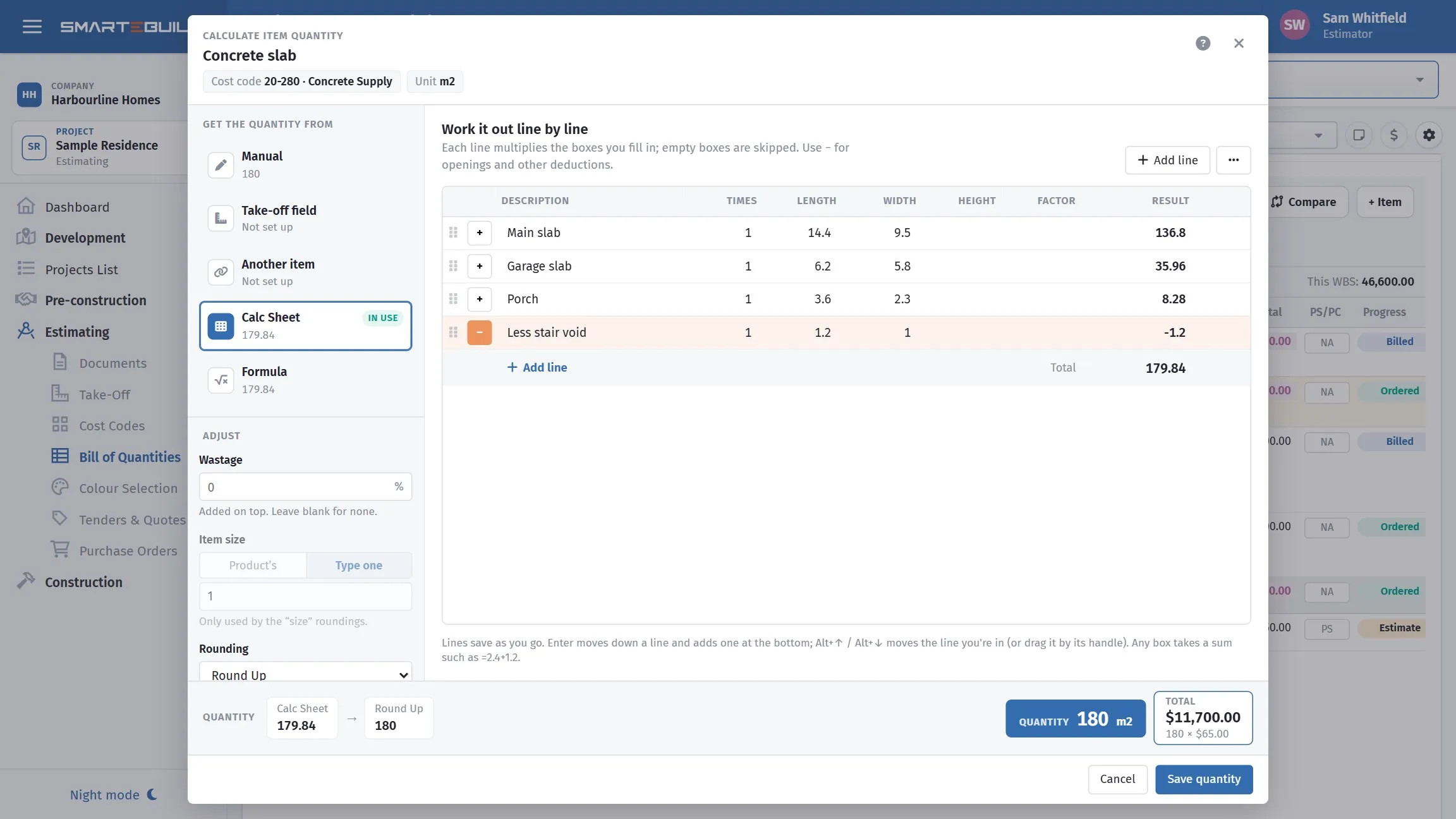
Lengths and widths down the page, with the stair void deducted. The total carries into the rounding strip at the bottom.
The calc sheet is the dimension book: a list of dimensions that multiply out, with the working visible.
Use it when the quantity comes from dimensions you have rather than from a drawing you can measure — a schedule of room sizes, a set of figured dimensions on a sketch, something a client has emailed you.
Its value is that the working is visible. Six weeks later, “why is that 86 m²?” has an answer on the screen instead of in your head.
Worked example
Section titled “Worked example”Skirting to four rooms, from a room schedule:
| Description | Length | Width | Times | Result |
|---|---|---|---|---|
| Living perimeter | 5.4 | 4.2 | 2 | 19.20 |
| Bed 1 perimeter | 3.6 | 3.2 | 2 | 13.60 |
| Bed 2 perimeter | 3.4 | 3.0 | 2 | 12.80 |
| Hall | 6.8 | — | 2 | 13.60 |
| Less door openings | 0.87 | — | −7 | −6.09 |
| 53.11 m |
The door deduction is the point. It is on the screen, it is explicit, and anyone checking the bill can see it was allowed for.
Formula
Section titled “Formula”The quantity is derived from other quantities. See Formula fields.
Use it when one quantity genuinely follows another — mesh follows slab area, skirting follows wall length, paint follows wall area.
Choosing between them
Section titled “Choosing between them”Work down this list and take the first that applies:
- Can it be measured off a drawing? Use a field. It will follow every revision.
- Is it the same as another item’s quantity? Use item.
- Does it derive from other quantities? Use a formula.
- Do you have dimensions but no drawing to measure? Use the calc sheet, so the working is recorded.
- Otherwise, type it — and flag it.
What the method gives, and the final quantity
Section titled “What the method gives, and the final quantity”The bar along the bottom of the window shows both, step by step: what the method gives, then wastage, then size and rounding, ending in the quantity the item carries.
Measure 100 m² into a field, set 10% wastage, and the bar reads 100 → 110. The measurement stays honest and the allowance stays visible.