
What cost codes are for
Available onEstimatorBuilder
Cost codes are the structure you cost against — your trade breakdown.
Preliminaries, Concrete, Framing, Roofing, Brickwork, Carpentry,
Plumbing, Electrical, and so on.
Every item in the Bill of Quantities sits under one. That is what turns a long list of priced lines into something you can read a total off, compare between jobs, and issue orders from.
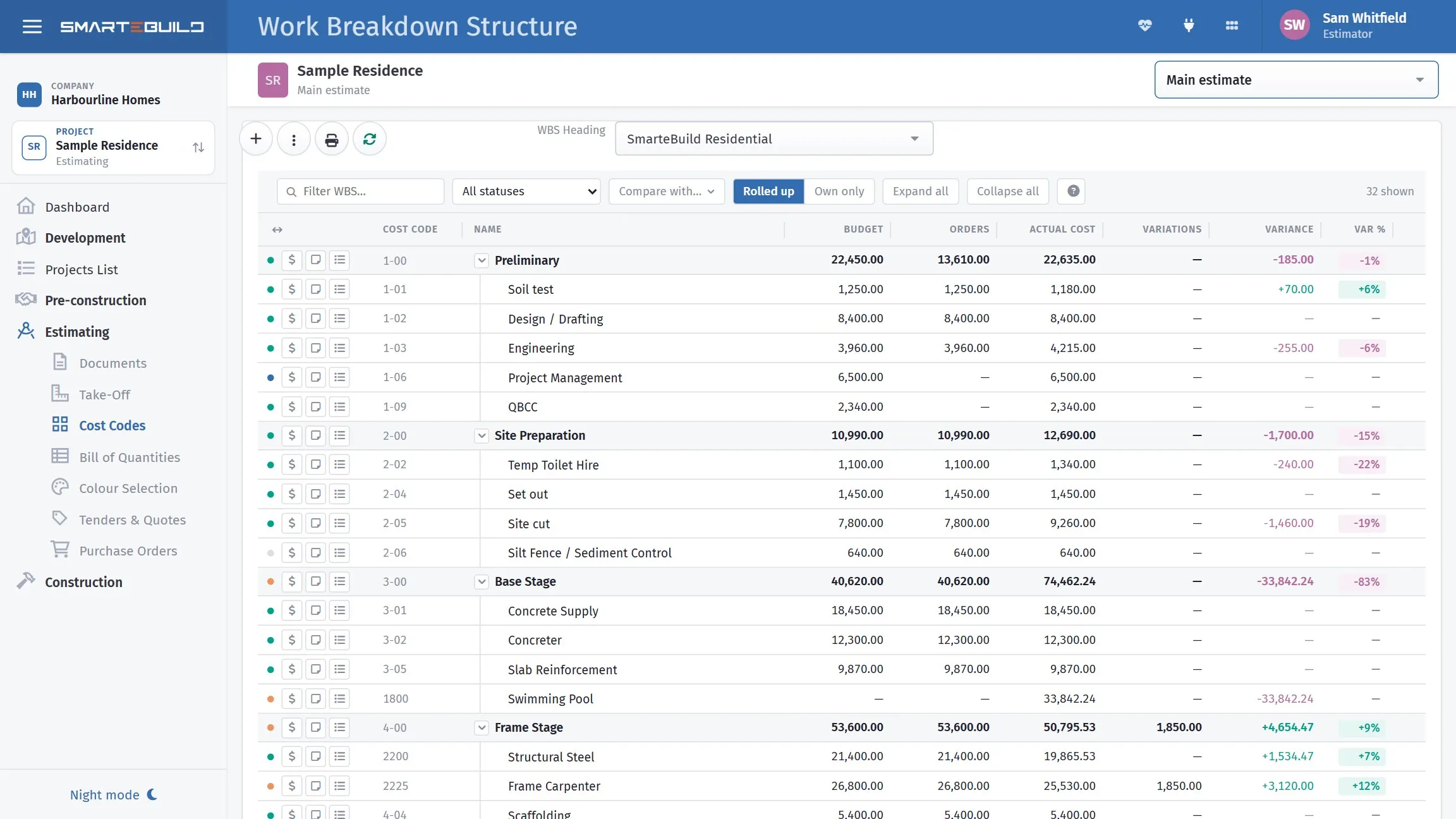
Every cost code with its budget, committed and actual side by side.
Why it matters more than it looks
Section titled “Why it matters more than it looks”The structure decides what questions you can answer later.
If concrete supply and concrete placing sit under one cost code, you can never separate them without going through the bill line by line. If they are separate, you get both numbers for free, on every job, forever.
The same goes for everything downstream:
- Purchase orders are grouped by cost code, so the structure decides how naturally an order maps onto one subcontractor’s scope.
- Cost reports report by cost code.
- Progress claims and expenses are coded to them.
- Comparing jobs only works if the jobs share a structure.
That last point is the one people wish they had known earlier. Two jobs with different cost code structures cannot be compared without manual work, so a structure you keep changing costs you your own history.
Trades that do not apply
Section titled “Trades that do not apply”You do not have to delete a cost code that this job has no work in. Set its status to Not Required in the BOQ and it contributes zero to the totals, while staying in the structure.
That is what makes one standard structure usable on every job, from a full new build to a bathroom renovation. See Cost code status.
How deep to go
Section titled “How deep to go”Cost codes are a tree — a cost code can have a parent. Depth is a trade-off:
| Too shallow | About right | As deep as it goes |
|---|---|---|
Trades |
Concrete → Slab, Driveway |
Concrete → Slab → N32 supply |
| One total, no detail | Orders map to real scopes | The limit, and more structure than most jobs fill |
Two levels covers most residential building. Three is common on commercial work — and three is also the ceiling: SmarteBuild refuses a fourth, in cost code and price list structures alike.
The test is whether you would ever want that line as a separate number on a report or a separate purchase order — if not, it is detail that belongs in the item description rather than in the structure.
Cost codes and WBS
Section titled “Cost codes and WBS”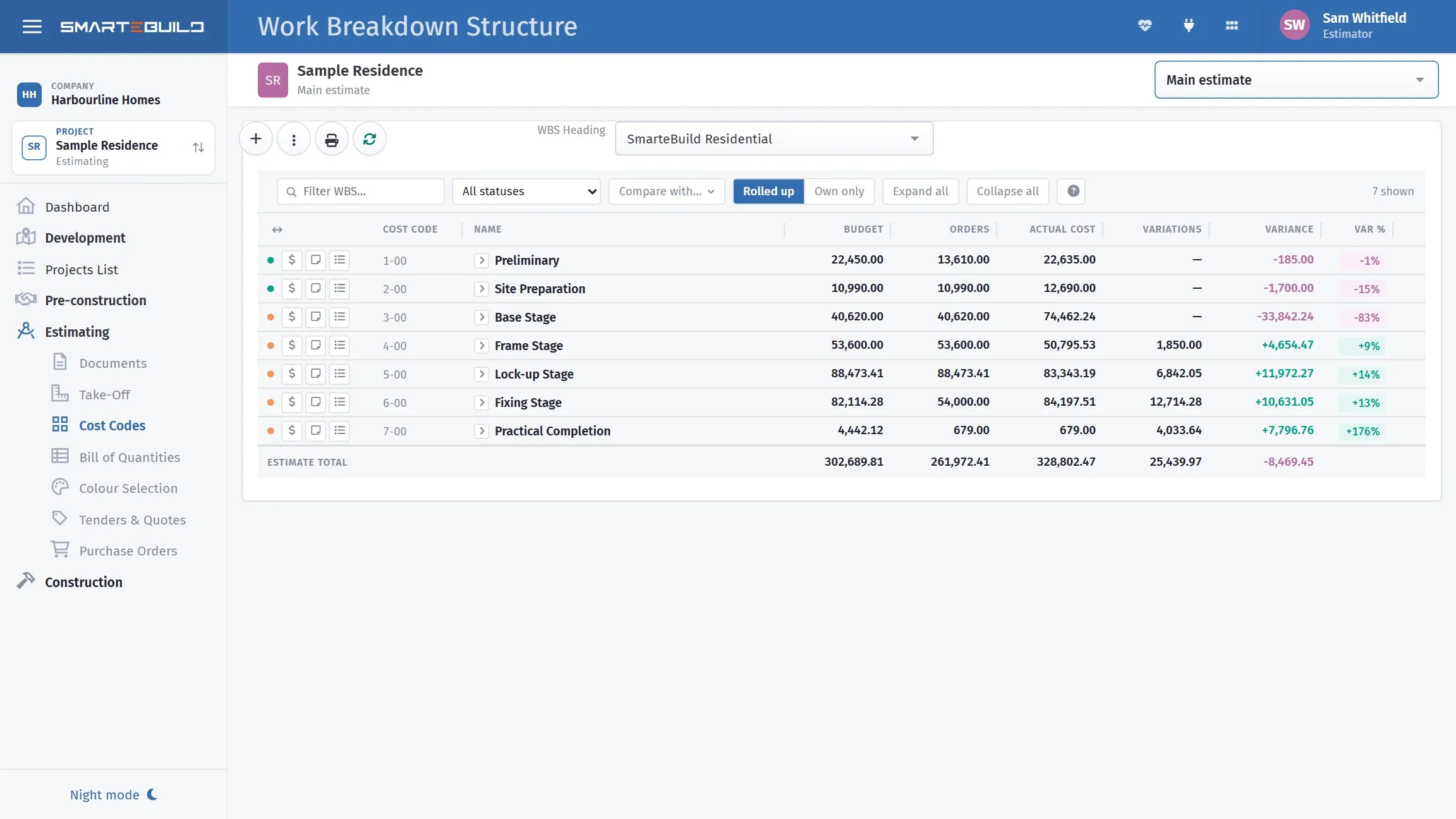
The same figures as a report you can hand to somebody.
You will see both terms. They refer to the same tree:
- The module is called Cost Codes in the menu.
- The structure itself is a Work Breakdown Structure (WBS), and a project can make more than one available to its estimates.
See Work Breakdown Structures for when you would want more than one.