
Work Breakdown Structures
Available onEstimatorBuilder
A Work Breakdown Structure is a named cost code tree. Most builders need one. Some need two or three, and this is how you keep them apart.
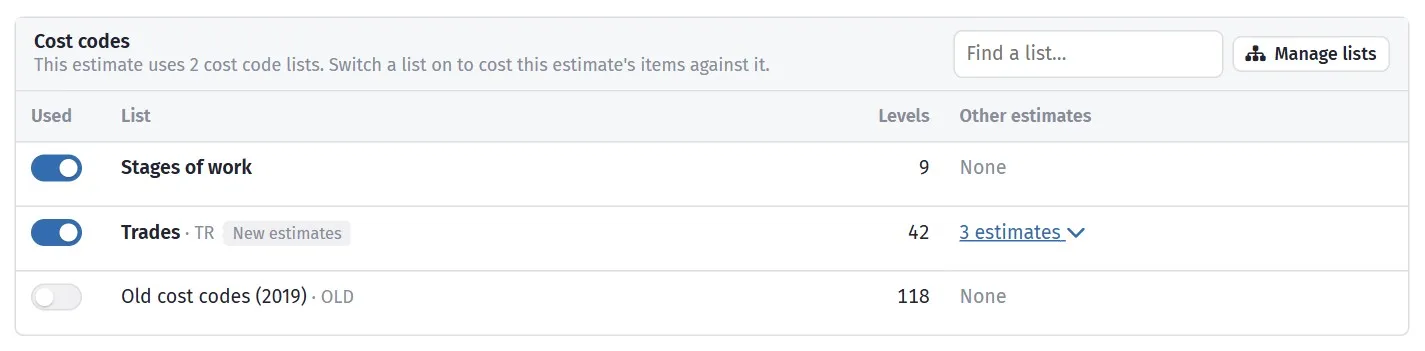
The work breakdown structure rolls the job up level by level.
When one is not enough
Section titled “When one is not enough”| You do | You might want |
|---|---|
| New builds and renovations | A structure for each — renovations carry demolition and make-good that a new build has no line for |
| Residential and commercial | Separate structures; commercial usually needs more depth |
| Work for a builder who mandates their codes | Their structure alongside your own |
| Volume and custom homes | A tight volume structure, a fuller custom one |
If none of those apply, one structure is the right answer and multiple structures will only cost you consistency.
Making a structure available to a project
Section titled “Making a structure available to a project”On the project, the Work Breakdown Structures tab controls which structures its estimates can use, and which one new estimates get by default.
Default WBS for new Estimates is the setting worth getting right. Set it on the project — or on the template you copy projects from — and every new estimate starts with the correct structure already in place, rather than empty.
Choosing the structure for an estimate
Section titled “Choosing the structure for an estimate”An estimate picks its structure when it is created. Changing it afterwards is possible but disruptive — the items are coded to cost codes in the old structure, so they have to be re-pointed.
Get it right at creation. If you realise an estimate is on the wrong structure and it is still early, it is usually quicker to create a new estimate on the right one and duplicate the work across.
Codes should mean the same thing everywhere
Section titled “Codes should mean the same thing everywhere”If you run more than one structure, keep a code meaning the same thing in each.
300 should be concrete in your new-build structure and in your renovation
structure.
Where they must differ, make the difference obvious — a renovation structure might
add 250 Demolition and 260 Make good, which simply do not exist in the new-build
tree. Adding codes is fine; reusing the same code for different trades is what
breaks cross-job reporting.
Reading the grid
Section titled “Reading the grid”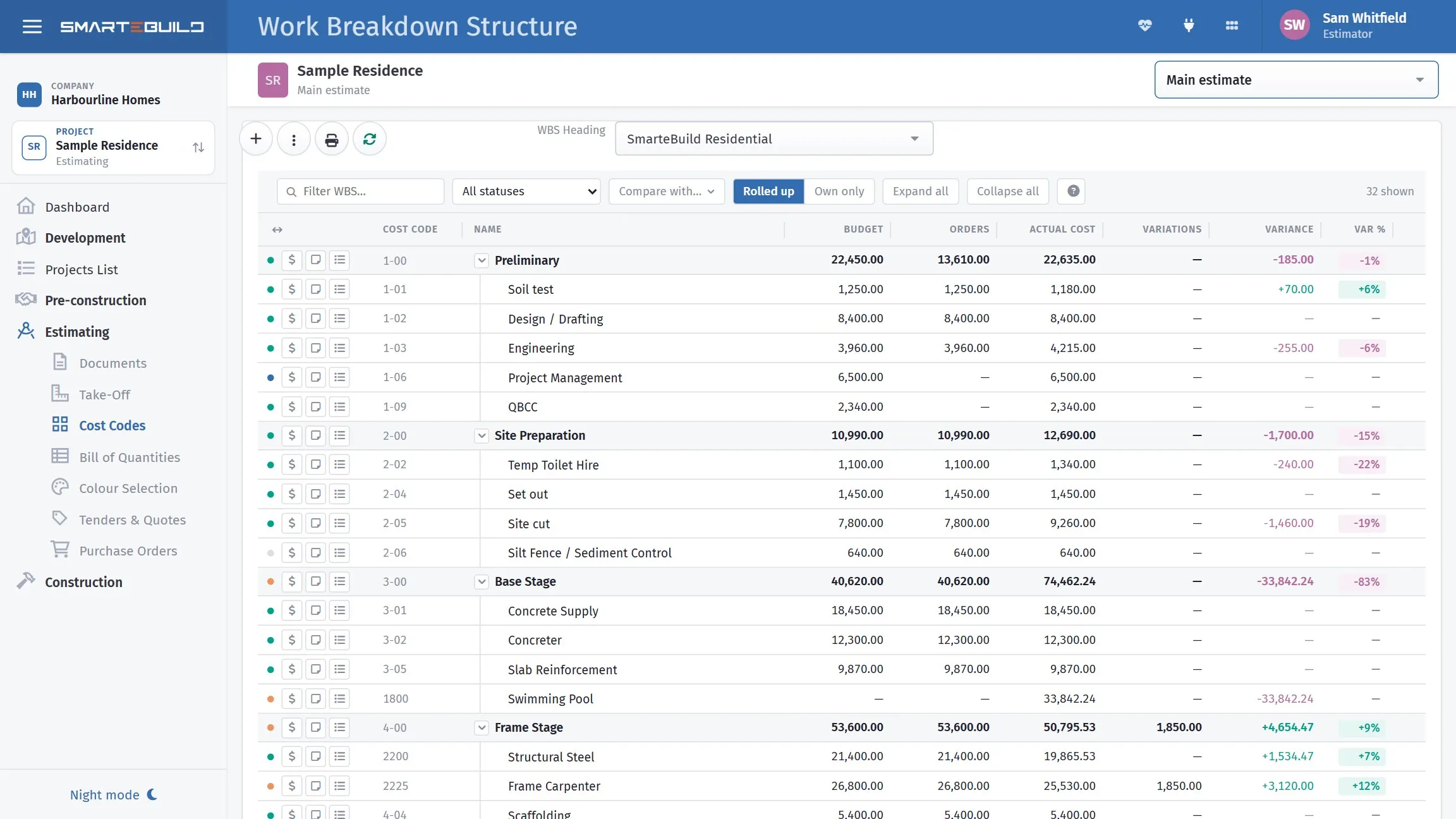
Rolled up, so each stage carries its branch. Base Stage is the row to look at: the swimming pool under it has no budget at all and $33,842 of actual cost, which drags the whole stage to −83%. A cost code nobody budgeted for is the usual reason a stage goes red.
The WBS page is not only where structures are named. For the estimate you have open it is a live cost grid — one row per cost code, rolled up through the tree.
| Column | What it shows |
|---|---|
| Cost code and Name | Which line of the structure the row is |
| Budget | What the estimate allows |
| Orders | What purchase orders have committed |
| Uncommitted | Budget less orders — what is left to put on a purchase order. It turns red when more has been ordered than budgeted |
| Committed variance | Budget plus variations, less orders — the same reading as Actual variance, but against what has been committed rather than spent. Blank until something has been ordered |
| Actual cost | What has actually been invoiced |
| Variations | What approved variations have added or taken off |
| Actual variance and Var % | Budget against actual, in dollars and as a percentage |
Columns hides any column you do not use — everything except the buttons and the name can go, and the choice is saved against you, so it follows you to another computer.
Drag the edge of a column to resize it. Reset every column to its default width puts them all back when the grid gets away from you.
Cost breakdown on a row opens the money on that cost code: the quotes, orders, invoices, timesheets and variations behind the figures on the row.
Comparing with another estimate
Section titled “Comparing with another estimate”Compare with… puts another estimate’s budget beside this one — up to four at a time.
Only estimates built on the same structure are offered. Cost codes line up row for row only when both were built the same way, so comparing across structures would put unrelated trades on the same line. The estimate you are looking at is left out of the list, and you can search it by job name or estimate name.
This is the fastest sanity check on a new estimate: stand the job you have just priced next to two finished ones on the same structure, and the cost code where you are 30% light is obvious in a way it never is in a single column of figures.
Filtering
Section titled “Filtering”Filter WBS… and Filter Structure… narrow a long tree while you are working in it. Look Up finds a cost code by code or name when you know what you want but not where it sits.
All statuses narrows the grid to one cost code status — the quickest way to see what is still sitting at Waiting for Quotation a week before you have to submit.
Where a WBS is used
Section titled “Where a WBS is used”- The Bill of Quantities groups items by it, and can show Only Selected WBS
- Purchase orders are grouped by it
- Expenses are coded to it
- Cost reports summarise by it
- Hide Empty Nodes in the BOQ suppresses cost codes with nothing in them, which makes a full standard structure usable on a small job