
Reports and handover
Available onBuilder
The same defect list serves three audiences. The print options are how you produce the right version of it.
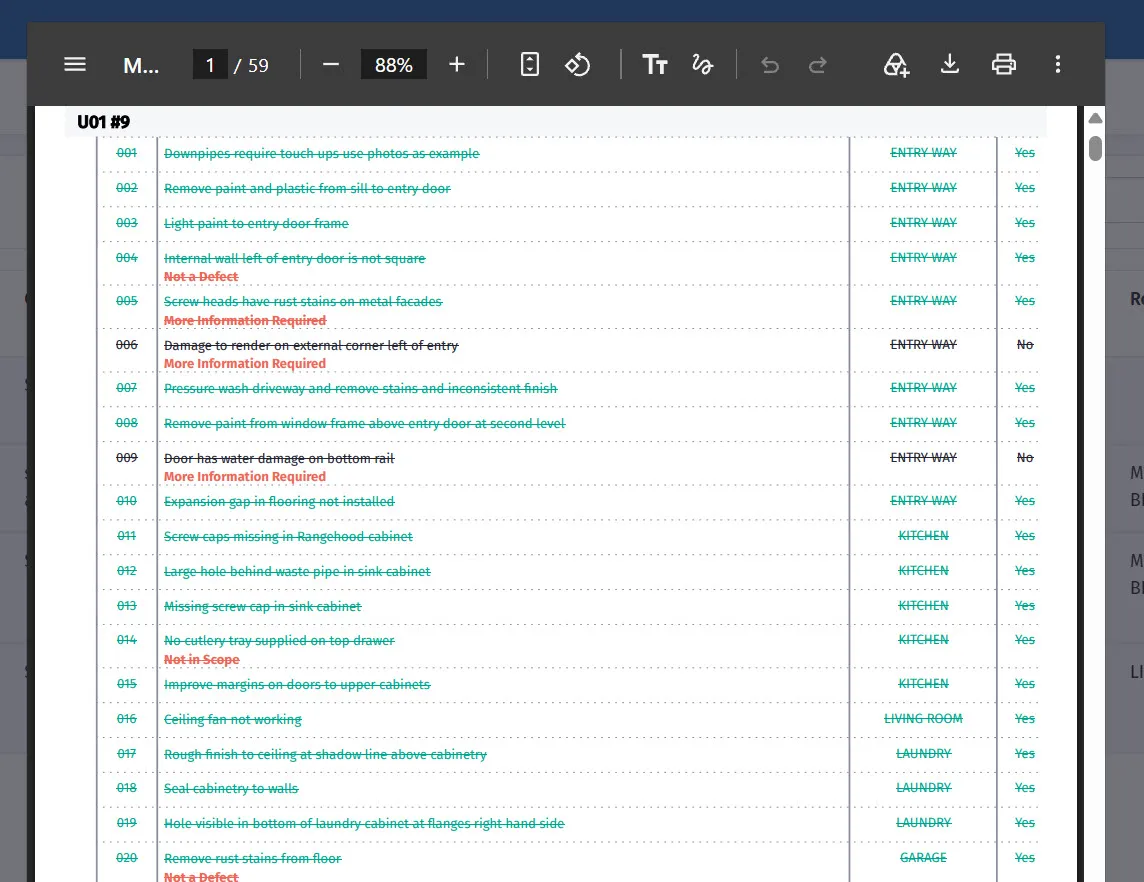
What the client signs off at handover.
Print options
Section titled “Print options”Open More → Print or export. It starts on the location and supplier the list is filtered to, so a filtered list prints as you see it.
| Option | What it does |
|---|---|
| Full report / Summary / Excel | The whole detail with photographs, one line per defect, or a spreadsheet |
| Location and Supplier | Print one location, one trade, or everything |
| Fixed defects | Crossed out, shown, or left out |
| Disputed defects | Crossed out, shown, or left out |
| Leave the supplier column out | Removes who is responsible |
| Start each location on a new page | Starts each location on its own page |
The PDF opens in the window; Open in a new tab prints or saves it.
For a trade
Section titled “For a trade”One list, their items only, with locations and photographs.
Tick Start each location on a new page. A carpenter working through a house can take one page per room rather than cross-referencing a single long list, and can tick items off as they go.
Include fixed items? No. They want what is outstanding.
For the client
Section titled “For the client”The full list, with fixed items shown as fixed and disputed items shown as disputed.
Leave the supplier column out — yes. Which subcontractor caused a defect is your business, not the client’s, and naming them invites the client to deal with them directly.
Include everything else. A client seeing 63 of 78 items marked fixed can see the job is being worked through; one shown only the outstanding 15 has no sense of progress.
For handover
Section titled “For handover”At handover the client wants two things: that the list has been dealt with, and a record of anything outstanding.
Produce:
- The full list, showing fixed, outstanding and disputed.
- A summary — the counts, so the position is clear at a glance.
- Photographs of anything disputed, supporting your position.
Attach the whole thing to the project in Documents. It belongs with the handover pack, and it is one of the first things anyone looks for if something comes up later.
The summary report
Section titled “The summary report”Summary gives the position without the detail: counts by location, by trade, and by status.
Useful for a weekly update to the client during the defects period, and for your own sense of whether the list is actually shrinking.
Excel export
Section titled “Excel export”Excel downloads the list - with each defect’s status, dispute reason, supplier notice and photo count - for sorting, filtering, or handing to someone who wants to work in a spreadsheet.
Useful when an independent inspector wants the list back in their own format, or when you want to analyse defects across several jobs to find the patterns worth acting on.
What the client signs
Section titled “What the client signs”At handover, the client signs off the defect list as part of accepting the works.
Make sure what they sign matches what they can see: every fixed item genuinely fixed, every disputed item explained, and every outstanding item with a date against it. A list signed on the understanding that four items remain, with dates, is a clean handover. One signed as complete when it is not is a problem deferred.