
Suppliers on the portal - their products, freight and price requests
Available onEstimatorBuilder
Suppliers can keep their own catalogue in SmarteBuild’s shared price list through the SmarteBuild supplier portal. Their products appear in your price list window, product picker and price lists like any other shared product - with a few extras:
- The unit they sell by - each, LM, M2 - so your estimate multiplies their price by the right quantity.
- Quote only instead of a price, for products made to order, and an Ask for a price button.
- Lead time and a picture.
- The freight to your job’s site, from the supplier’s own delivery zones.
- Prices as at - the date the supplier last confirmed their prices. An Old price tag shows on prices more than six months old.
SmarteBuild’s team checks every new product and every change of name, description, unit or picture before it reaches you. Price changes go live on the date the supplier sets, unless the price moves by more than 25% - those are checked too.
Seeing a supplier’s products
Section titled “Seeing a supplier’s products”Open your estimate, then the price list window (or the product picker on a line). Products from portal suppliers show their unit, lead time and picture beside the price.
- Quote only shows instead of $0. These products are not counted when the picker works out the cheapest option, and sort after the priced ones.
- Click a product to see Freight to the site and, on a row of its own, Ask for a price.
Freight to your site
Section titled “Freight to your site”The freight line is worked out from the supplier’s delivery zones and your job’s site postcode and state - for example Freight to 3128 (Melbourne metro): $85 per order, free over $1,500. If the supplier quotes freight for each job, or has no zone for your site, it says so.
Freight is worked out from the job’s address on the Projects page. If the line says Freight to the site: ask the supplier and the job has no postcode, add the site address to the project.
Freight is shown, never added to your estimate automatically: add it as its own line if you want it priced in.
Asking a supplier for a price
Section titled “Asking a supplier for a price”Use this for quote-only products, and for any portal supplier’s product when you need a price for your quantity.
- Click the product in the price list window, or in the product picker opened from the estimate line.
- Press Ask for a price.
- Check the quantity (filled in from the estimate line when you ask from one), describe what you need - sizes, profile, timber, finish. Leave the site suburb, postcode and state blank to use the job’s site address, or fill them in for a different delivery address.
- Press Ask for a price at the bottom of the window.
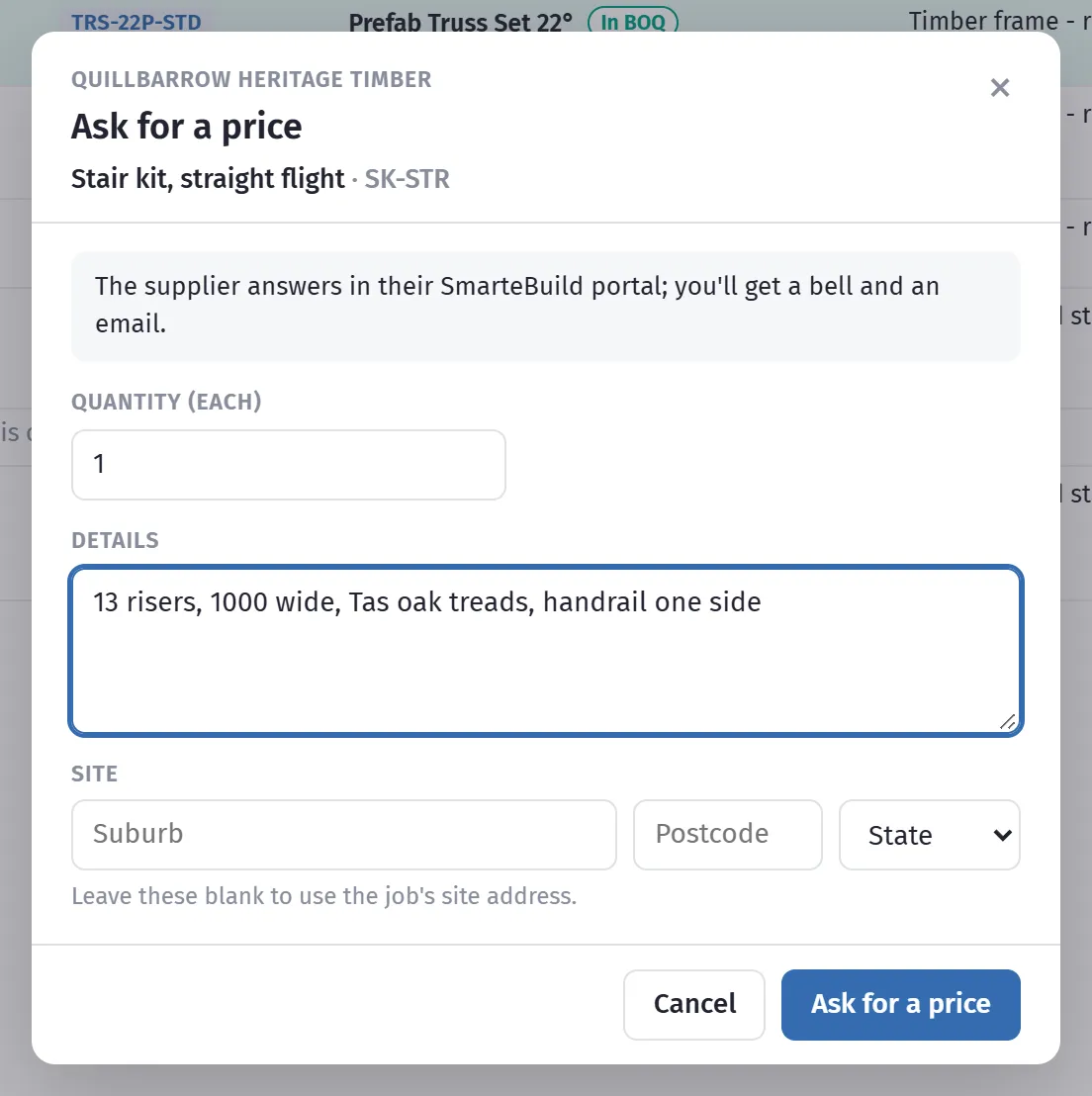
The supplier is emailed and sees your request in their portal. When they answer you get a bell notification and an email; both open the estimate at that line.
On the estimate line
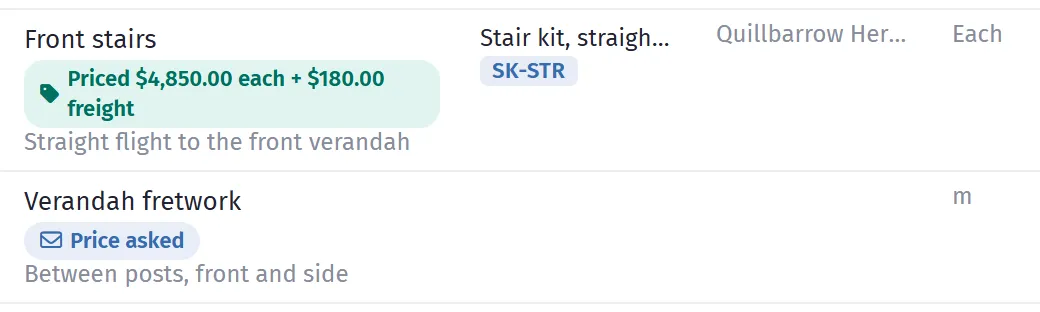
Section titled “On the estimate line”A line with a price request shows where it is up to, under the item’s name:
| What it says | What it means |
|---|---|
| Price asked | Sent; the supplier has not answered yet. |
| Priced $4,850.00 each + $180.00 freight | The supplier’s price per unit ex GST, with their freight to your site if they gave one. |
| Supplier can’t price it | The supplier cannot supply it; their note says why. |
| Supplier’s price used | You have put the price on the line. |
| Withdrawn | You took the request back. |
Click it to open the request: the price, freight, the date it is good until, and the supplier’s note.
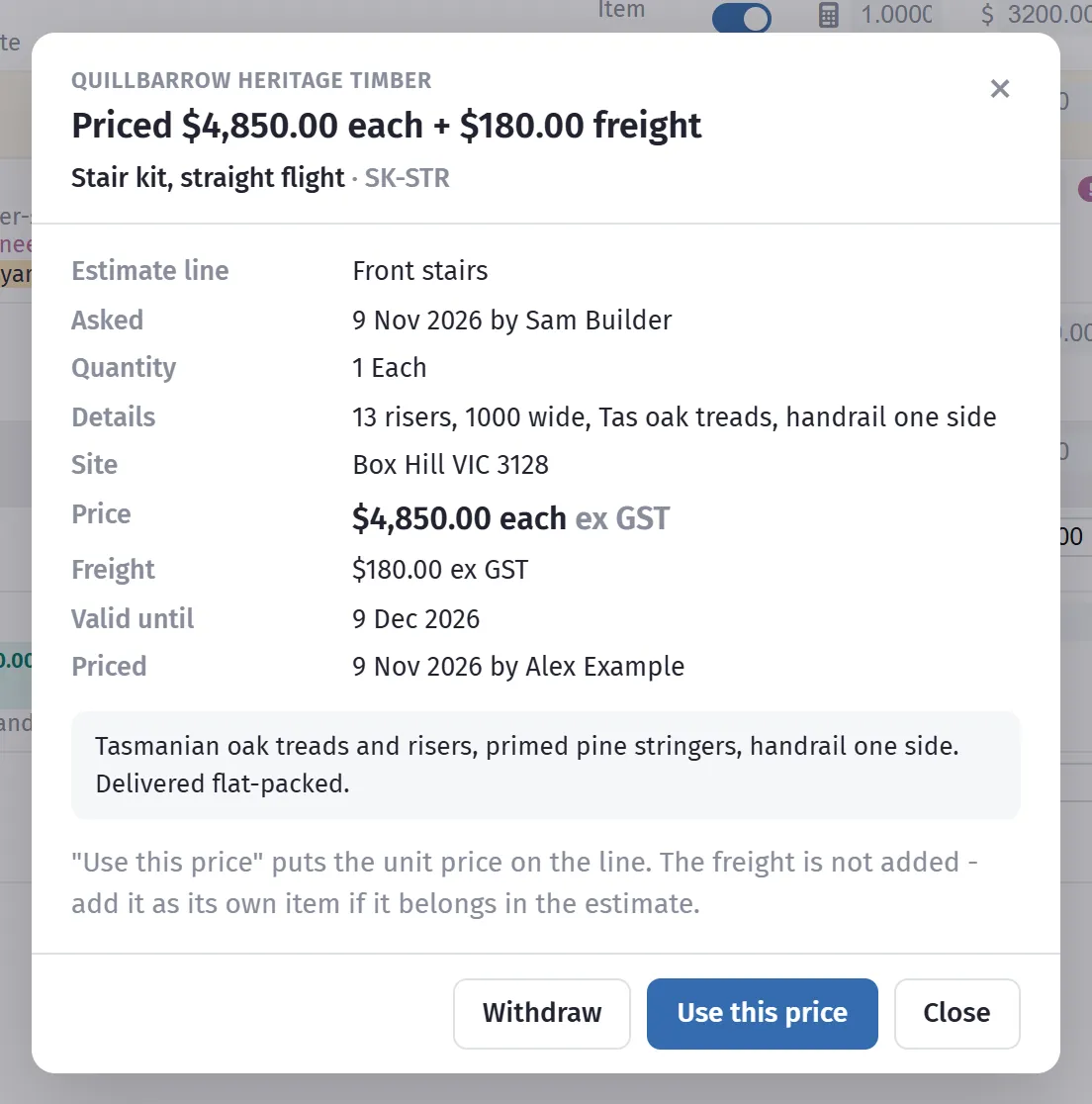
- Use this price puts the supplier’s price on the line, as that supplier’s product - the same as choosing it in the product picker and typing the price. It needs permission to change a line’s product and to see costs, and is not available while the estimate is locked. Freight is not added; add it as its own line if you want it priced in.
- Withdraw takes back a request the supplier has not answered.
- Ask again sends a new request, for example for a different quantity.
Getting your suppliers on the portal
Section titled “Getting your suppliers on the portal”It is free for suppliers. Send them the supplier guide - The SmarteBuild supplier portal - a guide for suppliers (PDF, download below) - and ask them to contact SmarteBuild at hello@smartebuild.com.au or (07) 3397 8805. Once they are set up, their products appear in everyone’s shared price list.