
How tendering works
Available onEstimatorBuilder
A tender is a package of work you send out for pricing. Each subcontractor you send it to gets a bid — their copy, which they price and return.
One tender, several bids. That distinction runs through the whole module.
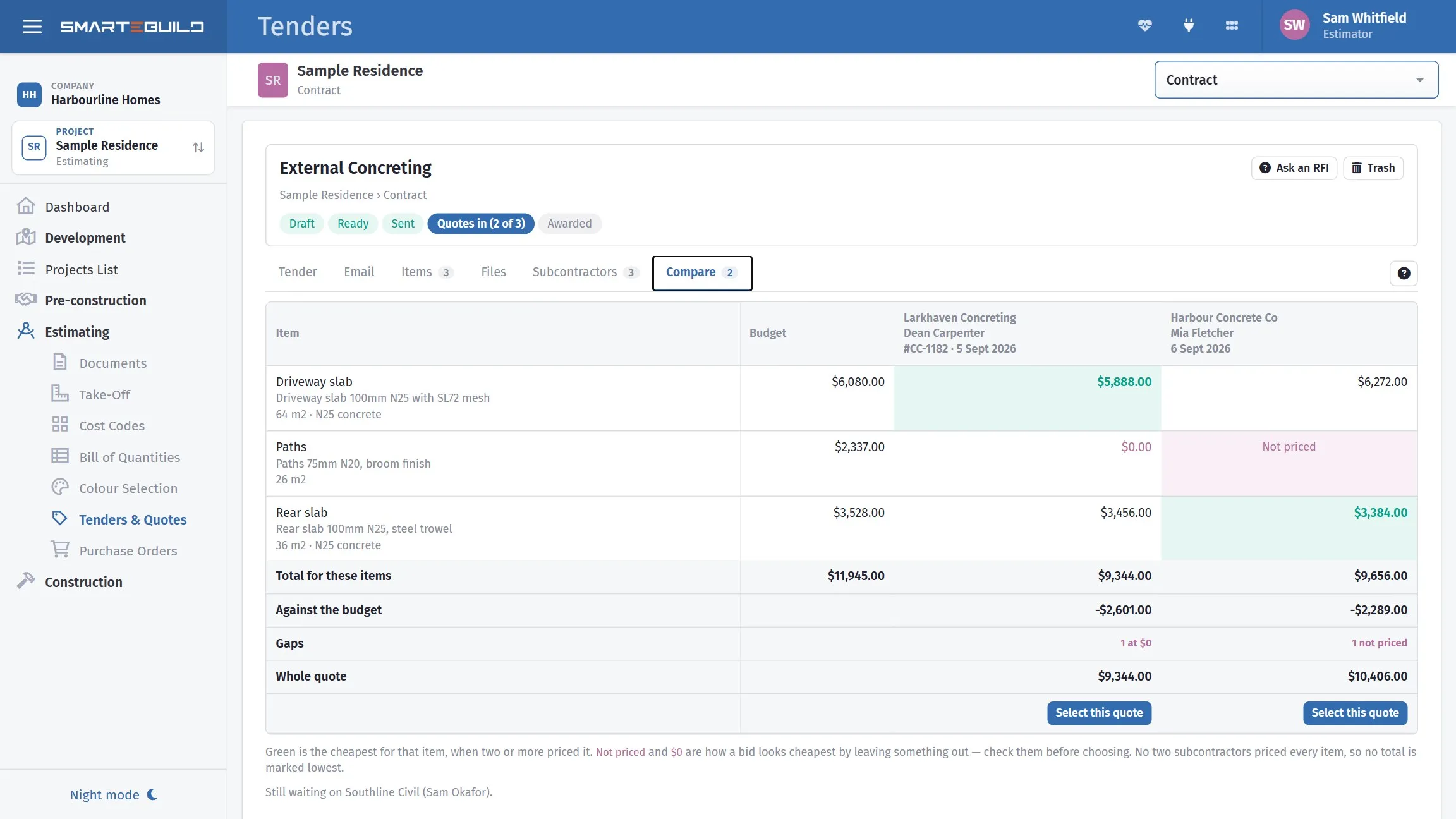
Line by line against what you allowed, with the cheapest for each item in green.
What a tender carries
Section titled “What a tender carries”| Part | What it is |
|---|---|
| Items | The BOQ items the package covers |
| Subcontractors | The suppliers invited to price it |
| Files | Drawings, specifications, site information |
| Subject and body sent with each invitation | |
| Name and Notes | What it is called in the list, and internal notes |
The trail it leaves
Section titled “The trail it leaves”This is the reason to use it rather than your mailbox.
Every bid records who was invited, what they were sent, when it went, and what came back. A price brought into the bill carries a Related bid link, so an item’s rate can be traced to the subcontractor who quoted it and the package they were quoting.
When a subcontractor says “that is not what I priced”, the package they were sent is attached to the job rather than in somebody’s sent items.
Templates and copying
Section titled “Templates and copying”Email templates save the covering email for reuse — see Building a tender package. To reuse one tender, New tender › Start from a previous tender copies its covering email and the subcontractors it went to, unsent. To reuse all of them, Copy tender list on one estimate and Paste tender list on another carries every package across, with its items and subcontractors, ready to check and send.
Worth setting up early. Most builders send the same twelve packages on every job, and the covering email says the same thing every time.
What good tendering gets you
Section titled “What good tendering gets you”Beyond the price itself:
- Comparable bids. Everyone pricing the same scope, so the cheapest is actually the cheapest rather than the one that left the most out.
- A record of what was asked. Which is what settles a scope argument later.
- Rates in the bill with a source. See Comparing bids and awarding.
In this section
Section titled “In this section”- The tender list
- Building a tender package
- Scope of works - the standard scope per trade, ticked for the job and sent as a PDF
- Inviting subcontractors
- Sending and tracking
- What subcontractors see
- Comparing bids and awarding