
AI when winning the work
Available onEstimatorBuilder
Tendering is a lot of reading: finding who to ask, then reading every quote that comes back against what you asked for. The AI does the first pass of each.
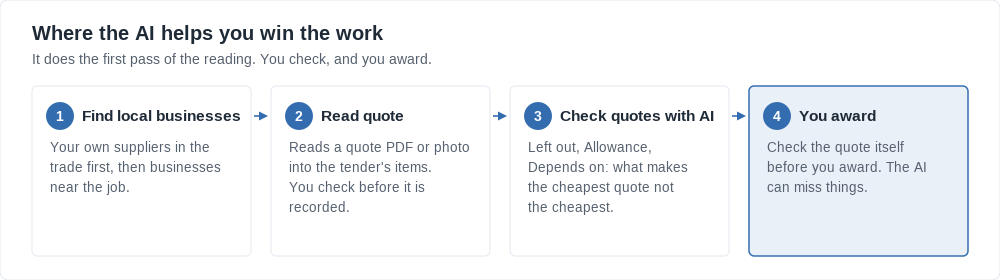
The AI does the reading. Checking the quote and awarding the work stay with you.
Find local businesses
Section titled “Find local businesses”Not enough subcontractors in a trade? Find local businesses in the tender’s invite window (Find local on the Suppliers page) takes the trade and the area - starting from the job’s address - and lists your own suppliers in that trade first, then businesses nearby with their distance, Google rating and whether an active ABN was found. Add the ones you want as suppliers and invite them. Full guide: Find local businesses.
Reading a quote
Section titled “Reading a quote”When a subcontractor sends their quote as a PDF or a photo, Read quote on their row in the tender saves it to the job’s Quotes Received folder and reads it against the tender’s items - every line, or just the section totals. You check what it read before anything is recorded. The same reading is on a quote in Quotes received, as Read quote (AI). Full guides: Reading a quote with AI and Recording a quote.
Checking quotes
Section titled “Checking quotes”On Compare, Check quotes with AI reads each quote’s documents and prices and lists what it found under Left out, Allowance, Depends on, Included in another line and Not asked for - the things that make the cheapest quote not the cheapest. It can miss things or get them wrong, so check the quote itself before you award. Full guide: Check quotes with AI.
Compare with AI
Section titled “Compare with AI”When two or more quotes are back, Compare with AI (on the tender’s row, or under the Compare sheet) reads each quote’s documents into lines and lines every quote up against the tender’s items: one row per item, one column per subcontractor. Items a quote left out are marked Not quoted and filled with your estimate’s own figure, so the Like-for-like total compares the same scope. Tick the winner and Award the ticked quote. It can put a line on the wrong item, so hover over a figure to see the lines behind it before you award. Full guide: Compare with AI.
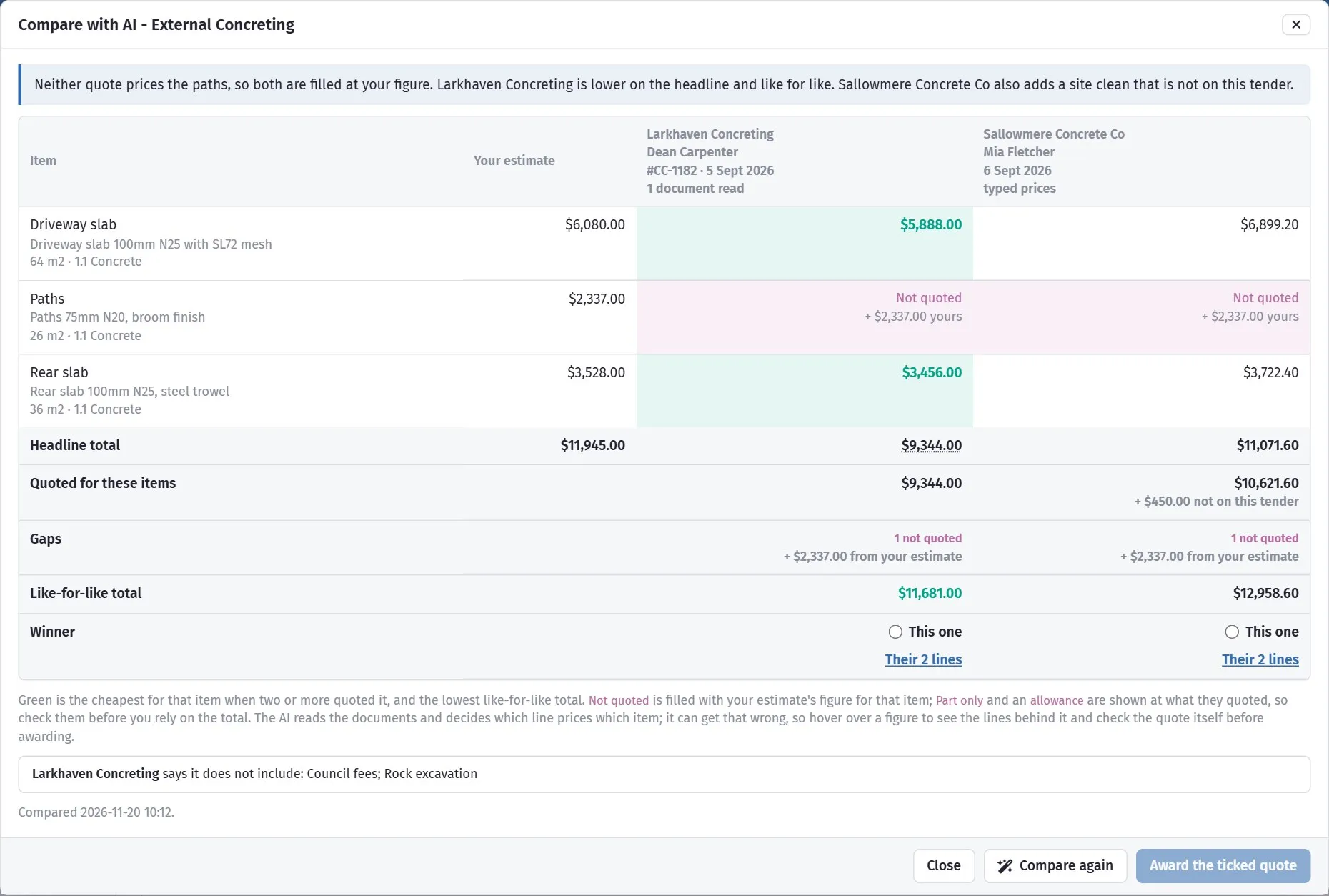
Neither quote priced the paths, so both are filled with your estimate’s figure: the like-for-like totals compare the same job.